Need a simple way to listen to articles, PDFs, or other written content instead of reading everything yourself? Perhaps you are a student who needs to read a 40-page PDF before class, a writer who wants to hear a draft to spot sentences, or someone who focuses better when listening. Whatever the reason, the tools available in 2026 go from free browser readers to AI voice-generation studios that charge real money.
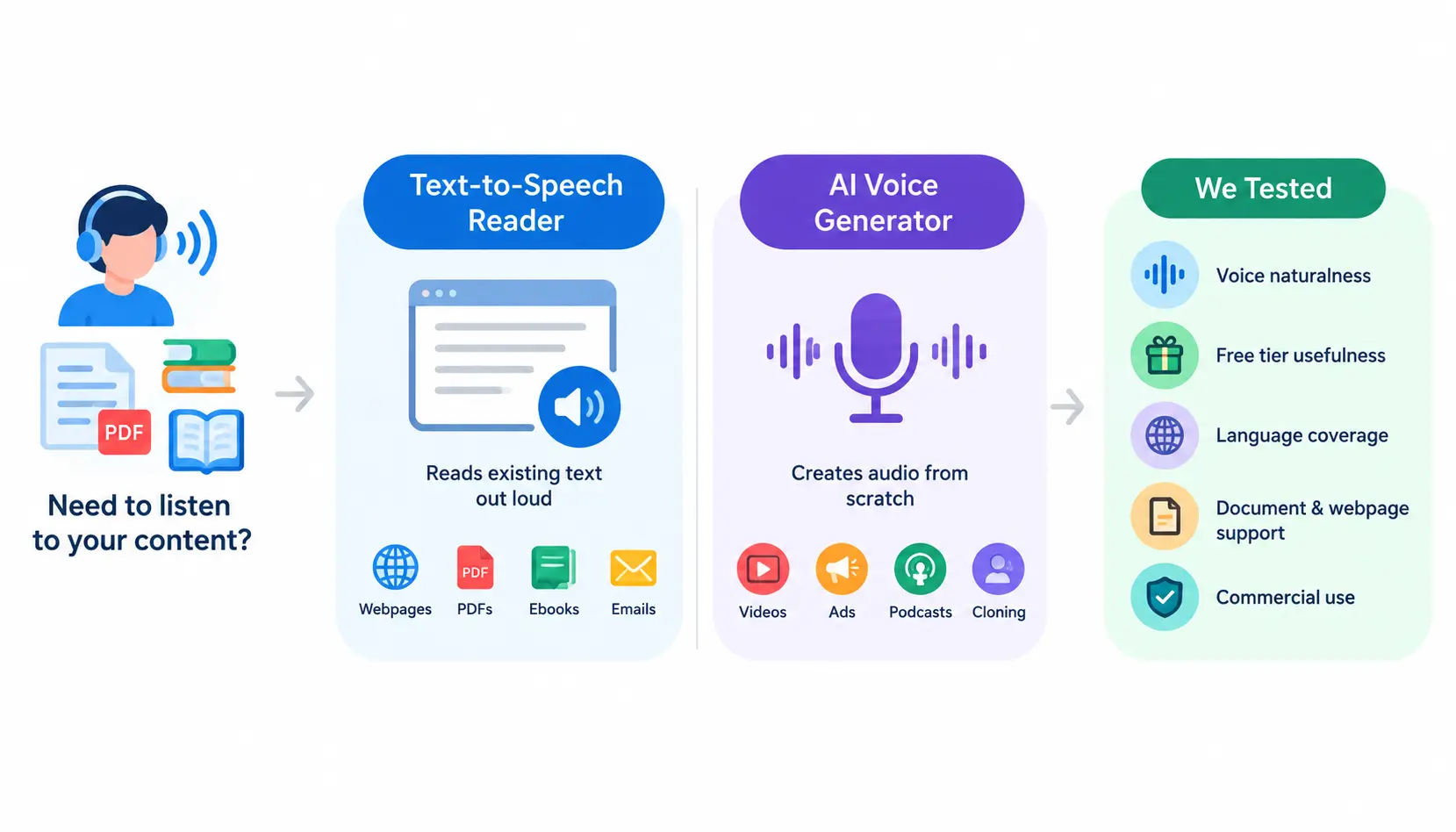
This guide compares both sides of that spectrum. A text-to-speech reader is a tool designed to read existing text out loud: webpages, PDFs, ebooks, emails. An AI voice generator, on the other hand, creates audio files from scratch, often for videos, ads, or podcasts, and includes cloning and commercial licensing. Some products, such as TTSReader, mostly stay in the first camp.
Others, such as Kukarella and Murf, have moved into the second. Speechify and Luvvoice fall somewhere in between. We tested each tool using the criteria: voice naturalness, usefulness of the free tier, language coverage, support for documents and webpages, and most importantly, whether the audio can be used commercially. That last point confuses people more than any other, so we will mark it clearly for every tool.
Best Text-to-Speech Readers at a Glance
Quick comparison table
| Tool | Free plan | Paid plan | Best for | Voice quality | Languages | Commercial use |
| TTSReader | Unlimited standard voices; 5,000 free premium characters | $10.99/mo or $99/yr | Reading webpages, PDFs, and ebooks | Good on premium voices, robotic on standard | 90+ | Premium plan only |
| Kukarella | Limited free tier | $15/mo ($150/yr) | Multi-speaker dialogue and voice cloning | Strong, with emotional styling | 130+ | Included on Prime |
| Luvvoice | 20,000 characters/month, no ads paywall | Paid tiers for higher limits and commercial use | Quick, no-signup narration in many languages | Decent, varies by voice | 70+ | Paid plans only |
| Murf AI | 10 minutes, no downloads | $19-$29/mo (Creator) | Professional voiceovers and presentations | Very natural, studio-grade | 30+ | Creator plan and up |
| Speechify | 10 basic voices, capped speed | $11.58-$29/mo | Reading documents on the go, students | Very natural on Premium | 60+ | Personal listening only |
Quick winners
- Best overall: Speechify, the most complete package for people who mainly want to listen to text, with strong mobile support and natural voices on Premium.
- Best free option: Luvvoice, no signup required, 200+ voices, and no hard word limit for casual use.
- Best for PDFs and webpages: TTSReader, built specifically around importing documents, articles, and ebooks rather than generating standalone audio files.
- Best for content creators: Kukarella, dialogue creation, voice cloning, and transcription bundled into one affordable subscription.
- Best for professional voiceovers: Murf AI, studio-quality output with editing tools built for video, e-learning, and marketing teams.
- Best for mobile listening: Speechify, its app is purpose-built for commuting, studying, and multitasking.
What Is a Text-to-Speech Reader?
How text-to-speech works
At a basic level, text-to-speech (TTS) software analyzes written text and converts it into spoken audio using a synthetic voice model. Older systems stitched together pre-recorded sound units, which is why they sounded choppy. Modern neural TTS models predict speech patterns (pitch, rhythm, pauses) the way a human would say a sentence, which is why current AI voices sound far more natural than the “robot voice” most people picture.
TTS reader vs AI voice generator
This difference is more important than most comparison articles say. A TTS reader is made for listening: you give it a webpage, PDF or document. It reads the text back, to you often with a “listen while you follow along” feel. An AI voice generator is made for making sound: you type or paste a script and pick a voice. Save a finished audio file that you can use for a video, ad or podcast. TTSReader and Luvvoice stay in the group while Murf and Kukarella stay in the second group. Speechify mixes a little of both TTS reader and AI voice generator which helps it become so popular.
Who should use a TTS reader?
- Students: listening to lecture notes, textbooks, or research papers while commuting or exercising.
- Writers: hearing a draft read aloud is one of the fastest ways to catch awkward phrasing.
- Researchers: getting through long PDFs and academic papers faster.
- People with reading difficulties: including dyslexia, ADHD, or low vision, where audio removes a barrier text creates.
- Content creators: narrating videos, explainer content, or short-form clips.
- Businesses: producing training material, IVR prompts, or product explainer audio.
- Language learners: hearing correct pronunciation and rhythm in a target language.
Best Free and Paid Text-to-Speech Readers
1. TTSReader
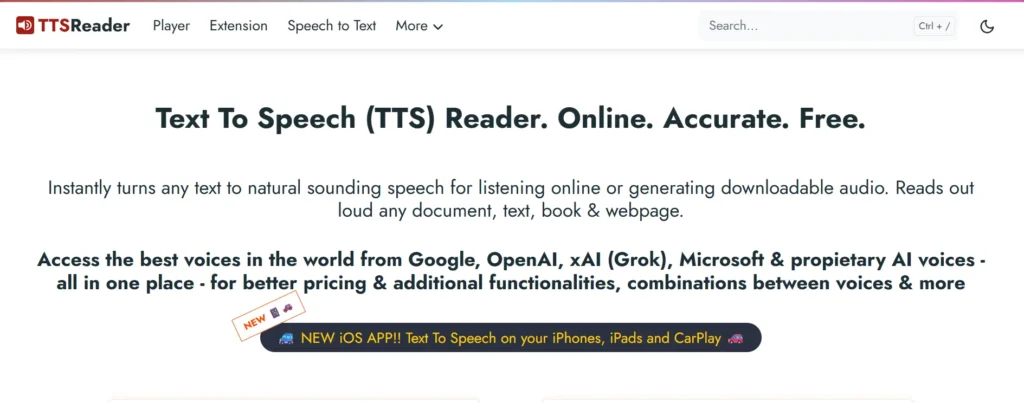
Best for: reading webpages, PDFs, and ebooks aloud without leaving the browser.
Free features: TTSReader’s free tier gives you unlimited use of standard operating-system and browser voices, plus a 5,000-character trial of its premium AI voices. It works as a browser extension, a web player, and a mobile app, and it will read directly from a pasted link, a PDF upload, or plain text you type in.
Paid features: The Premium plan runs $10.99 a month or $99 a year, and includes up to 1 million premium characters per month, MP3 and WAV export, and commercial publishing rights for the generated audio. TTSReader also sells pay-as-you-go character packs for people who occasionally need more than the subscription tiers cover.
Voice and language options: The platform aggregates voices from several underlying engines rather than building its own model, giving access to 600-plus voices across more than 90 languages.
PDF, webpage and ebook support: This is where TTSReader earns its place on this list. It supports direct webpage import, PDF and EPUB reading, and a “listen while you read” mode that highlights text as it’s spoken, a feature that’s genuinely useful for studying.
Commercial-use restrictions: TTSReader is explicit about this on its own FAQ page: audio generated under the free plan cannot be published, sold, or used in any business, organizational, or automated context. Commercial use requires a Premium subscription.
Pros and cons:
- Pros: strong document support, generous free standard-voice tier, browser and mobile presence, clear licensing rules.
- Cons: premium voices are capped tightly on the free plan, and the interface feels more utilitarian than polished compared to newer competitors.
Verdict: If your main goal is listening to existing text, PDFs, articles, ebooks, rather than producing new audio content, TTSReader is one of the most purpose-built options available.
2. Kukarella
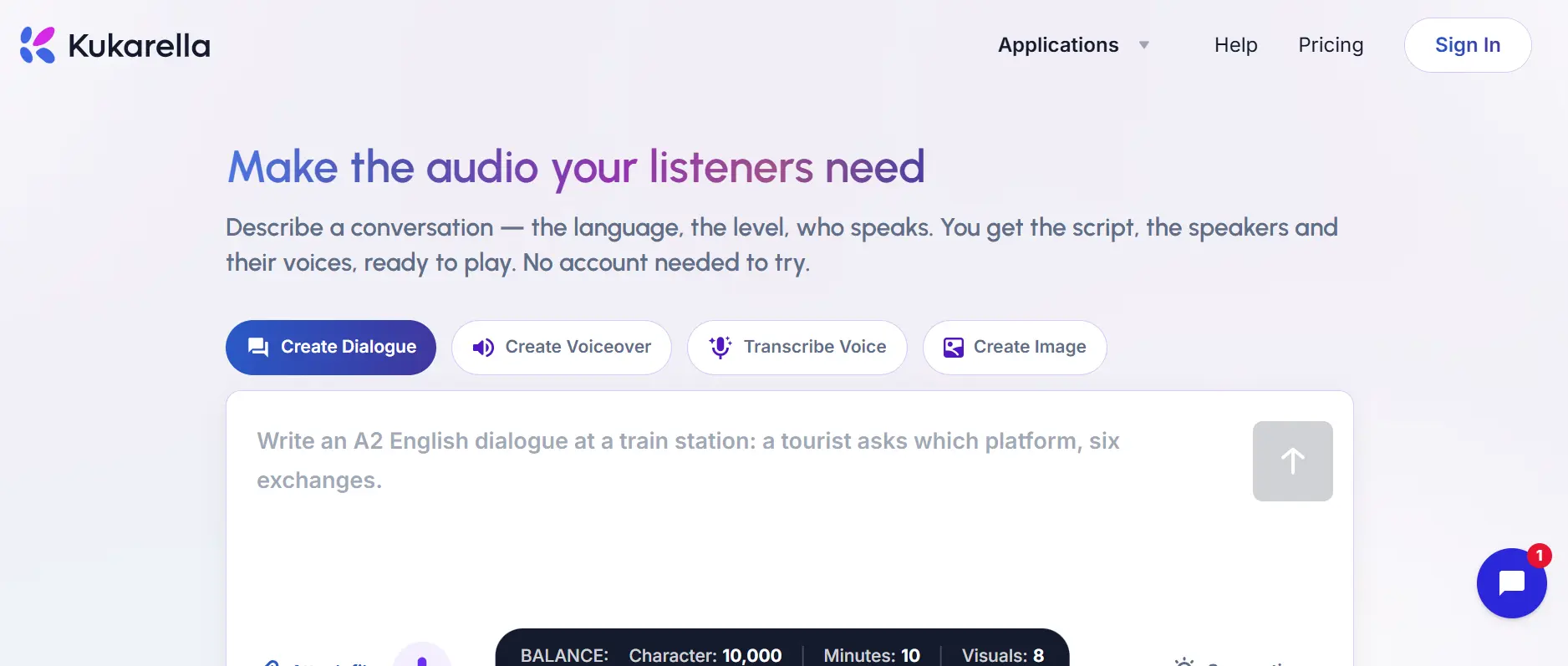
Best for: creators who need multi-speaker dialogue, voice cloning, and transcription in one platform.
Free features: Kukarella offers a limited free tier for testing the platform, including access to a portion of its voice library, though character limits are tight compared with the paid plan.
Paid features: A single Prime plan at $15 a month (or $150 a year) bundles voiceover creation, dialogue generation, transcription, voice cloning, AI writing assistance, and image or video generation. Annual subscribers get 12 voice clones up front; monthly subscribers get one clone per month.
Voice generation: The library includes 1,800-plus pre-built AI voices across more than 130 languages and accents, with fine controls for pitch, speed, pauses, emphasis, and speaking style.
Voice cloning: Kukarella can clone a voice from as little as 15 seconds of audio, and multilingual cloning now works across 50-plus languages. Quality reviewers describe it as solid, though a step behind category leaders on the most complex sentences.
Dialogue creation: This is Kukarella’s standout feature. It automatically assigns distinct AI voices to a scripted conversation, which is genuinely useful for audiobook character voices, training scenarios, and podcast-style content without needing multiple voice actors.
Commercial rights: Full commercial rights are included on the Prime plan, covering the generated voiceovers, dialogues, and cloned voices.
Pros and cons:
- Pros: unusually broad feature set for the price, strong multilingual accent quality, useful for storytellers and educators.
- Cons: the dashboard can feel busy for first-time users, and voice emotion range is still behind the very top AI voice platforms.
Verdict: Kukarella is less a “reader” and more an all-in-one AI audio studio, worth it if you’re producing content rather than just consuming it.
3. Luvvoice
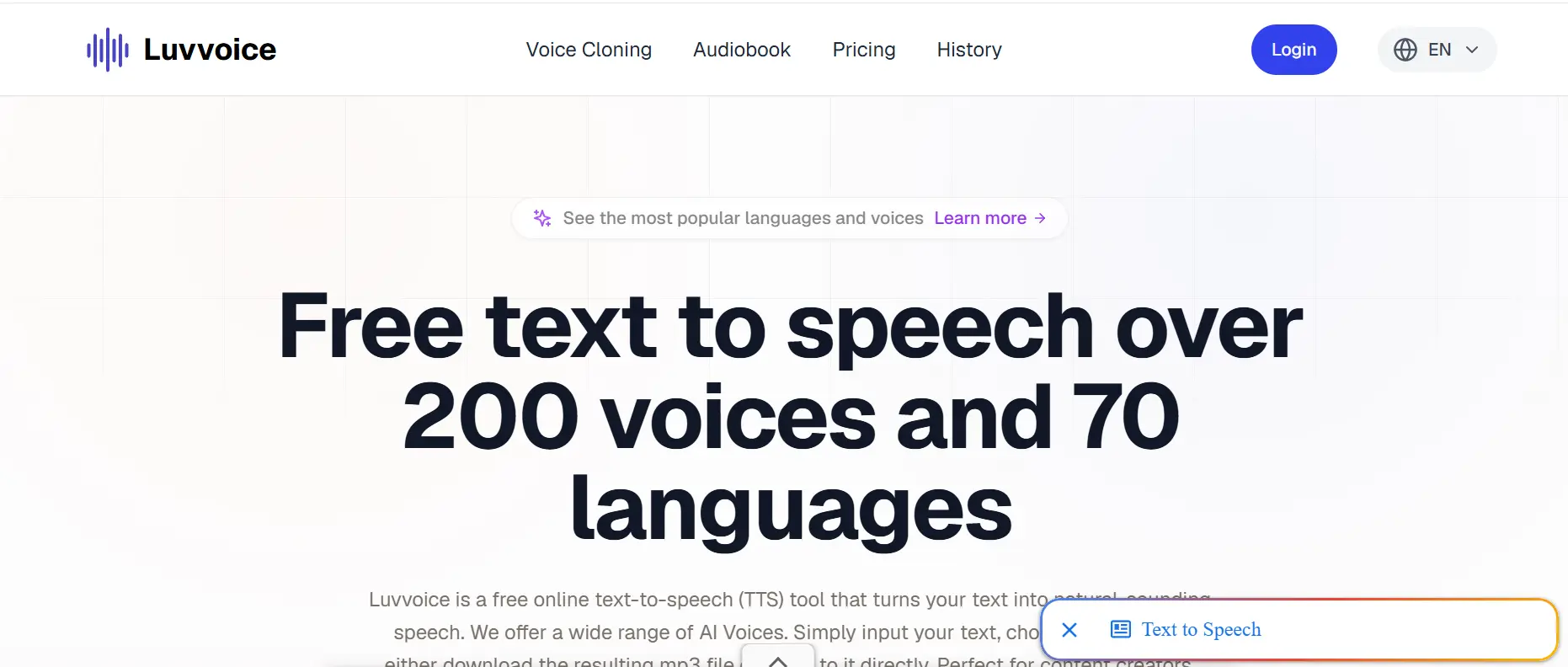
Best for: quick, no-signup text-to-speech in a huge range of languages.
Free features: Luvvoice doesn’t require an account to try, and its free plan allows up to 20,000 characters per month with no forced ad interruptions, which is unusually generous for a free TTS tool.
Voices and languages: The platform advertises more than 200 voices across 70-plus languages, with support for uploading PDF and TXT documents rather than only pasting plain text.
Usage limits: Logged-in and paying users can generate up to 20,000 characters in a single request, and generated audio is stored for 30 days before it’s removed from your account.
Paid features: Paid tiers raise the monthly character ceiling and unlock commercial usage rights, along with faster processing for larger documents.
Commercial use: Free-tier audio is intended for personal use; commercial projects, such as YouTube monetization, marketing, or paid courses, require a paid plan, which is standard practice across most tools in this category.
Pros and cons:
- Pros: no signup friction, wide language coverage, simple interface, genuinely free for casual and educational use.
- Cons: voice naturalness varies noticeably between languages, and there’s no dedicated mobile app.
Verdict: For someone who just wants to convert a paragraph or a short document into audio right now, without creating an account, Luvvoice is hard to beat on convenience.
4. Murf AI
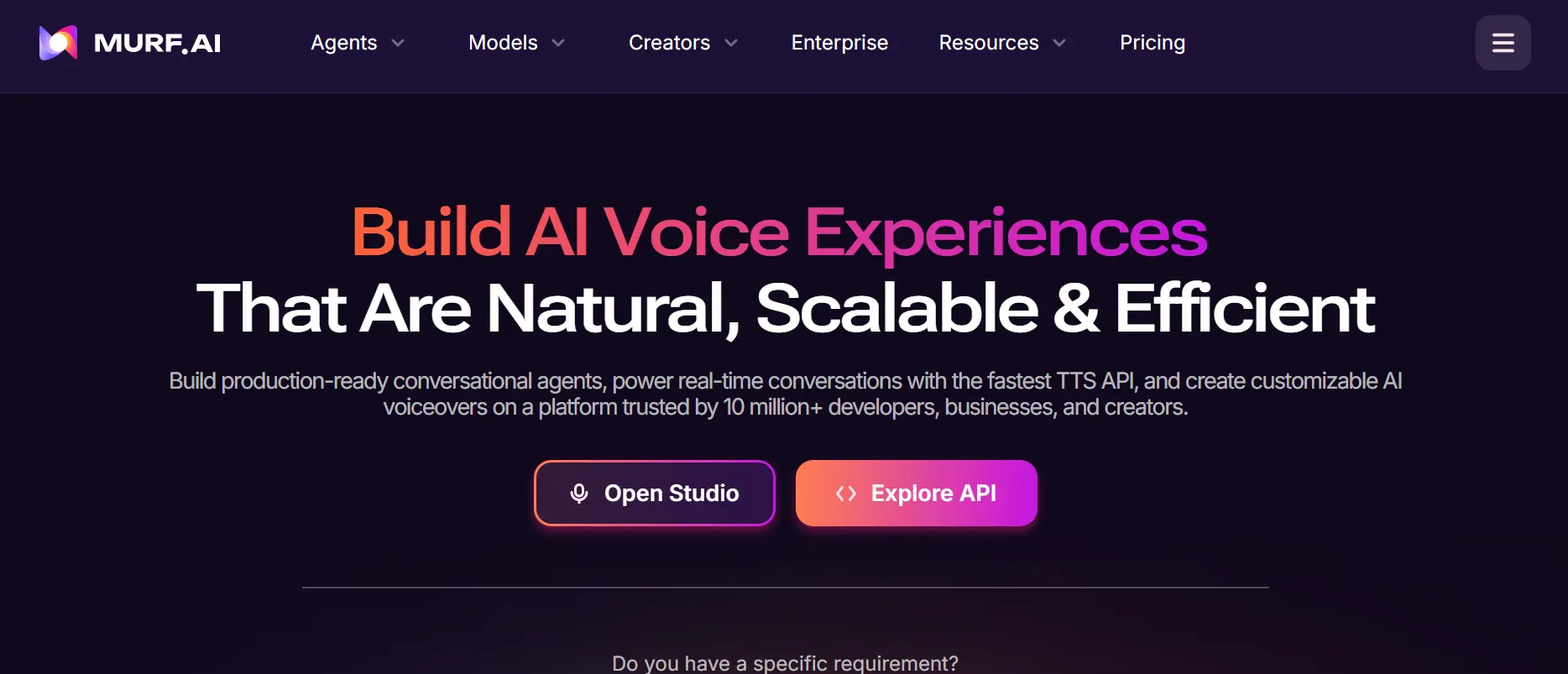
Best for: professional voiceovers for video, e-learning, and marketing.
Free trial: Murf’s free tier gives you 10 minutes of total voice generation and full access to preview its voice library, but it blocks downloads and commercial use entirely. It’s a preview mode, not a working tier.
Paid plans: The Creator plan costs $29 a month (or $19 a month billed annually) and includes about 2 hours of monthly voice generation with commercial rights. The Business plan runs $99 a month (or $66 annually) with a larger generation quota and team features. Enterprise pricing is custom and adds voice cloning, API access, and compliance certifications like SOC 2 and ISO 27001.
Voice quality: Reviewers consistently rank Murf’s voices among the most natural-sounding in the studio-tool category, which is why it’s popular for corporate training and polished marketing videos.
Voice customization: Murf includes a full timeline editor, background music library, and pitch, speed, and emphasis controls, closer to a video-editing suite than a simple reader.
Commercial use: Commercial rights begin on the Creator plan; the free tier explicitly cannot be used for anything beyond personal testing.
Content-creation features: Native integrations with PowerPoint, Canva, and Google Slides make Murf especially convenient for turning a slide deck into a narrated presentation.
Pros and cons:
- Pros: excellent voice realism, strong editing tools, enterprise-ready security credentials.
- Cons: usage is metered in generation hours rather than characters, which can be confusing to budget for, and voice cloning is locked behind the expensive Enterprise tier.
Verdict: Murf is built for people producing finished audio for an audience, not for casually listening to a PDF, and it shows in both the price and the feature set.
5. Speechify
Best for: reading documents, articles, and books on the go, especially for students.
Free plan: Speechify’s free tier includes a handful of standard voices with playback speeds capped around 1.5x, along with basic support for webpages and documents.
Premium features: Premium costs $29 a month or roughly $11.58 a month billed annually ($139/year), unlocking 200-plus voices, 60-plus languages, playback speeds up to 4.5-5x, offline downloads, and OCR scanning for physical books and scanned PDFs.
Voice quality: Speechify’s Premium voices are widely regarded as some of the most natural available in a consumer reading app, which is a big part of its popularity with students and professionals who listen for hours at a time.
Reading documents and webpages: The Chrome extension reads articles, Google Docs, and webpages directly, while the mobile and desktop apps handle PDFs, ebooks, and scanned text through OCR.
Mobile experience: This is arguably Speechify’s biggest strength. The app is genuinely built for commuting, walking, or multitasking, with a polished, distraction-light interface.
Pros and cons:
- Pros: excellent mobile app, very natural Premium voices, strong OCR for scanned documents, useful for accessibility needs like dyslexia.
- Cons: the free tier is quite limited, and its terms restrict using the audio for resale, broadcast, or commercial distribution, so it’s not a substitute for a dedicated voiceover tool.
Verdict: For personal reading and listening, the core use case most people searching for a “text-to-speech reader” actually have, Speechify is the most complete option on this list.
Free vs Paid Text-to-Speech Readers
What you usually get for free
Most free tiers give you access to standard, non-AI voices with no real usage cap, plus a small trial allowance of premium AI voices, often a few thousand characters. Free plans are almost universally restricted to personal, non-commercial use, and many disable audio export or downloads entirely.
What paid plans unlock
Paying typically unlocks three things at once: higher-quality neural voices, the ability to export and keep audio files, and, critically, the legal right to use that audio commercially. Paid plans also tend to raise character or minute limits significantly and add features like voice cloning, faster playback speeds, or document OCR.
Are free TTS voices good enough?
For casual listening, a news article, a short email, a study note, free standard voices are usually fine. For anything you’ll listen to for an hour or more, the difference in fatigue between a robotic voice and a neural one becomes noticeable fast, which is where premium voices earn their cost.
When is a paid TTS tool worth it?
If you are putting the audio anywhere like a YouTube video, a course, a client project or a paid plan it is not optional because all free plans clearly do not allow commercial use. It is also an idea to pay once the amount of listening you do regularly goes beyond the free character or minute limits because running into a wall, in the middle of a document is a really annoying feeling.
Best Text-to-Speech Reader by Use Case
- Best for reading PDFs: TTSReader, for its direct PDF import and read-along highlighting.
- Best for webpages: TTSReader’s browser extension or Speechify’s Chrome extension, both of which read articles directly from the page.
- Best for ebooks: TTSReader, which supports EPUB files natively.
- Best for students: Speechify, thanks to OCR support for scanned textbooks and a strong mobile app.
- Best for accessibility: Speechify, given its focus on dyslexia and low-vision use cases and its highlight-while-reading mode.
- Best for YouTube videos: Kukarella or Murf, both of which include commercial rights on their entry paid plans.
- Best for professional voiceovers: Murf AI, for its studio-grade editing tools and voice realism.
- Best for commercial projects: Murf AI or Kukarella. Check licensing terms carefully, since Speechify’s consumer plans are not positioned for resale or broadcast use.
- Best for multilingual content: Kukarella, with voice cloning across 50-plus languages, or Luvvoice for quick multilingual narration across 70-plus languages.
How to Choose the Right Text-to-Speech Reader
Step 1: Decide whether you need listening or audio generation
If you mostly want to consume existing text, prioritize a reader like TTSReader or Speechify. If you’re producing content for an audience, look at Murf or Kukarella instead.
Step 2: Check voice quality
Always test with your own sample text before subscribing. Voice quality varies more between languages and accents than most marketing pages let on.
Step 3: Check supported languages and accents
If you need a specific accent, Latin American Spanish versus European Spanish, for example, test that exact voice rather than assuming “70 languages” means every accent sounds equally natural.
Step 4: Check character or usage limits
Free and even some paid plans cap usage by characters per month or generation minutes per month, not by number of documents. Estimate your real monthly volume before committing to a tier.
Step 5: Check export options
Confirm the tool actually lets you download MP3 or WAV files if you need them offline. Some free tiers only allow in-browser playback.
Step 6: Check commercial rights
This is the single most overlooked step. Read the plan’s terms directly rather than assuming a paid subscription automatically includes commercial rights. Speechify is a good example of a paid tool that still restricts resale and broadcast use.
Step 7: Check document and webpage support
If your main use case is PDFs, webpages, or ebooks, confirm the tool imports those formats directly rather than requiring you to copy and paste text manually.
Step 8: Compare the total cost
Factor in annual versus monthly pricing (the discount is often 30-60%), plus any pay-as-you-go add-ons you might need once you exceed the base plan’s limits.
How to Test a Text-to-Speech Reader Before Paying
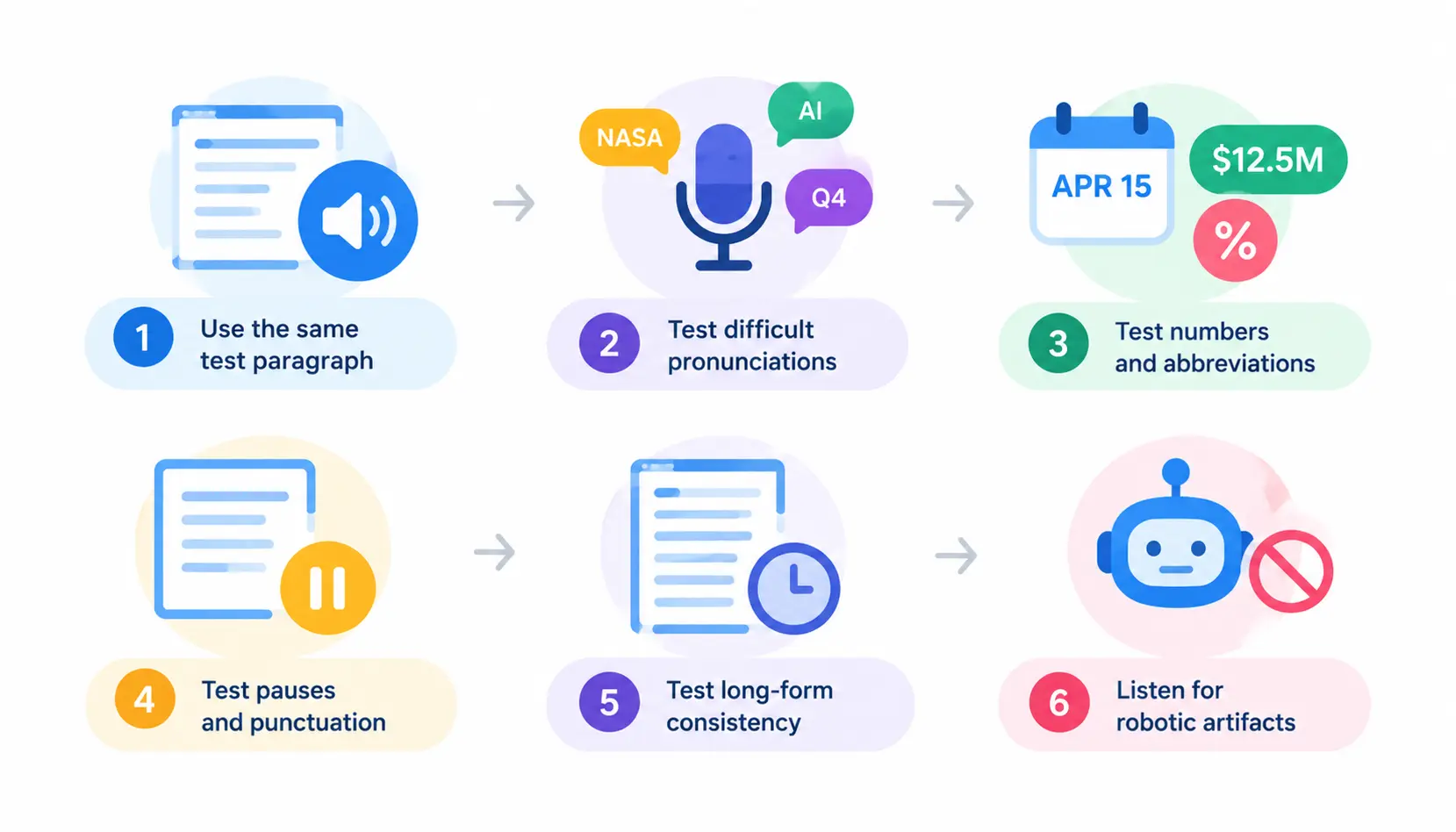
Use the same test paragraph
Run the exact same paragraph through every tool you’re considering so you’re comparing voices on equal footing, not different content.
Test difficult pronunciations
Include a few uncommon names, technical terms, or acronyms relevant to your field to see how the engine handles them.
Test numbers and abbreviations
Dates, currency, percentages, and abbreviations are common failure points. A good TTS engine should read “$12.5M” as “twelve point five million dollars,” not spell out each character.
Test pauses and punctuation
Long sentences with commas, semicolons, and parenthetical asides reveal whether the voice’s pacing sounds natural or rushed.
Test long-form consistency
Short demos rarely reveal fatigue points. Run a full page of text and listen for tone drift or pacing that becomes monotonous over several minutes.
Listen for robotic artifacts
Pay attention to unnatural stress patterns, clipped word endings, or a flat, uniform rhythm. These are the clearest signs of an older or lower-tier voice engine.
Are Free Text-to-Speech Tools Really Free?
This section deserves extra attention, because “free” means something different depending on the tool. It can mean unlimited personal listening with no catch, or it can mean a short trial with strict restrictions that only become clear once you try to export or publish your audio.
Free vs free trial
A true free tier, like TTSReader’s standard-voice access or Luvvoice’s monthly allowance, has no expiration date. A free trial, like Murf’s 10-minute allowance, is a time- or usage-limited preview meant to convert you into a paying customer.
Character limits
Most free tiers cap how much text you can convert, whether per request (Luvvoice’s 20,000-character ceiling for logged-in users) or per month (TTSReader’s 5,000 free premium characters).
Premium voice restrictions
Nearly every tool reserves its best-sounding neural voices for paying users, offering only a small taste on the free tier. TTSReader and Speechify both work this way.
Download restrictions
Several free plans, including Murf’s, block audio downloads entirely, meaning you can preview a voice in-browser but can’t take the file anywhere.
Watermarks
Some AI voice-generation platforms add audio watermarks or usage tags to free-tier exports; always check a tool’s FAQ page before assuming a downloaded file is clean.
Commercial licensing
This is the big one. TTSReader states plainly on its own site that commercial use of any kind requires a Premium plan. Murf’s free tier explicitly excludes commercial rights. Even paid Speechify plans aren’t cleared for resale or broadcast distribution. If you plan to publish audio anywhere public, check the license terms before you start recording.
Can You Use AI Text-to-Speech for Commercial Projects?
YouTube and monetized videos
You generally need a plan that explicitly grants commercial rights. Murf’s Creator tier and Kukarella’s Prime plan both qualify; free tiers and Speechify’s consumer plans typically do not.
Podcasts
The same rule applies: check whether the license covers “publishing” or “distribution,” not just personal playback.
Audiobooks
Audiobook narration is one of the more demanding use cases, since listeners are exposed to a voice for hours. Kukarella’s dialogue and cloning tools are popular here precisely because they can assign distinct voices to different characters.
Online courses
Course platforms usually count as commercial distribution, so a Premium or Prime commercial license is required, not a free or personal-use tier.
Advertisements
Ad use almost always requires the highest tier of commercial licensing available, and some platforms restrict ad use even further under separate terms. Always confirm directly with the provider.
Client work
If you’re producing voiceovers for clients, look for a plan that transfers usage rights clearly, since some licenses are non-transferable even when they include “commercial use.”
What to check in the license
Look specifically for the words “commercial,” “publishing,” “resale,” and “distribution” in a plan’s terms, and don’t assume a paid subscription automatically covers every use case, as Speechify’s own usage-limits page demonstrates.
Free vs Paid TTS: Which One Should You Choose?
| If you need… | Choose… |
| Casual listening | Free TTS reader |
| PDFs and articles | Reader-focused tool |
| Professional voiceovers | Paid AI TTS |
| YouTube content | Commercial-license plan |
| Voice cloning | Platform with cloning |
| High-volume generation | Paid/API plan |
| Accessibility | Dedicated reader |
| Occasional use | Free tier |
Frequently Asked Questions
1. What is the best free text-to-speech reader?
Luvvoice is the most accessible free option since it requires no signup and allows up to 20,000 characters a month across 70-plus languages, while TTSReader offers unlimited standard-voice reading for webpages and PDFs.
2. What is the most realistic text-to-speech reader?
Among the tools in this comparison, Murf AI and Speechify’s Premium voices are generally rated as the most natural-sounding for long-form listening.
3. Is there a completely free TTS reader?
Yes. TTSReader’s standard voices and Luvvoice’s monthly allowance are usable indefinitely at no cost, though premium neural voices and commercial rights require payment on both platforms.
4. Can I use free AI voices commercially?
Almost never. Every tool covered here, including TTSReader, Murf, Kukarella, and Luvvoice, restricts commercial use to paid plans, and even some paid Speechify tiers exclude resale or broadcast use.
5. What is the best TTS reader for PDFs?
TTSReader, since it’s built around importing and reading documents directly rather than generating standalone audio scripts.
6. What is the best TTS reader for students?
Speechify, largely due to its OCR support for scanned textbooks and a mobile app designed for studying on the go.
7. What is the best TTS reader for YouTube?
Kukarella or Murf AI, since both include commercial publishing rights on their entry-level paid plans.
8. Is Speechify better than TTSReader?
It depends on the use case: Speechify is stronger for mobile, on-the-go listening and accessibility, while TTSReader is more focused on reading webpages, PDFs, and ebooks directly from the browser.
9. Is Murf better for voiceovers than a traditional TTS reader?
Yes, for produced content. Murf includes an editing timeline, music library, and slide integrations that a simple text-to-speech reader isn’t built for.
10. Can text-to-speech convert an entire book into audio?
Yes, most of the tools here support long-form documents and ebooks, though character or minute limits on lower-tier plans may require splitting a long book into sections.
Conclusion
There’s no best text-to-speech reader for everyone. It depends on whether you’re listening or producing content. If you just want to get through PDFs, articles and ebooks TTSReader and Speechify are the options. Speechify wins in experience and has a better OCR that can handle scanned pages, something TTSReader can’t do. If you are producing audio for an audience like videos, courses or ads Murf AI and Kukarella are built for that. They offer commercial licensing and editing tools that a basic reader doesn’t provide.. If you just want to try something free right now with no signup Luvvoice is the fastest way to hear your text read back to you.
Whatever you choose, read the commercial-use terms before you publish anything. It’s the one detail that quietly separates a free tool from an expensive mistake.