Creating videos consistently requires more than just recording good footage. Behind every successful video is a workflow that includes planning, organizing files, selecting clips, editing sequences, improving audio, adding visuals, and preparing content for different platforms.
For creators producing content regularly, this process can become difficult to manage. The challenge is often not coming up with ideas but finding enough time to complete all the steps required to turn those ideas into polished videos.
Artificial intelligence is changing how creators approach video production by helping reduce repetitive work and making different parts of the editing process more efficient.
Instead of spending hours handling manual tasks, creators can use AI to support their workflow, allowing them to focus more on storytelling, creativity, and audience engagement.
Why Do Creators Need Faster Video Editing Workflows?
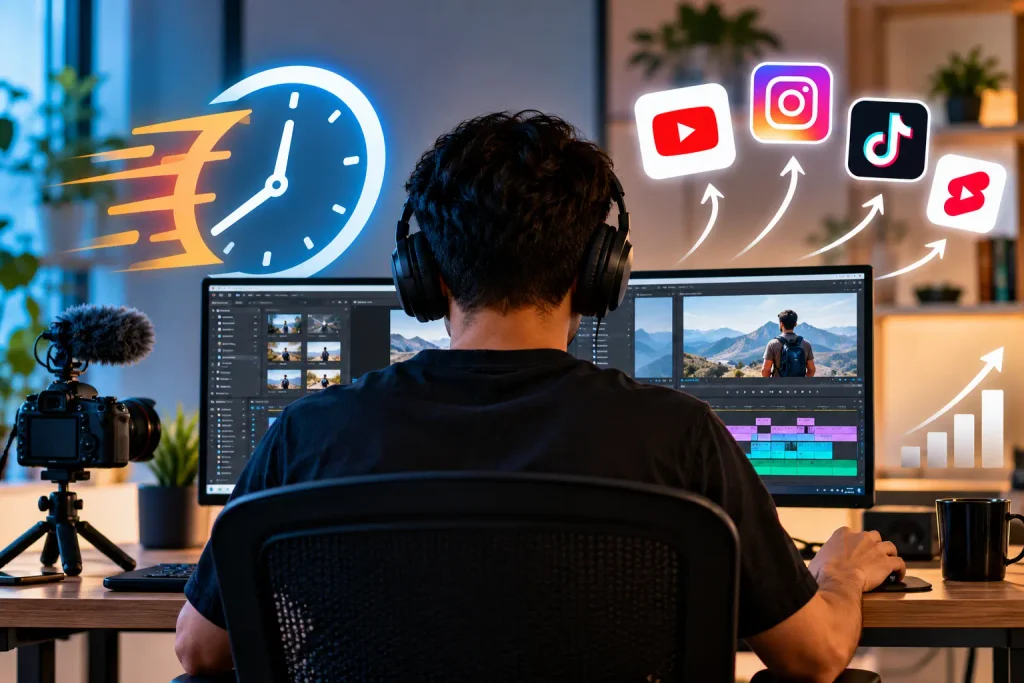
The demand for video content continues to increase across platforms like YouTube, Instagram, TikTok, and LinkedIn. Creators are expected to publish frequently while maintaining quality and consistency.
However, traditional editing workflows can slow down production.
A single video may require creators to:
- Review hours of footage
- Select the best clips
- Arrange scenes
- Remove unnecessary sections
- Add captions
- Improve audio
- Create different versions
When creators manage every step manually, editing can become the biggest bottleneck in their content process.
A faster workflow does not mean reducing creativity. It means removing unnecessary effort from repetitive tasks so creators can spend more time improving the parts of the video that matter most.
How AI Helps Creators Organize Raw Footage Faster
One of the first challenges in video editing is managing raw footage.
Creators often record more material than they eventually use. Interviews, podcasts, tutorials, and behind-the-scenes recordings can contain hours of footage that need to be reviewed before editing begins.
AI-powered editing workflows can help creators understand and organize this content faster.
AI can assist with:
- Finding specific moments in footage
- Identifying useful clips
- Recognizing speakers and objects
- Organizing content based on scenes
- Highlighting sections that may be relevant
This reduces the time creators spend searching through files and helps them move into the editing stage more quickly.
Creating a Strong First Cut With AI Assistance
Building the first version of a video is often one of the most time-consuming parts of editing.
Creators need to decide which clips should stay, how scenes should flow, and where unnecessary sections should be removed.
AI can help speed up this process by assisting with an initial structure. Instead of starting from an empty timeline, creators can use AI support to create a starting point that they can refine.
For example, a creator editing a long interview can use AI assistance to identify important sections, remove repeated points, and create a more focused sequence before making final creative decisions.
This allows creators to spend less time on manual preparation and more time improving the story.
How AI Helps With Repetitive Editing Tasks
Many editing tasks require precision but do not always require creative judgment.
These include:
- Removing pauses
- Generating captions
- Adjusting formats
- Creating multiple versions
- Organizing clips
- Cleaning up audio
AI can help automate parts of these processes, making it easier for creators to produce content at scale.
For creators managing multiple platforms, these time savings can make a major difference. A workflow that previously required hours of manual work can become much more efficient.
What Is Agentic Video Editing and How Does It Change Workflows?
Traditional AI editing tools usually help with individual tasks, such as generating captions or improving audio. Agentic video editing takes a broader approach by allowing AI agents to complete more complex editing tasks based on creator instructions.
Instead of only responding to individual commands, an agentic video editing workflow can understand the goal of a project, analyze footage, and perform multiple connected actions.
For example, a creator could provide raw footage and direction about the type of video they want. An AI agent can help review the material, identify useful sections, organize the timeline, and create an editable starting version.
The creator remains in control and can review, modify, and refine the final edit, but the repetitive groundwork is handled faster.
This approach is particularly useful for creators working with long recordings, frequent content production, or projects that require multiple versions.
How Invideo Editor Supports Faster Editing Workflows
For creators working with large amounts of footage, moving from raw recordings to a structured edit can take significant time.
Invideo editor combines AI assistance with a professional editing timeline to help creators manage this process more efficiently. Creators can upload footage, provide instructions about the type of edit they need, and use AI support to review content, identify useful moments, and create an editable timeline.
After that, creators can continue refining the video manually by adjusting clips, changing pacing, and making creative decisions.
This workflow allows creators to get support with repetitive editing tasks while keeping control over the final result.
How AI Helps Creators Repurpose Existing Content
Creating new content from scratch every time is not always the most efficient approach.
Many creators already have valuable content that can be transformed into new formats.
Examples include:
- Turning podcasts into short clips
- Creating Shorts from longer YouTube videos
- Extracting highlights from interviews
- Creating social media versions of existing content
AI can help identify useful moments and prepare content variations faster.
This allows creators to get more value from existing recordings while maintaining a consistent publishing schedule.
Building a Better AI-Assisted Editing Workflow
Using AI effectively requires more than simply adding new tools. Creators need a workflow that combines technology with clear creative decisions.
A more efficient process may look like this:
Plan Before Recording
Clear goals make editing easier. Knowing the intended audience and platform helps creators capture the right footage from the beginning.
Organize Content Early
Keeping footage, audio, and assets organized reduces unnecessary searching later.
Use AI for Repetitive Tasks
Creators should use AI where it saves time, such as footage review, captions, formatting, and initial editing assistance.
Refine With Human Creativity
The final decisions about pacing, storytelling, and emotional impact should remain with the creator.
Common Mistakes When Using AI for Video Editing
Depending Completely on Automation
AI can speed up workflows, but creators still need to review and refine the final output.
Ignoring Creative Direction
A faster workflow does not automatically create better content. Strong ideas and storytelling remain essential.
Using Too Many Tools
Adding multiple disconnected tools can make workflows more complicated. Creators should focus on solutions that simplify the process.
The Future of AI-Powered Video Editing
AI is becoming an important part of modern content creation workflows. As technology improves, creators will be able to handle larger projects, produce more versions, and spend less time on repetitive editing tasks.
The future of editing is not about removing creators from the process. It is about giving them better support so they can focus on the creative decisions that make videos unique.
AI-assisted workflows and agent-based editing approaches will continue helping creators move faster from ideas to finished videos while keeping creative control in human hands.
Final Thoughts
Building a faster video editing workflow requires more than editing software. It requires a process that reduces unnecessary effort while preserving creativity.
AI is helping creators improve every stage of production, from organizing footage and creating first cuts to preparing multiple versions of content.
By using AI as a creative assistant rather than a replacement, creators can produce videos more efficiently, maintain consistency, and spend more time focusing on the stories they want to share.