If you searched for EndBugFlow software, you probably wanted a quick answer: is it a real bug-tracking tool, and should your team use it?
The honest answer is more complicated. Several websites describe EndBugFlow as a bug tracker. Others call it a debugging tool, a workflow automation platform, or a general tech topic. Some of those pages repeat the same claims with no screenshots, no changelog, and no installation steps.
This guide separates three things: what can be verified, what is only claimed, and what is still unknown. By the end, you will know how to understand EndBugFlow software, check it yourself, and decide whether it deserves a place in your workflow.
What Is EndBugFlow Software?
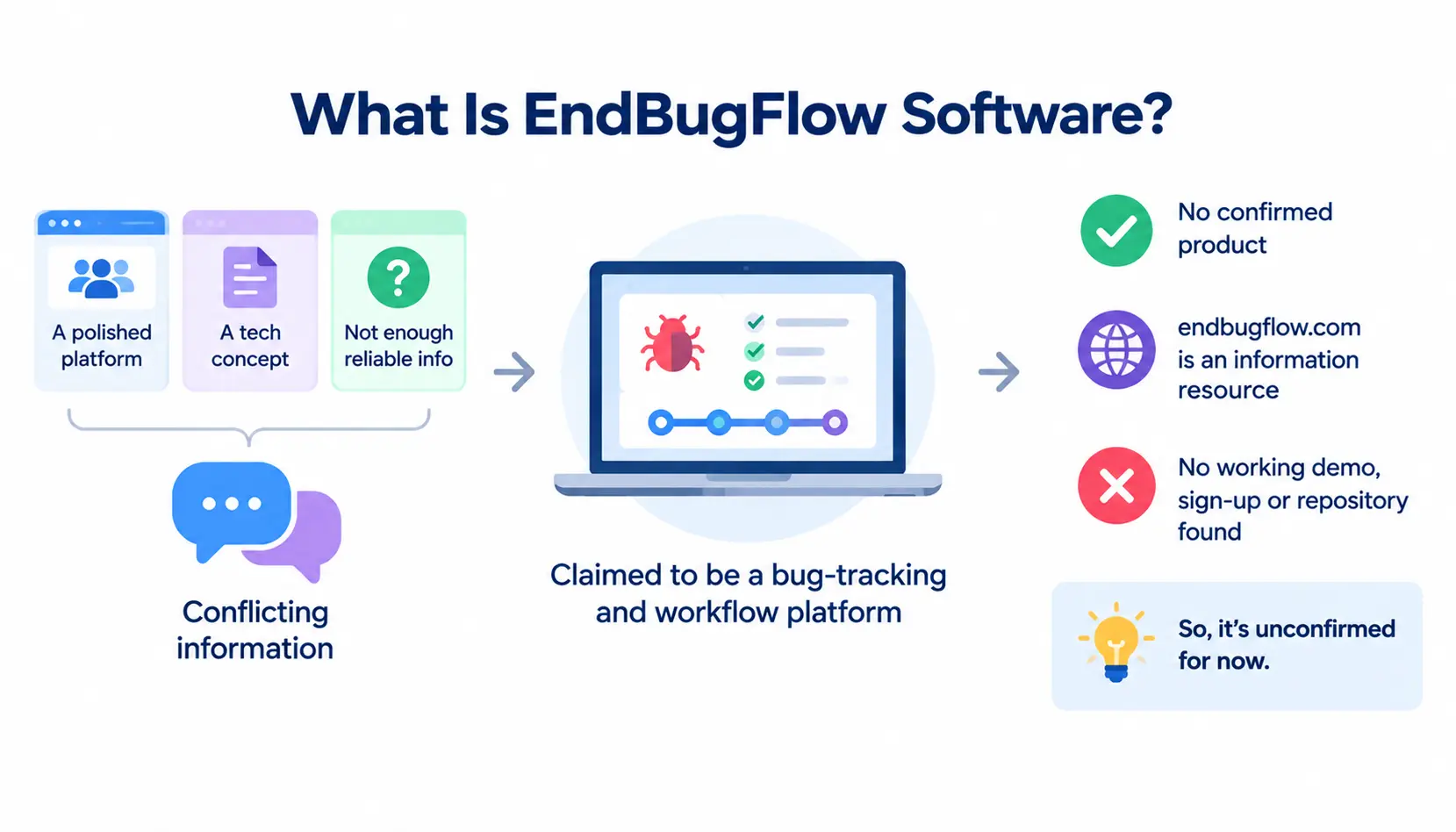
EndBugFlow software is a name used online for a supposed bug-tracking and workflow management platform. Several articles say it helps teams log bugs, assign them, and track fixes. Some add claims about automatic error capture, analytics, and integrations.
Here is the catch. The descriptions do not agree with each other. One site calls it a polished platform for Agile and DevOps teams. Another treats it as a loose tech concept. A third says there is not enough reliable first-party information to confirm the features attributed to it.
One research source also notes that the endbugflow.com website describes itself as an independent publication and information resource. That is different from a vendor page with a product, login, and pricing.
So can we say a specific downloadable or hosted product exists? Not from the evidence found. Treat EndBugFlow as an unconfirmed product until you can open a working demo, sign-up page, or documented repository.
Is EndBugFlow a Bug-Tracking Tool, a Debugging Tool, or a CLI Utility?
The sources use all three labels. These categories overlap, but they are not the same thing. A bug tracking system records and manages reported issues. A debugging tool helps a developer find the cause of a failure. A command-line or CI utility runs inside a developer’s terminal or pipeline.
Bug tracking and issue management
This is the most common description. Bug tracking means logging a problem, giving it an owner, setting a priority, and closing it after a fix. Jira, Bugzilla, and GitHub Issues all work this way.
Error capture and debugging
Some pages say EndBugFlow records console logs, stack traces, and browser details. That is error monitoring. It answers “what broke and where,” not “who owns the fix.” Tools that do this well are usually separate products.
GitHub Actions and CI/CD workflow claims
A few pages mention GitHub, Slack, VS Code, and CI/CD involvement. CI/CD means automatically building, testing, and releasing code. Integrations like this need documentation, such as API references or setup steps. None was confirmed.
In short, one product can do several of these jobs. But a page that mentions all of them is not proof that any of them works.
What Can Be Verified About EndBugFlow?
Here is what I could reasonably confirm from public pages:
- Multiple websites publish articles about EndBugFlow software.
- Those articles disagree on what it is.
- One site reviewing the topic says first-party details are too thin to confirm every claimed feature.
- One summary says the endbugflow.com domain calls itself an independent information resource.
What I could not confirm: a named company, a public pricing page, a public repository, installation instructions, a working demo, or independent user reviews.
Before you trust any page, do your own check. Look for an official site with a vendor name, a support contact, a privacy policy, and real documentation.
What Is EndBugFlow Software Used For?
These are the described or potential uses. None has been demonstrated through verified product access, so treat them as claims.
Tracking software bugs and defects
The core idea is simple: every defect gets a record, a status, and a history. This stops bugs from living in chat threads and email.
Organizing bug reports and assigning responsibility
A good tracker shows who owns each bug. Without ownership, issues sit untouched for weeks.
Helping developers investigate errors
Some descriptions say the tool attaches logs, timestamps, and environment details to each report. That saves the back-and-forth of “which browser were you on?”
Coordinating developers and QA teams
Developers fix. QA verifies. A shared record keeps both sides on the same page.
Managing development workflows
Some sources describe workflow rules, such as moving a bug from “open” to “in review” automatically. Again, this is a described use case, not a tested feature.
EndBugFlow Software Features: What Is Claimed?
Below is what third-party sources say. I have not tested any of it hands-on.
Bug reporting and issue management
Sources say users can log issues, set statuses, and track them to resolution. This is standard in nearly every tracker, so it is plausible but not special.
Error logs and technical context
Several pages claim automatic capture of logs, stack traces, network requests, and browser or OS details. If real, this would save debugging time. It is also the claim that most needs proof, because capturing this data requires installing code or an agent.
Bug prioritization and task assignment
Pages mention priority levels and assignment to team members. Basic and expected.
Workflow automation and notifications
Some pages describe rules and alerts, for example a Slack message when a high-priority bug appears. Check whether you can configure these rules yourself.
Team collaboration and progress tracking
Comments, files, and status history in one thread. Again, common across the category.
Application monitoring and error detection
A few sources say the tool watches for unusual behavior. Monitoring is a separate discipline from tracking. Ask whether it is built in or only implied.
GitHub, Slack, Jira, and other integration claims
GitHub and Slack are named most often. One comparison table found online even shows “No” for integrations, which contradicts other pages. Conflicts like that are a warning sign. Verify each integration in official documentation.
Feature audit table
| Feature | What sources claim | Verification status |
| Bug tracking | Issue logging and resolution | Claimed by third-party sites; no first-party documentation found |
| Error context | Logs, stack traces, browser and OS data | Claimed; not independently confirmed |
| Automation | Workflow rules and notifications | Claimed; sources do not agree on details |
| Integrations | GitHub, Slack, VS Code, CI/CD | Claimed; one source contradicts others; verify each one |
| Monitoring | Detection of unusual application behavior | Claimed; no technical documentation found |
You will also see statistics online, such as teams fixing bugs “47% faster” or a process finishing in “8 seconds.” I found no method, study, or named customer behind those numbers. Do not rely on them.
How Does EndBugFlow Software Work?
The workflow below is the one third-party sources describe. It follows the normal bug lifecycle used by most trackers, so it is a useful model even if EndBugFlow itself is unconfirmed. Understanding a team’s software development methodology also helps explain how bug reporting, testing, and maintenance fit into the wider development process. I have not run EndBugFlow hands-on.
Step 1: An error or bug is identified
Someone notices a failure. It may be a tester, a customer, or an automated alert.
Step 2: Technical information is collected
The report gets context: steps to reproduce, screenshots, logs, browser, and operating system.
Step 3: A report is reviewed and prioritized
A lead decides how serious the bug is. A payment failure outranks a typo.
Step 4: The issue is assigned to a team member
One person owns it. Shared ownership usually means no ownership.
Step 5: The developer investigates and implements a fix
The developer reproduces the problem, finds the cause, and writes the fix.
Step 6: The fix is tested and the issue is resolved
QA confirms the fix works and did not break anything else. Then the ticket closes.
Step 7: Monitoring or follow-up identifies recurring problems
Teams review closed bugs for patterns. If the same module keeps failing, the problem is deeper than one fix.
Workflow at a glance: Identify → Collect details → Prioritize → Assign → Fix → Test and close → Review patterns.
Illustrative example (not a verified demo)
Imagine a checkout request fails because an API returns an error. A tester logs the bug with the order ID, browser, and the error message. The team lead marks it high priority and assigns it to a backend developer.
The developer finds a timeout in the payment call, fixes it, and QA retests the checkout. A week later, the team notices two more timeouts in the same service and schedules a deeper review. This is how any decent tracker should help. It is not proof of how EndBugFlow behaves.
How to Get Started With EndBugFlow Software
I will not invent install commands or sign-up steps. If official documentation exists, use it. If not, stop. Here is a safe path to check.
Find the official product or project page
Look for a vendor name, an About page, and a support contact. A blog is not a product page.
Verify that download, sign-up, or demo access works
Can you actually create an account or open a demo? If every path leads to articles, that tells you something.
Review installation and system requirements
Real software lists supported platforms, versions, and requirements. Missing details are a red flag.
Check repository permissions and integrations
Before connecting GitHub or any code host, read exactly which permissions are requested. Read-only is safer than full repository access.
Test one non-sensitive issue or sample project
Use dummy data first. Never start with production bugs or customer details.
Confirm that reports, notifications, and resolution steps work
Create a bug, assign it, trigger a notification, and close it. If any step fails, you have your answer.
Benefits and Limitations of EndBugFlow Software
Potential benefits for development teams
If a tool does what the sources claim, teams could gain one place for bugs, clearer ownership, and less manual follow-up.
Possible workflow and collaboration improvements
Shared threads, automatic alerts, and status history reduce missed handoffs.
Documentation and product transparency limitations
This is the biggest issue. Without clear documentation, you cannot judge reliability, support, or roadmap.
Learning curve and integration considerations
Even good trackers take time to adopt. Mapping your current statuses and labels into a new tool is real work.
Risks of connecting sensitive development data
Bug reports can include stack traces, tokens, internal URLs, and user data. Connecting an unverified tool to your repositories raises real risk.
What cannot yet be confirmed
Vendor identity, pricing, security controls, uptime, support, and actual feature behavior.
One note on fairness: the benefits above are general benefits of bug-management software. They are not benefits demonstrated by EndBugFlow specifically.
Is EndBugFlow Software Safe and Legitimate?
There is not enough evidence to call it safe, unsafe, legitimate, or fraudulent. Missing documentation does not prove bad intent. It does mean you should be careful.
What the public website establishes
At most, that content about EndBugFlow exists and that the site describes itself as an information resource. That does not establish a product.
How to check company and developer information
Search for a registered company, named founders, or a maintainer profile on LinkedIn. Check whether the names match across the website, documentation, and support channels.
How to verify software downloads and installation files
Only download from an official source. Check publisher names, file checksums if provided, and scan files before running them.
What to check in privacy and security documentation
Look for a privacy policy, data retention terms, encryption details, and audit logging. Vague wording is a warning.
Why independent reviews and working documentation matter
Paid or copied blog posts are not reviews. Look for independent mentions in places like QualityAssurance or devops, and judge them with caution. Anonymous posts can be wrong or promotional. When researching unfamiliar tools, use reliable technology troubleshooting and software guidance as a starting point, then verify important product and security claims against official documentation.
Safety checklist
- Official download or sign-up source
- Clear vendor identity and support contact
- Privacy policy and data retention terms
- Access controls and minimal repository permissions
- Security documentation
- Independent evidence that it works
If you cannot tick most of these boxes, do not connect real data.
How Much Does EndBugFlow Software Cost?
Pricing could not be verified. No reliable public pricing page was found, so I will not estimate a subscription price.
Is there a public pricing page?
Not one that I could confirm. Treat any price quoted on a third-party blog as unverified.
Is a free plan or trial documented?
Some articles hint at accessibility, but I found no official terms for a free plan or trial.
What should buyers ask about paid plans?
Ask about per-user pricing, limits on projects or history, integration fees, support tiers, and what happens to your data if you cancel.
How to calculate the total cost of adoption
Add the subscription, setup time, training, migration, and the cost of running your old tool in parallel. For a small team, time often costs more than the license.
EndBugFlow vs. Other Bug-Tracking Tools
The fair way to compare is to use the same criteria for every tool. Missing evidence is marked “not verified,” not “failed.”
| Evaluation criterion | EndBugFlow | Established alternatives |
| Product access | Not verified | Check official product pages |
| Bug tracking | Claimed; not verified | Check official documentation |
| GitHub integration | Claimed; verify directly | Check integration documentation |
| Pricing | Not verified | Use current published pricing |
| Security documentation | Not verified | Review official security resources |
| Independent reviews | Not found | Check review platforms where applicable |
EndBugFlow vs. Jira
Jira is a widely used issue and project tool from Atlassian. It is built for configurable workflows, so it can feel heavy for small teams. There is no verified EndBugFlow feature set to compare it against.
EndBugFlow vs. Linear
Linear focuses on fast, clean issue tracking for software teams. It tends to suit teams that want less configuration. Again, EndBugFlow lacks verifiable detail.
EndBugFlow vs. GitHub Issues
GitHub Issues lives next to your code, so it fits repository-based work well. It is simpler than Jira. EndBugFlow’s GitHub integration is claimed, not confirmed.
EndBugFlow vs. Bugzilla
Bugzilla is a long-established, open-source defect tracker with deep search and history. It looks older, but it is proven. See also its Wikipedia entry for background.
Best Alternatives to EndBugFlow Software
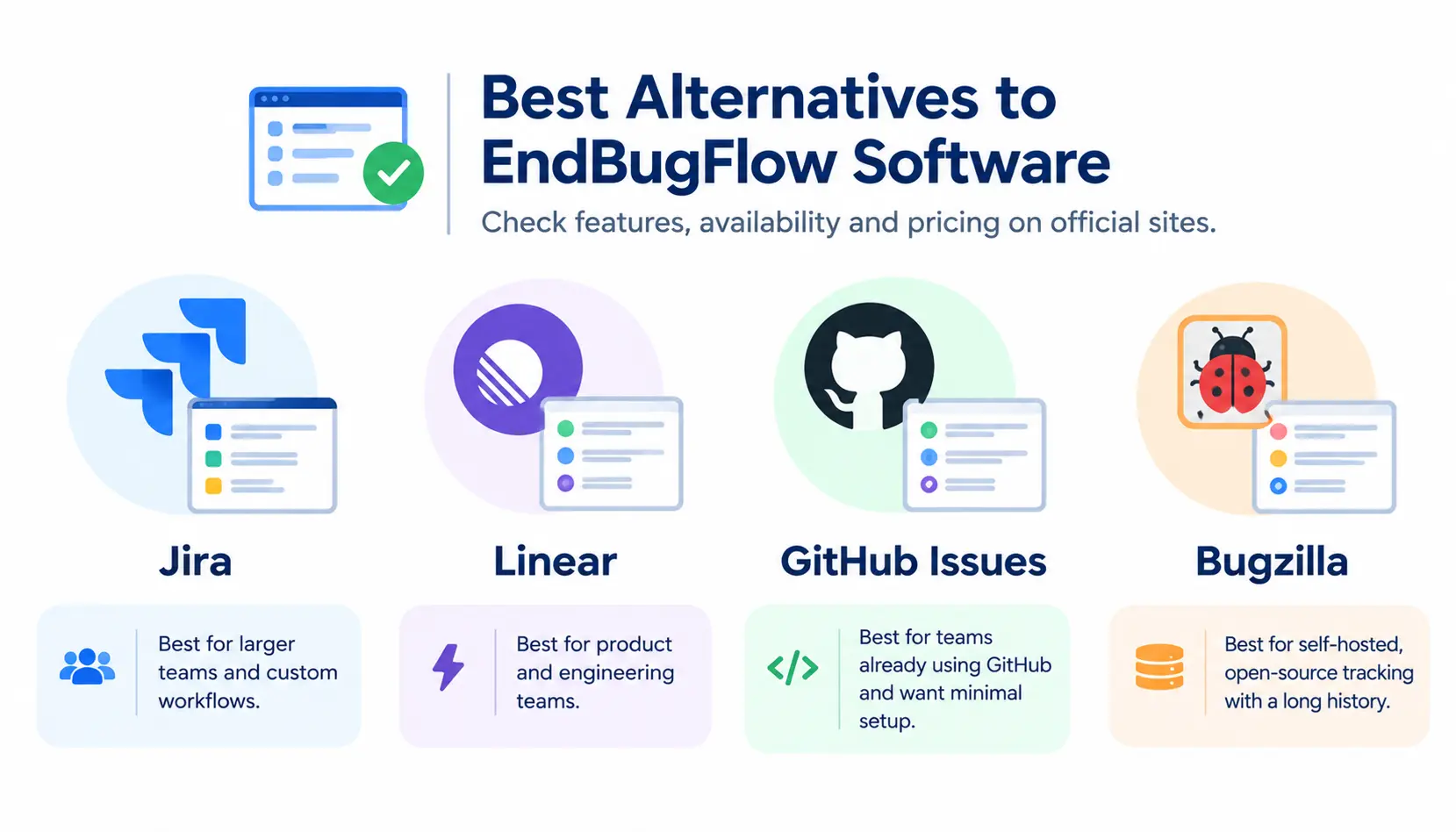
Verify current features, availability, and pricing on each official site before deciding.
Jira for structured issue and project management
Best for larger teams that need custom workflows, reporting, and links between issues and projects.
Linear for software-team issue management
Best for product and engineering teams that value speed and simple workflows.
GitHub Issues for repository-based workflows
Best for small to mid-size teams that already work in GitHub and want minimal setup.
Bugzilla for established defect tracking
Best for teams that want a self-hosted, open-source tracker with a long track record.
How to Evaluate EndBugFlow Before Using It
This method works for any new tool, not only this one.
Define the problem your team needs to solve
Write one sentence. For example: “Bugs get lost between QA and developers.” If you cannot define the problem, no tool will fix it.
Test the tool with a small sample project
Use fake bugs. Run a full cycle from report to closure.
Measure reporting completeness and workflow usability
Did the report capture steps, environment, and screenshots? Could a new teammate use it without training?
Check integrations and permissions
Test each integration you need. Confirm the permissions requested are minimal.
Review data handling and security
Read the privacy policy. Ask where data is stored and how it can be exported or deleted.
Compare results with your current process
Is it faster, clearer, or cheaper than what you use now? If not, do not switch.
Decide whether the evidence supports wider adoption
Move forward only when the tests and documents back up the claims. If your team needs a workflow tailored to its own development process, explore custom software development services as another option rather than adopting an unverified tool.
Proposed scorecard
This is a proposed evaluation method, not an existing EndBugFlow rating. Score each area from 1 to 5.
| Area | What to look for | Score (1–5) |
| Evidence | Official site, vendor identity, documentation | |
| Usability | Easy to report, assign, and close a bug | |
| Integrations | Works with your code host and chat tools | |
| Security | Privacy policy, permissions, data export | |
| Cost | Clear pricing and total cost of adoption | |
| Support | Reachable team and active help resources |
Frequently Asked Questions About EndBugFlow Software
1. What is EndBugFlow software?
EndBugFlow software is described online as a bug-tracking and workflow management tool. Descriptions vary, and first-party documentation was not confirmed. Treat all feature claims as unverified until you test them.
2. What is EndBugFlow used for?
Sources say it is used to log bugs, assign owners, capture error details, and track fixes. These are described uses, not demonstrated ones. Similar jobs are done by established trackers.
3. Is EndBugFlow a real software product?
That could not be confirmed. Many pages discuss it, but I found no verified vendor, demo, or public repository. One source says the main domain presents itself as an independent information resource.
4. Is EndBugFlow software free?
No reliable pricing or free-plan terms were found. Do not trust a price or free claim from a blog post. Ask for official terms.
5. Does EndBugFlow integrate with GitHub?
Some sources claim it does, but one comparison contradicts that. I found no integration documentation. Verify it directly before granting any repository access.
6. Does EndBugFlow support CI/CD workflows?
Some pages mention CI/CD involvement without technical detail. Without API or pipeline documentation, treat this as unconfirmed. Test it on a sample project first.
7. Is EndBugFlow safe to use?
There is not enough evidence to say. Use the safety checklist above, and use dummy data until you are sure. Never connect production code or customer data to an unverified tool.
8. How does EndBugFlow compare with Jira?
Jira is a documented, widely used platform with public pricing and security resources. EndBugFlow cannot be compared fairly because its features are unverified. Mark missing evidence as “not verified,” not as a failure.
9. What are the best alternatives to EndBugFlow?
Jira, Linear, GitHub Issues, and Bugzilla are established options. Pick by team size and workflow: Jira for structure, Linear for speed, GitHub Issues for simplicity, Bugzilla for self-hosting.
10. Where can I find EndBugFlow documentation?
I could not confirm official documentation. Start with the website’s own pages, check for a vendor and support contact, and be skeptical of copy-pasted guides.
Conclusion
Based on the evidence available today, I would not adopt EndBugFlow software for real projects. That is not because it is proven bad. It is because the basics are missing: a verified vendor, documentation, pricing, and independent proof that it works.
If you are curious, test it with sample data only, and run it through the scorecard above. If you need a bug tracker now, a documented option like Jira, Linear, GitHub Issues, or Bugzilla is a lower-risk choice.
The key lesson goes beyond one name. Before you trust any tool with your code, verify the product first and the promises second. If EndBugFlow software publishes real documentation and pricing later, revisit this review with fresh evidence.
Sources: third-party articles about EndBugFlow reviewed during research; official sites of Jira, Linear, GitHub, and Bugzilla; Wikipedia entries on bug tracking, software bugs, CI/CD, and Bugzilla. Reddit links are general community hubs, not endorsements of specific threads.