Companies are seeking faster and more efficient ways to manage finances and inventory, sales purchasing, as well as day-to-day routine. Microsoft Dynamics 365 Business Central has already helped small and mid-sized companies connect these processes within one platform. But, AI has changed the way businesses utilize Business Central. Features like Business Central Copilot and AI agents could reduce manual tasks as well as provide useful information and assist employees in completing regular tasks faster.
This also alters the method of Dynamics 365 Business Central implementation. The initial implementation focused on configuring modules, transferring data as well as setting up workflows and also training users. Nowadays, companies also have to consider ways in which AI could be incorporated into your Business Central environment.
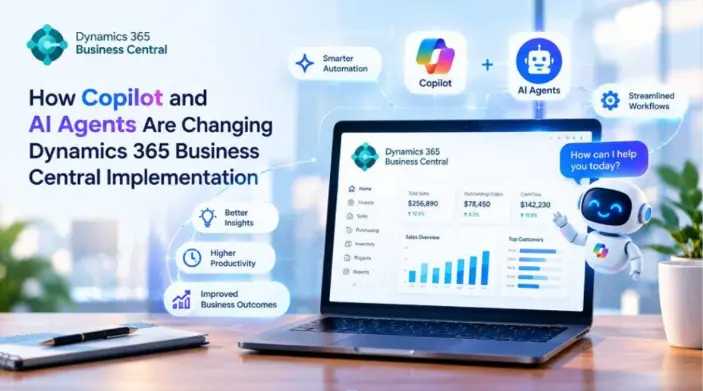
A properly planned Business Central AI implementation can assist companies in automating repetitive tasks while also allowing employees to participate in key decision-making. When properly implemented, AI can make Business Central more effective, responsive and more user-friendly.
What Is Dynamics 365 Business Central Copilot?
Business Central Copilot is Microsoft’s AI assistant in Business Central. It is designed to help users complete tasks, create content, analyse information, and perform tasks more efficiently. When combined with Dynamics 365 Business Central implementation services providers, these AI capabilities can help businesses streamline workflows, improve productivity, and make better use of Business Central’s features.
For example, Copilot can assist with making product descriptions, analysing data, and assisting users in their daily business tasks.
As opposed to replacing workers, Copilot is able to serve as an advisor. Users can look over its suggestions and then make a final choice.
This creates Dynamics 365 Business Central AI an ideal solution for companies looking to implement AI without totally altering their current processes.
How Copilot Is Changing Business Central Implementation
AI is now a major factor to be considered during the implementation. Companies can no longer concentrate solely on the traditional ERP configuration.
When you are implementing Dynamics 365 Business Central implementation with Copilot Teams can pinpoint the processes in which AI assistance could bring the greatest benefit.
This could include:
- Analysis of the financials
- Creation of content for products
- Sales activities
- Management of inventory
- Communication with the customer
- Analysis of data
- Routine administrative tasks
This method helps businesses develop a business central implementation timeline and plan that is based on ERP requirements as well as future AI requirements.
How Business Central Copilot Improves Productivity
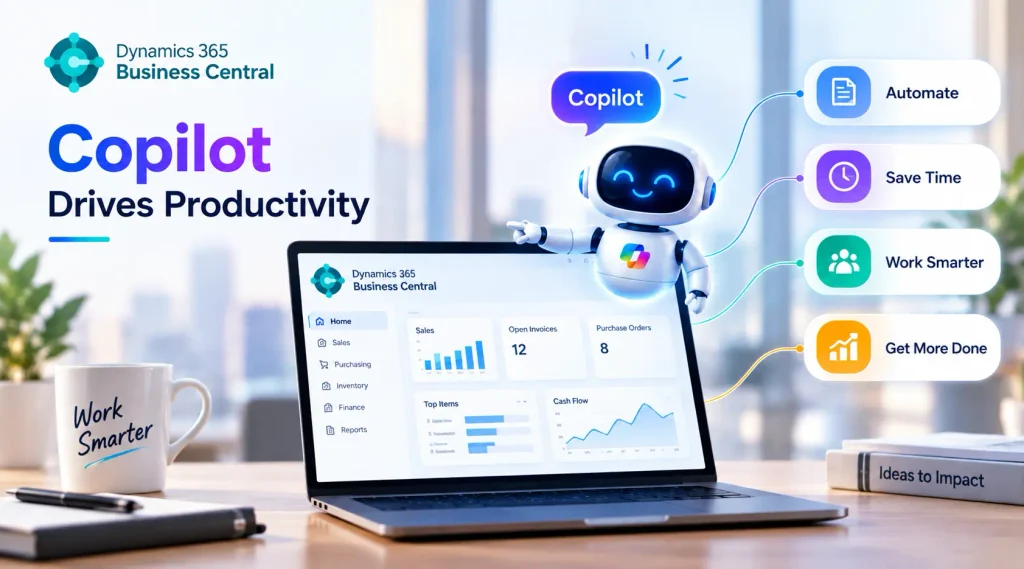
One of the greatest benefits of Copilot is the ability to decrease repetitive tasks.
The employees often work on preparing data, creating documents, revising them and searching for company information. AI assistance could simplify certain of these processes.
For instance sales employees could utilize AI-generated assistance while preparing information about the customer. A product manager could make use of Copilot to develop product descriptions based on existing data.
These capabilities enable employees to focus more on jobs that require human judgment and business expertise.
The Role of AI Agents in Business Central
AI agents automatize a move further.
Contrary to an ordinary AI assistant, which responds to the user’s request or request, an AI agent can be programmed to complete specific tasks, based on specified guidelines and business rules.
As an example agents could monitor a process in the business and identify any information that needs attention, and then take the appropriate actions within its permissible scope.
Implementing AI Agents in Business Central requires careful planning. The business must determine what information the agent is able to access as well as the actions it could execute, and when approval is needed.
This is why governance is an essential component of an AI-powered Business Central implementation.
Key Benefits of Implementing AI Agents in Business Central
1. Automating Repetitive Tasks
AI agents are able to help automate repetitive tasks that normally require employees’ involvement.
This will make manual work easier and enable employees to concentrate on more valuable duties.
2. Faster Business Processes
Automated processes run more efficiently over manual workflows. This could help companies reduce delays in areas like the processing of orders, reporting and even data management.
3. Better Access to Business Information
AI is a way for users to communicate with information about businesses in a more natural way.
Employees might be able to locate relevant information more quickly than going through a variety of screens and records.
4. Improved Decision Support
AI can analyse available data from businesses and identify certain patterns, or other areas which might require focus.
Employees will then be able to make use of these insights to make important business choices.
5. Reduced Administrative Work
Through automation of routine activities, AI can reduce the amount of administrative work that is done by hand.
This could increase productivity across sales, finance operations, finance, and many other departments.
Business Central AI Implementation: What Businesses Should Consider
AI is not something to be added just because it’s a brand new technology. Businesses must first determine the real issues that AI could help resolve.
The success of a Business Central AI implementation should take into account a number of aspects.
Business Requirements
Begin by identifying repetitive tasks as well as workflow issues, and areas where employees are spending a lot of time doing manual tasks.
Data Quality
AI is dependent on reliable data. Companies should examine your Business Central data and correct inaccurate, out-of-date or inaccurate data prior to introduction of advanced AI capabilities.
Security and Permissions
AI tools and agents must be able to access only the information and processes that they require.
Clear permissions can help minimize security risk.
Human Oversight
Every business decision shouldn’t be made automated. Financial approvals, customer-sensitive decisions, as well as other critical tasks may require a human to review.
User Training
Employees should be aware of how AI functions and what it’s able to accomplish as well as how they can monitor the results.
Training can help teams implement AI without a doubt while doing so in a safe way.
Dynamics 365 Business Central Implementation with Copilot
Integrating Copilot in Business Central requires a structured process for implementation.
Businesses should begin by reviewing their existing processes and identifying the most appropriate AI usage cases.
The process of implementation could include:
- Examine current processes: Find routine and time-consuming tasks.
- Find AI opportunities: Choose the processes in which Copilot as well as AI agents could provide tangible benefits.
- Review data: Verify the quality of data, its structure and availability.
- Set up Business Central: Set up necessary modules, workflows and permissions, as well as AI capabilities.
- Test AI features: To validate the outputs and workflows prior to wider deployment.
- Training Users: Allow employees to learn how to utilize AI effectively.
- Review performance: Keep track of the results and make improvements as time passes.
This method can assist organizations in introducing AI while not disrupting current processes.
Challenges of AI in Business Central Implementation
AI has many advantages but businesses must be aware of the issues.
Data Quality Issues
Inequality data can influence AI-generated recommendations and insights.
Integration Complexity
Businesses that have multiple applications may require additional integration to integrate Business Central with other systems.
Employee Adoption
It could take some time for employees to grasp and accept the new AI-powered processes.
Security Risks
AI systems should be correctly configured to guard data of both customers and business.
Incorrect AI Outputs
The data generated by AI may not be accurate. The companies should create proper procedures to review information, especially in the context of important choices.
Cost Considerations
AI implementation could require investments in the development process configuration, training monitoring, as well as continuous support.
Best Practices for Implementing AI Agents in Business Central
Businesses should follow a number of guidelines to boost the efficiency and success of AI initiatives.
- Begin with easy and clearly defined usage cases.
- Human consent is needed for any sensitive decision.
- Maintain strong data governance.
- Set up access controls that are based on role.
- Test AI workflows prior to use in production.
- Keep track of AI performance on a regular basis.
- Train employees before deployment.
- Assess the business impact following the implementation.
- Enhance AI workflows by incorporating feedback from users.
Beginning small will help businesses better understand the technology prior to extending it into bigger business functions.
How AI Can Support Different Business Functions
Finance
AI can aid finance teams in analysis of financial information and identifying patterns that are not typical and helping to reduce routine administrative tasks.
Sales
Sales teams can benefit from AI aid to work with customer data and create relevant content more effectively.
Inventory
AI can assist in the analysis of inventory and assist businesses in identifying certain trends that need to be addressed.
Purchasing
AI-powered workflows can simplify routine purchases and increase efficiency of processes.
Customer Service
AI assists employees by making important data about customers and businesses easier to find.
The precise benefits will depend on the business’s processes as well as the data as well as Business Central configuration.
The Future of Dynamics 365 Business Central AI
AI continues to impact how companies use ERP systems. Business Central is moving toward an increasingly intelligent business environment in which AI aid and automation are the core of every day business procedures.
Copilot assists users in completing tasks more quickly, while AI agents can assist in more efficient workflows.
As these capabilities grow, Dynamics 365 Business Central AI is likely to be a key component in ERP plans for businesses seeking to increase the efficiency of their decision making and.
However, the speed of its adoption is contingent on a lot more than the technology itself. Businesses require precise processes, reliable information, solid governance, employees education, and constant monitoring.
Conclusion
Copilot along with AI agents have changed the way companies are approaching Dynamics 365 Business Central implementation. Instead of focusing on ERP configuration and workflows that are traditional businesses can now look at automated assistance with AI right from the beginning.
Business Central Copilot can help employees with their daily tasks, and AI agents are able to support the automation of processes. By implementing proper planning as well as data management security, data management, and human supervision, companies can utilize these tools to increase productivity and simplify processes.
A well-thought Dynamics 365 Business Central implementation using Copilot will provide solid foundations for companies who want to implement AI while building efficient and flexible ERP operations.
Frequently Asked Questions
1. What is Copilot in Microsoft Dynamics 365 Business Central?
Copilot is an AI-powered assistant within Dynamics 365 Business Central that helps users complete everyday business tasks faster, analyze information, generate content, and work more efficiently with business data.
2. How does Business Central Copilot improve productivity?
Business Central Copilot can reduce repetitive manual work, help users find information faster, assist with data analysis, generate suggestions, and streamline common business processes.
3. What tasks can Copilot automate in Business Central?
Depending on the available Business Central features and configuration, Copilot can assist with tasks such as analyzing business data, creating content, working with sales information, reconciling data, and supporting routine workflows.
4. Can Business Central Copilot help with financial management?
Yes. Copilot capabilities can assist users with certain finance-related workflows and make it easier to work with financial information, although the exact capabilities depend on the Business Central version and enabled features.
5. Can Copilot analyze data in Business Central?
Yes. Copilot can help users explore and understand Business Central data using AI-assisted capabilities, making it easier to identify useful information without relying entirely on manual analysis.