Instagram Highlights are one of the platform’s most popular features. They allow users to save Stories permanently on their profiles instead of letting them disappear after 24 hours. Businesses, influencers, creators, and personal users rely on Highlights to showcase important moments, products, FAQs, testimonials, travel memories, and much more.
One of the most common questions users ask is:
Can you see who views your highlights on Instagram?
The short answer is:
Yes, but only for a limited period.
After a certain amount of time, Instagram no longer lets you see exactly who viewed your Highlight. Many users misunderstand how this feature works because Highlights are created from Stories, and Story viewer rules apply differently over time.
This guide explains exactly how Instagram Highlight views work, how long viewer lists remain available, what happens after they expire, common myths, privacy concerns, and frequently asked questions.
What Are Instagram Highlights?
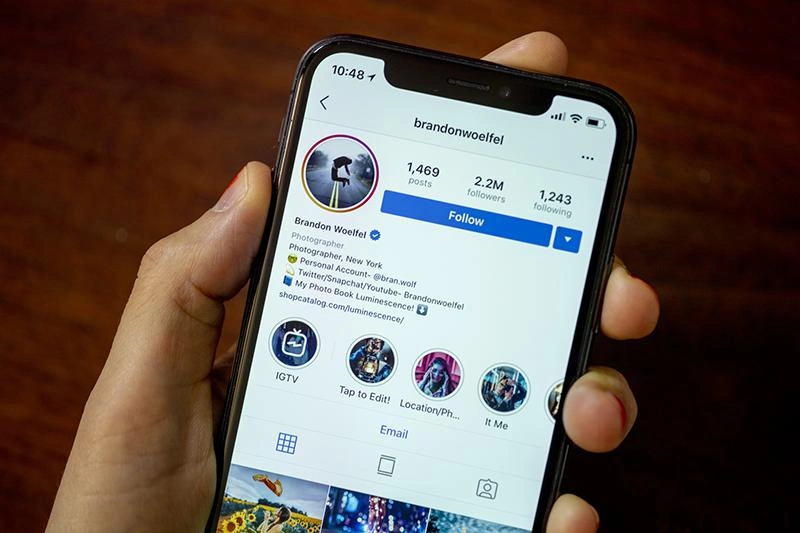
Instagram Highlights are collections of Stories that are permanently displayed on your profile just below your bio. They allow you to organize and showcase your favorite or most important Stories so that visitors can view them at any time, even after the original Story has expired.
Normally, Instagram Stories disappear automatically after 24 hours. However, if you have Story Archive enabled, you can save those Stories to your Highlights instead of losing them. This makes Highlights a great way to keep valuable content easily accessible for new followers, existing audiences, or potential customers.
People commonly use Instagram Highlights to organize content into categories such as:
- Travel adventures
- Food and restaurant recommendations
- Family moments
- Events and celebrations
- Behind-the-scenes content
- Business services
- Product showcases
- Customer reviews and testimonials
- Tutorials and how-to guides
- Frequently Asked Questions (FAQs)
For businesses and creators, Highlights act as a mini content library, helping visitors quickly learn about products, services, or brand values without scrolling through older posts. Personal users often use them to preserve memorable moments, hobbies, or life updates.
Unlike regular Stories, which disappear after a day, Instagram Highlights remain on your profile until you choose to edit or remove them, making them an effective way to display evergreen content and create a more organized, informative profile.
Can You See Who Views Your Highlights?
The answer is yes, but only under certain conditions. Whether you can see who viewed your Instagram Highlights depends on when the Highlight was viewed and whether the original Story is still within Instagram’s viewer tracking period.
Unlike regular Instagram posts, Highlights do not generate a permanent list of viewers. Since Highlights are created from Stories, they follow the same viewer tracking rules as Stories. This means you can only access viewer information for a limited time before Instagram removes it.
Here’s how it works:
1. Within the Story Viewing Period
If your Highlight contains a Story that is still within Instagram’s viewer tracking window, you can see exactly who has viewed it. Simply open the Highlight, view the Story, and swipe up (or tap the activity section) to access the viewer list.
During this period, Instagram displays information such as:
- The usernames of people who viewed the Story
- The total number of views
- Any replies or reactions received on the Story
This feature is especially useful for creators, influencers, and businesses that want to monitor engagement shortly after posting.
2. After the Viewer Tracking Period Expires
Once Instagram’s viewer tracking period ends, the viewer list is permanently removed. Although the Highlight remains visible on your profile, Instagram no longer shows the names of people who watch it afterward.
In other words, if someone visits your profile weeks or months later and watches your Highlight, you won’t be able to identify them. Their view is not added to a new viewer list, and Instagram does not notify you about it.
Depending on your account type, you may still have access to certain engagement insights, such as reach or impressions for recent Stories, but Instagram does not provide individual viewer information after the tracking window has expired.
This is why many users are surprised when they stop seeing viewer names on older highlights. It’s not a bug or a privacy setting, it’s simply how Instagram’s Highlight and Story viewer system is designed to work.
For creators who are monitoring changes in their audience, keeping track of accounts that have recently followed can provide additional context about how their follower base is changing over time.
For creators who are monitoring changes in their audience, keeping track of accounts that have recently followed can provide additional context about how their follower base is changing over time.
How Instagram Highlight Views Actually Work
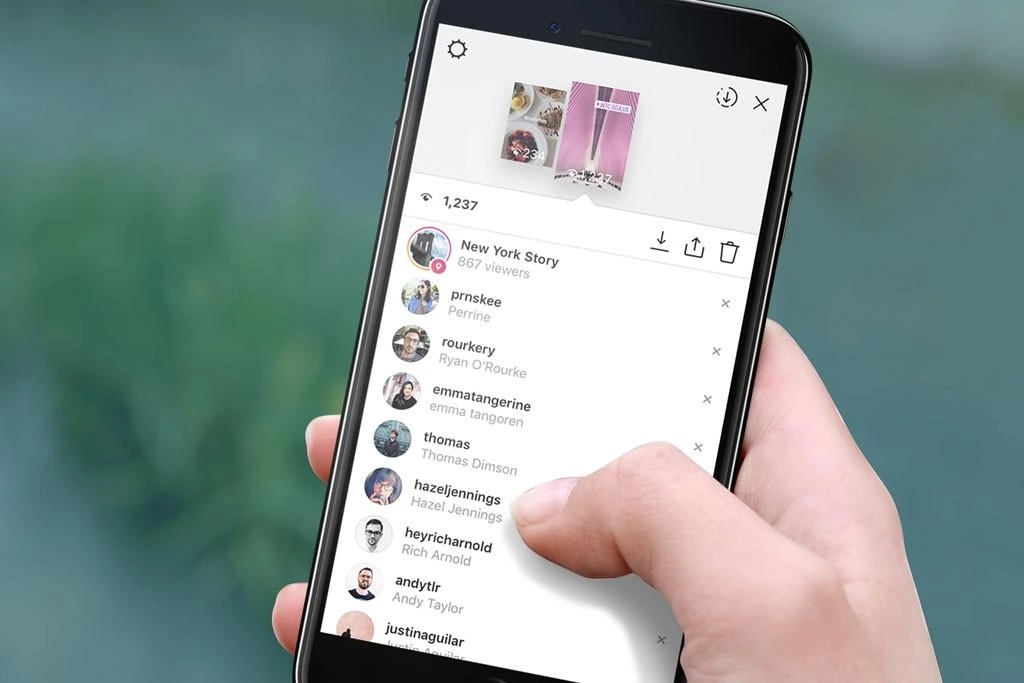
Many Instagram users believe that Highlights have their own separate analytics or that adding a Story to a Highlight starts a new round of viewer tracking. However, that’s not how Instagram works.
Highlights are simply archived Instagram Stories that you choose to display permanently on your profile. They don’t function like regular posts or Reels, and they don’t generate a new viewer list every time someone watches them. Instead, they inherit the viewer data from the original Story.
Here’s a step-by-step look at how the process works:
Step 1: You Post an Instagram Story
When you publish a Story, it stays live on your profile for 24 hours. During this time, Instagram tracks all interactions with that Story and provides detailed engagement information.
This includes:
- The usernames of people who viewed the Story
- Replies sent through the Story
- Emoji reactions
- Shares and other Story interactions
You can check these insights at any time while the Story is active by opening it and viewing the audience list.
Step 2: The Story Expires After 24 Hours
Once the 24-hour viewing period ends, the Story is automatically removed from your public profile. If you have Story Archive enabled in your Instagram settings, the Story isn’t deleted, it is saved privately in your archive.
Archived Stories are only visible to you, allowing you to revisit, download, or reuse them later. At this stage, Instagram may continue to retain the Story’s viewer information for a limited period, but it will eventually remove the viewer list.
Step 3: You Add the Archived Story to a Highlight
After a Story has been archived, you can select it and add it to one of your Instagram Highlights. The Highlight is then displayed on your profile below your bio and remains there until you choose to edit or remove it.
However, adding a Story to a Highlight does not restart or extend viewer tracking. The Highlight simply displays the original Story in a permanent collection, it does not create a new Story with a fresh viewer list.
This means that while people can continue watching your Highlight months or even years later, Instagram will not record their usernames or add them to a new viewer list. Once the original Story’s viewer tracking period expires, those individual viewer details are no longer available, even though the Highlight itself remains accessible.
Understanding this distinction helps explain why older Highlights don’t show who has viewed them, despite continuing to receive visits from people exploring your profile.
How Long Can You See Who Viewed Your Highlights?
This is one of the most confusing aspects of Instagram Highlights. Many users assume that because highlights remain on their profile indefinitely, they can continue seeing who views them. In reality, Instagram only makes individual viewer information available for a limited period.
Since Highlights are created from Stories, they follow the same viewer tracking rules as Instagram Stories. Once the original Story’s viewer data expires, the viewer list is removed, even though the Highlight itself remains visible on your profile.
Here’s how the timeline generally works:
1. During the Initial Story Period
When you first post a Story, it remains visible for 24 hours. During this time, you can open the Story and see a complete list of everyone who has viewed it.
Instagram also shows other engagement details, such as:
- Usernames of viewers
- Replies to the Story
- Emoji reactions
- Other Story interactions
This is the only period when you have full access to your Story’s audience.
2. After the Story Expires
Once the 24-hour Story period ends, the Story disappears from public view and moves to your Story Archive if the archive feature is enabled.
Instagram may continue to keep the viewer list available for a limited time after the Story expires. In many cases, users have reported being able to access viewer information for up to 48 hours after posting, although Instagram has adjusted this behavior over the years and the exact timeframe may vary.
If you add the archived Story to a Highlight during this period, you may still be able to view the original Story’s audience as long as Instagram continues to retain that data.
3. After the Viewer Tracking Period Ends
Once Instagram’s viewer tracking window closes, the viewer list is permanently removed. You will no longer be able to see the names of people who viewed the Story or the Highlight, even if the Highlight is still featured on your profile.
People can continue watching your Highlight days, months, or even years later, but Instagram does not record or display their usernames after the tracking period has expired.
In other words, the Highlight remains permanent, but the viewer list does not. This is why older highlights don’t show who has viewed them, even though they are still accessible to anyone who can visit your profile. Understanding this distinction helps set the right expectations about Instagram’s privacy and viewer tracking features.
Why Can’t You See Highlight Viewers Anymore?
If you open one of your Instagram Highlights and notice that the viewer list is missing, there’s usually no need to worry. This is normal behavior and is part of how Instagram manages Story and Highlight privacy.
Many users think the feature has stopped working or that there’s a problem with their account, but in most cases, the viewer information has simply expired. Since Highlights are created from Stories, they rely on the original Story’s viewer data rather than generating a new list of viewers.
Here are the most common reasons why you can no longer see who viewed your Highlight:
1. The Story Viewer Tracking Period Has Expired
Instagram only stores the list of Story viewers for a limited amount of time. Once this tracking window ends, the names of people who viewed the Story are permanently removed. Because Highlights use the same data, the viewer list also disappears.
2. Has Removed the Viewer List
After the viewer tracking period expires, Instagram automatically removes the audience list from the Story and any Highlight created from it. While the Highlight remains visible on your profile, individual viewer information is no longer accessible.
3. The Story Is Too Old
If the Highlight contains a Story that was posted weeks, months, or even years ago, Instagram will no longer display the usernames of people who viewed it. Older Stories are still available in your archive and can remain in Highlights, but their viewer data is no longer retained.
4. Instagram No Longer Stores Individual Viewer Data
To protect user privacy and manage data, Instagram does not keep individual viewer information indefinitely. Once the retention period ends, the platform stops storing or displaying the names of people who viewed that Story or Highlight.
As a result, even if someone watches your Highlight today, Instagram will not add their name to a new viewer list if the original Story’s tracking period has already expired.
This Is Completely Normal
If you can’t see Highlight viewers anymore, it doesn’t mean your account is malfunctioning or that you’ve changed a setting by mistake. It’s simply how Instagram’s Story and Highlight system is designed to work.
The Highlight itself can stay on your profile for as long as you want, allowing people to continue viewing it. However, the ability to identify individual viewers is only temporary, and once Instagram removes that data, it cannot be recovered.
Can New Highlight Views Be Tracked?
The simple answer is no. Once the original Story’s viewer tracking period has ended, Instagram does not track or display new viewers for that Highlight.
This often surprises users because highlights remain on your profile indefinitely. Many people assume that every time someone watches a Highlight, Instagram updates the viewer list or sends a notification. However, that’s not how the feature works.
For example, imagine you added a Story to a Highlight six months ago. If someone visits your profile today and watches that Highlight, Instagram will not record their identity for you to see. Even though the Highlight is still publicly available, it does not generate a new viewer list.
Specifically, Instagram does not show you:
- The username of the person who viewed your Highlight
- The date or time they watched it
- How many times they viewed it
- Whether they watched the entire Highlight or only part of it
- Any notifications informing you that someone viewed your Highlight
This applies to both personal and professional (Business or Creator) accounts. While professional accounts may receive general insights for recent Stories, Instagram does not provide ongoing analytics or individual viewer information for older Highlights.
In other words, highlights remain visible, but viewer tracking does not continue indefinitely. After Instagram removes the original Story’s viewer data, anyone who watches your Highlight later does so anonymously from your perspective.
Understanding this limitation is important, especially for creators and businesses that use Highlights to showcase products, services, or important information. While Highlights are excellent for displaying evergreen content, they should not be relied upon as a way to monitor who continues to view that content over time.
How to Check Highlight Viewers (If Available)
If Instagram is still retaining the viewer information for the original Story, you can check who has viewed your Highlight in just a few simple steps. Keep in mind that this feature is only available during Instagram’s limited viewer tracking period. Once that period ends, the viewer list is permanently removed.
Follow these steps to check your Highlight viewers:
Step 1: Open Instagram
Launch the Instagram app on your smartphone and log in to the account that owns the Highlight. Make sure you’re using the correct account, as only the account owner can access Story viewer information.
Step 2: Go to Your Profile
Tap your profile picture in the bottom-right corner of the screen to open your Instagram profile. Here, you’ll see your highlights displayed just below your bio and above your posts.
Step 3: Open the Highlight
Tap the Highlight you want to check. It will begin playing the Stories that have been saved in that Highlight. Navigate to the specific Story you’re interested in if the Highlight contains multiple Stories.
Step 4: Swipe Up on the Story
While viewing the Story, swipe up from the bottom of the screen (or tap the activity section, depending on your version of Instagram). If Instagram still has the viewer data available, a list of viewers and engagement details will appear.
You may be able to see:
- The usernames of people who viewed the Story
- The total number of views
- Replies or emoji reactions (if anyone interacted with the Story)
- Other Story engagement details, depending on your account type
What If You Don’t See Any Viewer Information?
If swiping up doesn’t display a viewer list, it usually means Instagram has already removed the viewer data. This typically happens because the original Story’s viewer tracking period has expired.
In this case, the Highlight will still be available for anyone to watch, but you won’t be able to see:
- Who viewed it
- When they viewed it
- How many new people watched it after the tracking period ended
This is normal behavior and applies to both personal and professional Instagram accounts. Once the viewer list has been removed, it cannot be restored or accessed again.
Can Someone See That You Viewed Their Highlight?
It depends on timing.
If the Highlight was created from a recent Story
The owner may still see your username if viewer tracking is still active.
If the Story is older
No.
Your visit remains private because Instagram no longer displays viewer identities.
Does Instagram Notify People When You View Their Highlight?
No. Instagram does not send notifications when someone views your Highlight. Simply watching another person’s Highlight does not trigger an alert or message to the account owner.
Many users worry that opening a Highlight will immediately notify the other person, similar to how Instagram sends notifications for likes, comments, follows, or direct messages. Fortunately, that’s not how Highlights work.
For example, Instagram does not send notifications such as:
- “John viewed your Highlight.”
- “Someone watched your archived story.”
- “A new person viewed your Highlight.”
This means the account owner will not receive a push notification, in-app alert, or message informing them that you’ve watched one of their highlights.
However, it’s important to understand the difference between notifications and viewer lists. If the Highlight was created from a recent Story and the original Story’s viewer tracking period is still active, the account owner may still be able to see your username in the Story’s viewer list. This is not because Instagram sent them a notification, it simply appears in the list of people who viewed the Story.
Once the original Story’s viewer tracking period expires, your username is no longer visible, and the account owner cannot see that you viewed the Highlight later.
Can Business Accounts See Highlight Viewers?
Business accounts receive more analytics than personal accounts, but they still have limitations.
Business users may see:
- Reach
- Impressions
- Story interactions
However, after the viewer list expires, they cannot identify individual Highlight viewers.
Professional analytics do not reveal usernames of late viewers.
Can Creator Accounts See Highlight Viewers?
Creator accounts work similarly.
They receive:
- Story insights
- Reach
- Engagement metrics
But Instagram does not permanently display individual Highlight viewers.
Does Instagram Show How Many Times Someone Viewed a Highlight?
No.
Instagram does not reveal:
- Repeat views
- Number of visits by one person
- Watch duration
- Completion rate per viewer
Each viewer remains anonymous after the tracking window ends.
Can Third-Party Apps Show Highlight Viewers?
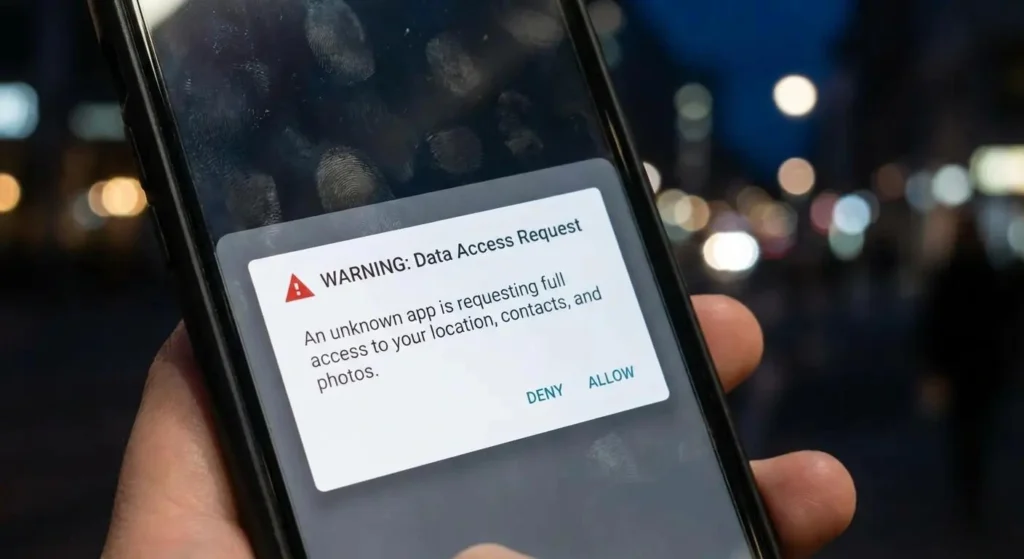
Many apps claim they can reveal:
- Secret viewers
- Anonymous viewers
- Hidden profile visitors
- Highlight stalkers
These claims are misleading.
Instagram does not provide this information through its official API.
Apps promising to reveal Highlight viewers often:
- Display random names
- Use misleading marketing
- Ask for your Instagram login
- Pose privacy and security risks
Never share your Instagram credentials with unofficial apps.
Can You Watch Someone’s Highlight Anonymously?
If the Story is old and the viewer list has expired, your view generally won’t appear to the owner.
Some websites and apps advertise anonymous Highlight viewing, but use caution. Many are unreliable or require access to your account.
Does Blocking Someone Remove Their Highlight View?
Blocking a user affects future interactions, but it does not necessarily rewrite historical Story data.
Depending on when the block occurs and Instagram’s current behavior, previous viewer information may no longer be visible once the viewer list expires anyway.
Can Private Accounts See Highlight Viewers?
Yes.
Privacy settings do not change viewer tracking.
Private accounts can see Story viewers during the available tracking period.
After it expires, viewer names disappear just like on public accounts.
Can Public Accounts See Highlight Viewers?
Yes.
Public accounts follow the same rules.
The difference is only who can access the Highlight—not how viewer tracking works.
Common Myths About Instagram Highlight Views
There are many misconceptions about how Instagram Highlights work, especially when it comes to viewer tracking and privacy. Misinformation from social media posts, forums, and third-party apps often leads users to believe they can access more viewer information than Instagram actually provides.
Let’s separate the facts from the myths.
Myth 1: Instagram Shows Everyone Who Views Your Highlight Forever
False.
One of the biggest misconceptions is that because highlights stay on your profile permanently, Instagram also keeps a permanent record of everyone who views them.
In reality, Highlights only inherit viewer data from the original Story. Once Instagram’s Story viewer tracking period expires, the list of viewers is permanently removed. Although the Highlight remains visible on your profile, you can no longer see the usernames of people who watch it.
Myth 2: Business Accounts Can Always See Highlight Viewers
False.
Many people assume that switching to a Business or Creator account unlocks permanent access to Highlight viewers. While professional accounts do provide additional analytics, they don’t bypass Instagram’s privacy rules.
Business and Creator accounts can access insights such as:
- Reach
- Impressions
- Story interactions
- Profile activity
However, they cannot continue seeing the usernames of people who view older Highlights after the Story viewer tracking period has ended.
Myth 3: Third-Party Apps Reveal Secret Highlight Viewers
False.
Numerous websites and mobile apps claim they can show:
- Anonymous Highlight viewers
- Hidden profile visitors
- Secret Story viewers
- People who repeatedly watch your Highlights
These claims are misleading. Instagram does not provide this information through its official API, which means no legitimate third-party app can access hidden Highlight viewer data.
Some of these apps may display random usernames or request your Instagram login credentials, creating potential privacy and security risks. It’s always best to avoid sharing your account information with unofficial services.
Myth 4: Instagram Notifies Users Whenever Someone Watches a Highlight
False.
Another common myth is that Instagram sends a notification every time someone views a Highlight.
In reality, Instagram does not send push notifications, in-app alerts, or messages when someone watches your Highlight. Viewing a Highlight is different from actions like liking a post, commenting, or following an account, all of which can generate notifications.
If your username appears in a viewer list, it’s only because the original Story is still within Instagram’s viewer tracking period, not because Instagram sent the account owner a notification.
Myth 5: You Can See Repeat Viewers
False.
Some users believe Instagram tracks how many times a person watches a Highlight or identifies people who repeatedly view their content.
Instagram does not provide this level of detail. The platform doesn’t show:
- Who watched your Highlight multiple times
- The number of repeat views from a single person
- How long someone watched your Highlight
- Whether they watched every Story in the Highlight
Once the Story viewer tracking period ends, Instagram stops displaying individual viewer information altogether.
Tips for Better Instagram Highlights
Instagram Highlights are more than just saved Stories—they’re one of the first things people notice when they visit your profile. Whether you’re a content creator, influencer, small business, or personal user, well-organized Highlights can make your profile look more professional and help visitors quickly find the information they’re looking for.
Here are some practical tips to create engaging and effective Instagram Highlights.
Use Clear Cover Icons
Your Highlight covers are the first visual element visitors see, so choose icons or images that are simple, recognizable, and consistent with your profile’s style. Instead of using random Story thumbnails, create custom covers that represent each category.
For example, you might use icons for:
- ✈️ Travel
- 🍔 Food
- 🛍️ Products
- ⭐ Reviews
- ❓ FAQs
A clean and organized appearance makes your profile easier to navigate and leaves a positive first impression.
1. Group Similar Stories Together
Instead of placing all your Stories into one large Highlight, organize them into specific categories. This helps visitors quickly find the content they’re interested in without scrolling through unrelated Stories.
Popular Highlight categories include:
- Travel
- Customer Reviews
- Tutorials
- Products
- FAQs
- Behind the Scenes
- Events
- Team Members
- New Arrivals
- Tips and Tricks
For businesses, categorizing content also makes it easier for potential customers to learn about your products or services.
2. Remove Outdated Stories
Over time, some Stories may become outdated or no longer reflect your current brand, products, or lifestyle. Regularly review your highlights and remove content that is no longer relevant.
For example, consider deleting Stories about:
- Expired promotions
- Old product collections
- Past events
- Outdated pricing
- Information that has changed
Keeping your Highlights up to date ensures visitors always see accurate and valuable content.
3. Add Captions to Your Stories
Many Instagram users watch Stories with their sound turned off, especially when browsing in public places. Adding captions or text overlays helps ensure your message is understood even without audio.
Captions can:
- Improve accessibility for viewers with hearing impairments
- Increase watch time
- Make your content easier to follow
- Help communicate important information more clearly
This simple addition can significantly improve the overall viewing experience.
4. Keep Your Branding Consistent
If you’re using Instagram for a business or personal brand, consistency is essential. Try to maintain the same visual style across all your Highlights by using similar fonts, colors, icons, and design elements.
A consistent look helps:
- Strengthen brand recognition
- Create a professional appearance
- Build trust with your audience
- Make your profile more visually appealing
For example, use the same color palette for Highlight covers, apply consistent typography in your Stories, and include your logo or brand elements where appropriate.
5. Update Your Highlights Regularly
Don’t treat Highlights as a one-time setup. As you create new Stories, review your existing Highlights and update them with fresh content. Adding recent Stories keeps your profile active and ensures visitors see your latest updates.
For businesses, this might include new products, customer testimonials, promotions, or announcements. For creators, it could mean showcasing recent collaborations, travel experiences, or new projects.
6. Keep Highlights Short and Engaging
Although you can add many Stories to a Highlight, shorter collections often provide a better viewing experience. Avoid overwhelming your audience with too much content in a single Highlight.
Instead, focus on including your most valuable, informative, or entertaining stories. A concise Highlight is more likely to keep viewers engaged from start to finish.
7. Use Highlights to Answer Common Questions
Instagram Highlights can serve as a quick information hub for your audience. Instead of repeatedly answering the same questions through direct messages, create a dedicated FAQ Highlight that addresses common topics.
For example, businesses can include:
- Business hours
- Pricing information
- Shipping policies
- Return and refund details
- Contact information
Creators can answer questions about collaborations, equipment, or content schedules.
Frequently Asked Questions
1. Can you see who viewed your Highlights after 24 hours?
Only for a limited period if Instagram still retains the Story viewer list. After the tracking window expires, you can no longer see viewer names.
2. Can someone know if I viewed their old Highlight?
Usually not. If the original Story’s viewer tracking has already expired, your visit won’t appear in a visible viewer list.
3. Can Instagram Business accounts see Highlight viewers?
Business accounts can access Story insights, but they cannot see individual usernames once the viewer list is no longer available.
4. Can third-party apps show Instagram Highlight viewers?
No. Apps that claim to reveal hidden or anonymous Highlight viewers are not supported by Instagram and should be treated with caution.
5. Can you hide your Highlight views?
Instagram does not offer a setting to selectively hide your view from a Highlight owner during the active Story viewer tracking period.
Conclusion
You want to know if you can see who looks at your highlights on Instagram.
The answer is yes. Only for a little while. This is because highlights are made from stories so they work the way as stories when it comes to seeing who viewed them. Once the time is up for seeing who viewed your story you can not see who looked at your highlight anymore even though the highlight is still on your profile.
For people this means you can only see who looked at your highlight while the story it was made from is still showing who viewed it. After that people can look at your highlights. You will not know they did. Knowing this helps you understand how highlights really work on Instagram and what to expect when you use them.
You can use highlights. Know that people can look at them without you knowing which is just how it is.