No, Instagram does not tell you who clicked on your link. This is true for any kind of link like the link in your Instagram bio, a link sticker in your Story, or even a link connected to your Reel. Instagram only shows you how many people clicked on your link in total. It does not show you the names of the people who clicked, their usernames, or what their profiles look like.
This is the same for all kinds of Instagram accounts. It does not matter if you have an account or a Creator account or a Business account. The information you get is a little different for each type of account. None of them will show you who specifically clicked on your link.
So if you clicked on someone’s link and you are worried that they will know it was you do not worry. At least Instagram will not tell them it was you. Instagram does not share that information. Keep reading to learn more about what happens when you click on a link and leave Instagram and what other websites and tools might be able to see.
Who This Applies To
- Personal accounts: no link click data at all, since personal accounts can’t add clickable bio links or use link stickers in most cases.
- Creator accounts: access to Professional Dashboard insights, including link tap totals.
- Business accounts: the most detailed insights, still limited to totals and demographics, never individual users.
How Instagram Tracks Link Clicks
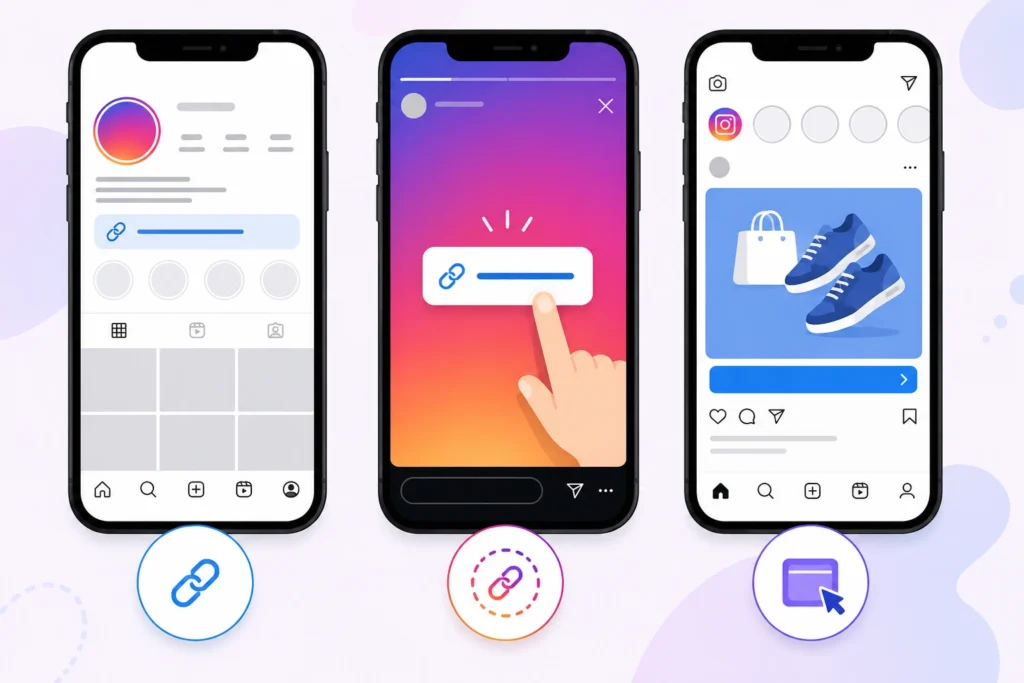
Instagram does something with the links you click. It looks at these clicks as things people do when they use the site. When you click on a link from someone’s profile or a story or a post or an ad on Instagram the site takes note of it.
Then it adds this information to the numbers that people can see. This helps the people who make content and the businesses see if their stuff is sending people to sites. It does this without saying who exactly clicked on the links. Here is how Instagram tracks the links for each type of link, on the site.
1. Bio Links
The link in your Instagram bio is a popular way to get people to visit a website outside of Instagram. This can be a link to your website or a service like Linktree that helps you manage multiple links. Every time someone clicks on this link it counts as a visit to your website.
If you have an account on Instagram you can see how many people are clicking on your link in the Professional Dashboard or Insights. This is shown as Website Taps or Link Clicks. It tells you how many times the link was clicked during a certain period of time. However it does not tell you who clicked the link when they clicked it or if the same person clicked it more than once.
2. Story Link Stickers
Instagram’s Link Sticker helps creators and businesses add an URL to a Story. When a viewer taps the sticker Instagram counts it as a link tap.
You can see the number of taps in the Stories Insights while it is active. This also works for a time after the Story ends but only if your account can access Story analytics. These insights show how well the Story drove traffic. They do not tell you who tapped the link the total number of interactions.
The Link Sticker is a tool for measuring the effectiveness of a Story. Creators and businesses use it to track how many people click on their links.
You can use this information to improve Stories and make them more engaging.
3. Reel and Post Links
So when you make a post on Instagram you cannot put a link in the text that people can click on.. If you have a Business account on Instagram you can use some special features. For example you can use buttons that say things like “Learn or “Shop Now”. You can also tag products in your posts. Pay to boost your posts so more people see them. These special features can send people to websites.
When people click on these buttons or links Instagram keeps track of it. You can see how many times people clicked on a link or button in your Instagram account. This helps you figure out if your posts are getting people to do what you want them to do. Instagram only shows you the number of clicks though. You do not get to see who specifically clicked on the link. Instagram only gives you information about the links, not details, about the people who clicked on them.
4. Instagram Ads
Instagram ads provide the most comprehensive link analytics because they’re managed through Meta Ads Manager. Advertisers can track detailed performance metrics such as:
- Total link clicks
- Click-through rate (CTR)
- Cost per click (CPC)
- Conversions (if tracking is configured)
- Audience breakdowns by age, gender, location, device, and placement
Although these reports are much more detailed than regular Instagram Insights, Meta still protects user privacy. Advertisers never receive the names, Instagram accounts, or personal identities of people who clicked an ad. All reporting is aggregated and anonymized, allowing businesses to measure campaign performance while keeping individual users anonymous.
Can You See Who Clicked Your Instagram Link?
The short answer is no. Instagram does not reveal the identity of people who click your links, regardless of your account type. What changes between account types is the amount of analytics you can access. Professional accounts receive aggregated performance data, while personal accounts have little to no built-in link tracking.
1. Personal Accounts
Personal Instagram accounts do not have a lot of information about how people interact with them. They also do not tell you when someone clicks on a link. You can put a website on your profile.
Instagram does not give you detailed information about how many people click on it.
These accounts do not have access to the Professional Dashboard. This means you will not see things like how many people visit your website or what your audience’s like.
You also will not see reports about how people engage with your content. If you want to know how well your links are doing you need to get an account.. You can use the information from the website you are linking to or a service that helps you manage your links.
2. Creator Accounts
If you have a Creator account you can use Instagram’s Professional Dashboard. This dashboard has a lot of information about your profile and the content you post. For example it shows you how many people are looking at your profile and how they are interacting with your posts.
If you put a link to your website on your profile or use Link Stickers in your Stories Instagram will count how many times people click on those links. It will then show you the number of clicks in the Insights section.
The idea behind these numbers is to help people who create content on Instagram understand what their audience likes. Over time you can see what is working and what is not.
Instagram only gives you the numbers though.
You can see that a lot of people clicked on a link. You cannot see who those people are. You do not get to see their names or their Instagram usernames or profiles. You just get to see the number of clicks on the Instagram Professional Dashboard, for your Creator account.
3. Business Accounts
Instagram Insights is really helpful for business accounts. They get to see a lot of information about their account. For example they can see how many times people clicked on links. They can also look at how things changed over time. Business accounts can even see what kind of people are looking at their stuff like how old they are, where they are from, what kind of device they use and how much they like their posts.
This information is great for people who are trying to figure out if their marketing is working. They can see what kind of posts make people want to visit their website or page. Instagram does not tell businesses who is looking at their account though. They keep all of that private. They only show businesses information about their visitors so people’s privacy is protected.
4. Professional Dashboard
The Professional Dashboard is where you can see all your numbers in one place. It is for people who have a Creator or Business account. You can see things like how many people visit your website, look at your profile and how many people see your stuff. You can also see how new followers you get and how people interact with your content.
The Professional Dashboard is supposed to help you see what is working and what is not. You can use it to see if a new video or story is doing better than the things you posted before. For example you can see if a new Reel or Story made more people visit your website.
The Professional Dashboard does not show you a list of people who clicked on your links. It just shows you how well your content is doing overall. This way the Professional Dashboard helps keep what individual users do private. The Professional Dashboard is really about seeing how your content is doing, not about seeing what each person is doing.
What Instagram Insights Actually Show
Instagram Insights is designed to measure how your content performs overall rather than reveal information about individual users. Instead of showing who interacted with your links, Instagram provides aggregated metrics that help creators and businesses understand audience behavior, identify trends, and improve future content. Here are the main link-related metrics you’ll find in Insights.
1. Total Link Clicks
Instagram keeps track of how times people tap on your links. These links can be, in your profile bio, a Story Link Sticker or some business posts and ads. This helps you see how much traffic your content is getting over a period of time.
The count is the total number of taps, not the number of unique users. Instagram does not show who tapped the link when they tapped it or if someone tapped it times.
2. Reach
The Instagram reach shows how many different Instagram accounts saw the content that has your link in it. For example if your Instagram Story with a link sticker was seen by 2,000 accounts that is the number you will see in the Insights.
This helps you see how many people saw your content compared to how many people clicked on your link. If a lot of people saw your content but not many people clicked on the link that might mean you need to make your call to action better or put the link in a place. The Instagram reach shows how many people saw your content; it does not tell you which users looked at your content or clicked on it.
3. Engagement
Engagement includes the interactions people have with your content, such as likes, comments, shares, saves, replies, and other supported actions depending on the content format.
These metrics help you understand how your audience responds to your posts or Stories and whether they’re finding your content valuable. While engagement can often correlate with more link clicks, Instagram reports only the totals and never associates those actions with individual users in your analytics.
4. Profile Activity
Profile Activity measures what people do after visiting your Instagram profile. It includes actions such as profile visits, website taps, contact button clicks, email button taps, and direction requests for eligible Business accounts.
These metrics help you understand whether your profile encourages visitors to take action. However, Instagram only shows the number of actions performed and doesn’t reveal which accounts completed them.
5. Website Taps
Website Taps is one of the most useful metrics for accounts that use a profile bio link. It counts how many times visitors tapped the website link in your Instagram profile during the selected reporting period.
Creators and businesses often use this metric to evaluate how effectively their profile converts visitors into website traffic. Although it’s a valuable performance indicator, Instagram doesn’t provide any information about the identities of the people who tapped the link.
6. Aggregated Data Only
All of the analytics available in Instagram Insights are aggregated and anonymized. They’re intended to help you evaluate content performance and audience trends, not monitor individual users.
No matter which metric you view, link clicks, reach, engagement, profile activity, or website taps, Instagram never pairs those numbers with usernames, profile lists, or visitor identities anywhere in the app. This privacy-focused approach ensures that users can interact with content without exposing their personal activity to account owners.
What Instagram Never Reveals
To be direct about it, here’s what stays hidden no matter what kind of account you have or how many followers you get:
- Individual usernames of people who clicked your link.
- Instagram profiles tied to a specific click event.
- Exact visitors, meaning there’s no list, log, or export of who tapped what.
- Browsing history, since Instagram doesn’t show you what someone did after they left your link, only whether the tap happened.
This is a deliberate privacy design, not a missing feature. Meta’s own policies restrict this kind of individual-level exposure for regular account holders.
Can Websites Tell Who Clicked From Instagram?
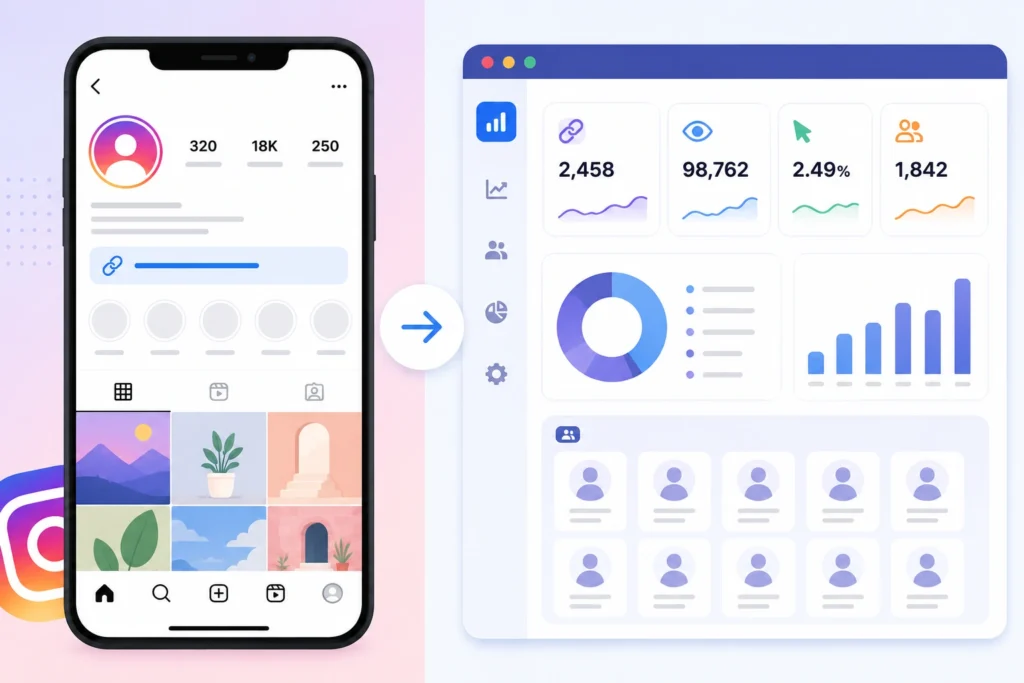
This is where things shift. Once someone clicks your link and lands on an external website, Instagram’s privacy protections no longer apply. The website itself can collect a range of data, though still not enough to know exactly who the person is unless they identify themselves (for example, by logging in or filling out a form).
1. Referral Traffic
Most website analytics tools can detect that a visitor arrived from Instagram, based on referral data passed along during the click. This tells the site owner “someone came from Instagram,” not who that someone is.
2. Google Analytics
If a website owner has Google Analytics installed, they can see Instagram listed as a traffic source, along with session data like time on page, device type, and general location. Usernames or Instagram identities never appear here.
3. UTM Tracking
UTM parameters are tags added to the end of a URL that let website owners track which specific link or campaign drove traffic. For example, a link might be tagged to show it came from a Story versus a bio link. This helps with campaign performance, not identity tracking.
4. Cookies
Cookies let websites remember a visitor across sessions, which is how retargeting ads work. Cookies can track behavior like return visits or cart abandonment, but on their own they don’t reveal a person’s real identity or Instagram account.
5. Meta Pixel
The Meta Pixel is a snippet of code website owners can install to measure ad performance and build custom audiences for future Meta ads. It tracks actions like purchases or sign-ups and can connect that data back to ad campaigns, but it does not expose personal Instagram profiles to the website owner in a readable way.
What Website Owners Can Actually See
Put together, a website owner might know:
- The visitor came from Instagram
- Their approximate location and device
- What they did on the site (pages viewed, time spent, purchases)
- Which specific link or campaign brought them there
They will not know the visitor’s Instagram username or see their profile, unless the visitor voluntarily provides identifying information on the site itself.
What About Linktree, Beacons, and Other Bio Link Tools?
Bio link tools such as Linktree, Beacons, Taplink, Carrd, and Bio.site are widely used by creators, influencers, and businesses to share multiple links from a single Instagram bio. Since Instagram only allows one primary profile link, these services make it easy to direct followers to websites, online stores, blogs, videos, newsletters, and social media profiles from one landing page. If your goal is to drive more traffic through these links, learning how to go viral on Instagram can help you reach a larger audience and increase the number of profile visits and link clicks.
Because these tools include their own analytics dashboards, many users assume they can identify exactly who clicked each link. In reality, they don’t reveal individual visitors. They simply provide more detailed performance statistics than Instagram itself.
Do They Identify Visitors?
No. Bio link tools cannot tell you who clicked your links.
When someone taps your Linktree or Beacons page from Instagram, the platform records the visit as a click event. It may also collect technical information such as the visitor’s device type, operating system, browser, approximate geographic location, referral source, and the time of the visit.
However, none of this information is tied to a person’s Instagram account or real identity. The platform cannot display the visitor’s username, profile, email address, or any other personal information simply because they clicked your link. Unless someone voluntarily identifies themselves—for example by filling out a contact form or subscribing to a newsletter—they remain anonymous.
What Analytics They Provide
Most popular bio link tools offer much richer analytics than Instagram’s built-in Insights. Depending on your plan, you can typically see:
- Total clicks for each individual link
- Click-through rate (CTR) for every button or destination
- Traffic sources, such as Instagram, TikTok, YouTube, Facebook, or direct visits
- Device and browser information
- Approximate geographic location by country, region, or city
- Click activity over time through daily, weekly, or monthly reports
These insights help creators understand which links perform best, where their audience comes from, and how users interact with their landing page. They’re useful for improving marketing campaigns and optimizing link placement, but they still focus on overall trends rather than individual users.
Privacy Limitations
Despite offering more analytics than Instagram, bio link tools follow the same basic privacy principle: they report aggregated data, not personal identities.
If someone clicks your Linktree, Beacons, Taplink, Carrd, or Bio.site page, you’ll see your click count increase and may receive updated statistics about the visitor’s device or location. What you won’t see is their Instagram username, profile, or any notification telling you exactly who visited.
In other words, these platforms help you measure link performance, not monitor individual visitors. Their dashboards are designed for analytics and marketing insights while respecting user privacy, just like Instagram’s own reporting tools.
Common Privacy Myths
Many people worry about clicking links on Instagram because they’ve heard conflicting information online. In reality, most of these concerns come from misunderstandings about how Instagram and websites track activity. While link clicks are recorded for analytics, they aren’t tied to your Instagram identity. Here are some of the most common myths explained.
If I Click Someone’s Bio Link, Will They Know?
No. The account owner will only see that their bio link received another click.
If they have a Professional account or use a bio link tool like Linktree or Beacons, their analytics dashboard may show that the total number of clicks increased. However, it won’t tell them who clicked the link.
It doesn’t matter whether you’re following them, whether your Instagram account is public or private, whether you’ve visited their profile multiple times, or whether you clicked the link from the Instagram app or a browser. Instagram never reveals your username or profile as part of its link analytics.
Does Incognito Mode Help?
Not for this purpose.
Incognito or Private Browsing mode simply prevents your browser from saving your browsing history, cookies, and cached files on your own device after the session ends. It’s mainly a local privacy feature.
It doesn’t stop Instagram or the destination website from recording that a click occurred. More importantly, it doesn’t need to, because Instagram wasn’t revealing your identity through link clicks in the first place. Using Incognito mode won’t make your click any more anonymous than it already is from the account owner’s perspective.
Does Using Another Instagram Account Matter?
No.
Some people believe they should switch to a secondary Instagram account before clicking someone’s bio link to avoid being identified. In practice, this makes no difference.
Instagram doesn’t associate bio link clicks with your account when presenting analytics to creators or businesses. Whether you click the link using your main account, an alternate account, or even without being logged into Instagram, the account owner still sees only aggregated click data rather than your identity.
Can Deleting History Hide My Visit?
No.
Deleting your browser history only removes records from your own device. It doesn’t erase analytics that were already recorded by Instagram, a bio link service, or the destination website.
However, there’s an important point to remember: those analytics don’t identify you by your Instagram account in the first place. The account owner simply sees updated traffic statistics, not a list of individual visitors. So deleting your browsing history doesn’t change what they can see, it only clears your own local browsing records.
Instagram Link Click Examples
Sometimes it’s easier to understand Instagram’s privacy rules by looking at real-world examples. The situations below show what account owners can actually see after someone clicks a link, and, just as importantly, what they can’t see.
1. Example: Business Owner
Sarah runs a small online store and has an Instagram Business account. She adds her store’s website to her bio and regularly posts products to attract customers.
After one week, Instagram Insights shows that her bio link received 100 website taps. She can also see broader audience information, such as:
- The link received 100 total taps.
- Most of the people engaging with her content were between 25 and 34 years old.
- A large percentage of her audience came from her home country.
- Her profile visits increased during the same period.
These insights help Sarah understand how well her marketing is performing, but they don’t reveal individual visitors. Instagram doesn’t tell her that John, Emily, or Michael clicked the link, nor does it provide a list of usernames associated with those 100 clicks. She only sees aggregated statistics.
2. Example: Creator
James is a content creator who hosts a weekly podcast. He shares a Story with a Link Sticker directing followers to his latest episode and also promotes it in a Reel.
After the Story expires, the Story Insights report that the Link Sticker received 340 taps. James knows that many people were interested enough to click, but that’s the extent of the information available.
He can’t see which followers clicked the link, whether the clicks came from followers or non-followers, or whether a specific person visited the podcast page multiple times. Instagram only provides the total number of taps so creators can measure performance without compromising viewer privacy.
3. Example: Website Owner
Now imagine Sarah owns the online store linked from her Instagram bio. Once someone clicks through and lands on her website, tools like website analytics can provide additional information about what happens after the visitor arrives.
For example, her analytics might show that a visitor:
- Came from Instagram.
- Spent two minutes browsing a product page.
- Viewed several items.
- Added a product to their shopping cart.
- Completed a purchase or left without buying.
Even with this extra information, Sarah still doesn’t know the visitor’s Instagram username. Website analytics track behavior on the website, not the person’s Instagram identity.
The only time Sarah learns who the visitor is is if they voluntarily identify themselves, for example, by creating an account, subscribing to a newsletter, filling out a contact form, or completing a purchase with their personal details. That information comes directly from the visitor, not from Instagram or the original link click.
These examples highlight the same principle across every scenario: Instagram tracks clicks to measure performance, not to identify individual users. Whether you’re a Business account, a Creator, or a website owner, you receive useful analytics about traffic and engagement, but you never get a list of the specific people who clicked your Instagram links.
Instagram vs Website Analytics
| Feature | Instagram Insights | Website Analytics (Google Analytics, etc.) |
| Shows total clicks | Yes | Yes |
| Shows individual usernames | No | No |
| Shows traffic source | Limited (Instagram side only) | Yes (referral data) |
| Shows visitor location | General only | More detailed |
| Shows on-site behavior | No | Yes |
| Shows Instagram profile | No | No |
| Requires visitor to leave Instagram | No | Yes |
How to Check Link Clicks in Instagram Insights
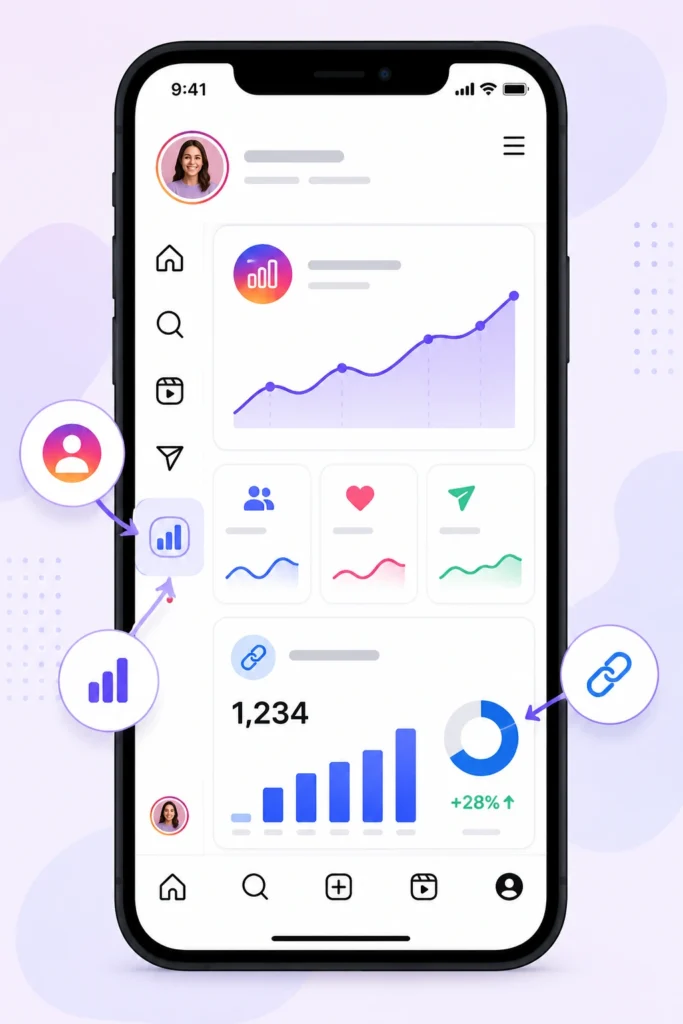
If you use a Creator or Business account, Instagram provides built-in analytics that let you monitor how often people interact with your links. While these insights won’t tell you who clicked, they do show how many link taps your content generated over a selected time period.
Here’s how to find your link click data in the Instagram app.
- Open your Instagram profile.
Launch the Instagram app and tap your profile picture in the bottom-right corner to go to your profile page. - Open the Professional Dashboard.
Tap Professional Dashboard near the top of your profile. If you don’t see it, tap the menu (☰) in the upper-right corner and select Professional Dashboard or Insights, depending on your app version. - View your Insights.
Tap See All under Insights to access your account analytics. You can also open the insights for an individual post, Reel, or Story if you want to check the performance of a specific piece of content. - Choose the relevant section.
Depending on the type of link you’re tracking, look under sections such as Engagement, Profile Activity, or the insights for an individual Story or Reel. For example, bio link activity is typically found in Profile Activity, while Story Link Sticker performance appears in that Story’s insights. - Find Link Clicks or Website Taps.
Scroll through the available metrics until you see Website Taps, Link Clicks, or a similarly named metric. This number represents the total times users tapped your link during the selected reporting period.
Keep in mind that Instagram updates its interface regularly, so the exact names of menus and metrics may vary slightly between app versions. However, the overall process remains the same: Profile → Professional Dashboard → Insights → Relevant Content or Activity → Link Clicks/Website Taps.
Remember that these analytics are designed to measure performance rather than identify visitors. You’ll see totals, trends, and engagement statistics, but Instagram never displays the usernames or identities of the people who clicked your links.
Tips for Tracking Link Performance Without Violating User Privacy
If you want better data on how your links perform, there are ethical, privacy-respecting ways to get more insight than Instagram provides on its own.
1. Use UTM Parameters
Tag your links with UTM parameters so you can tell which platform, post, or campaign is driving the most traffic once visitors land on your website.
2. Use Google Analytics
Install Google Analytics on your website to track referral sources, session behavior, and conversions, all without collecting anyone’s Instagram identity.
3. Use Linktree Analytics
If you’re using a bio link tool, check its built-in analytics dashboard for click-through rates and traffic breakdowns by link.
4. Measure Conversions
Focus on outcomes like sign-ups, purchases, or downloads rather than trying to identify individual visitors. Conversion tracking gives you meaningful performance data while keeping visitor privacy intact.
Frequently Asked Questions
Can someone see if I clicked their Instagram bio link?
No. They can see their total click count go up, but not who clicked.
Can Instagram creators see who clicks their link?
No, Creator accounts only see aggregate totals through the Professional Dashboard.
Does Linktree show who clicked?
No, Linktree shows click totals and general traffic data, not visitor identities.
Can websites identify Instagram users?
Not directly. Websites can see that traffic came from Instagram, along with general behavior data, but not the visitor’s Instagram username or profile.
Does Instagram notify someone when you open their bio link?
No, there’s no notification tied to opening a bio link.
Can Business accounts see who clicked?
No, Business accounts get more detailed totals and demographic breakdowns, but never individual identities.
Can Instagram Insights identify users?
No, Insights is built entirely around aggregate metrics.
Does Meta Business Suite show visitors?
No, Meta Business Suite pulls from the same aggregated Insights data as the Instagram app.
Can Google Analytics show Instagram usernames?
No, it can show that a visitor came from Instagram, but not their username or profile.
Does Instagram track external link clicks?
Yes, it counts the click event, but doesn’t track what happens after the person leaves the app.
Can someone tell if I visited their website from Instagram?
They can see referral traffic from Instagram in their website analytics, but not your specific identity, unless you provide it yourself on the site.
Conclusion
Instagram does not tell people who clicked on a link. They only show the number of people who clicked and some general information about them. The person who owns the account can see things like how many people clicked on a link and where they’re from but they do not see names or profiles.
When you click on a link and go to a website that website can use tools like Google Analytics to see what you do on their site. They can see what device you are using and how you got to their site. They still do not know you are the one who clicked on the link from Instagram. The only way they can find out who you are is if you tell them yourself.
So if you are worried that clicking on someone’s link will show them who you are do not worry. Instagram keeps link click data and aggregates, which means they keep it secret. Understanding how this works should make you feel better about clicking on links, on Instagram.