If you’ve searched for how to hide followers on Instagram, you’ve probably already noticed something frustrating: there’s no button for it. You open Settings, dig through every privacy menu you can find, and come up empty. That’s not you missing something. It’s how Instagram is built.
If you’re also trying to keep track of changes to your audience, check out our guide on how to know who unfollowed you on Instagram to learn what Instagram does and doesn’t reveal about lost followers.
This guide explains exactly what you can control, what you can’t, and which method actually fits your situation, whether that’s an ex who won’t stop checking your profile, a stranger you don’t recognize, or just wanting a bit more distance between your personal life and the internet.
Can You Hide Followers on Instagram?
The short answer
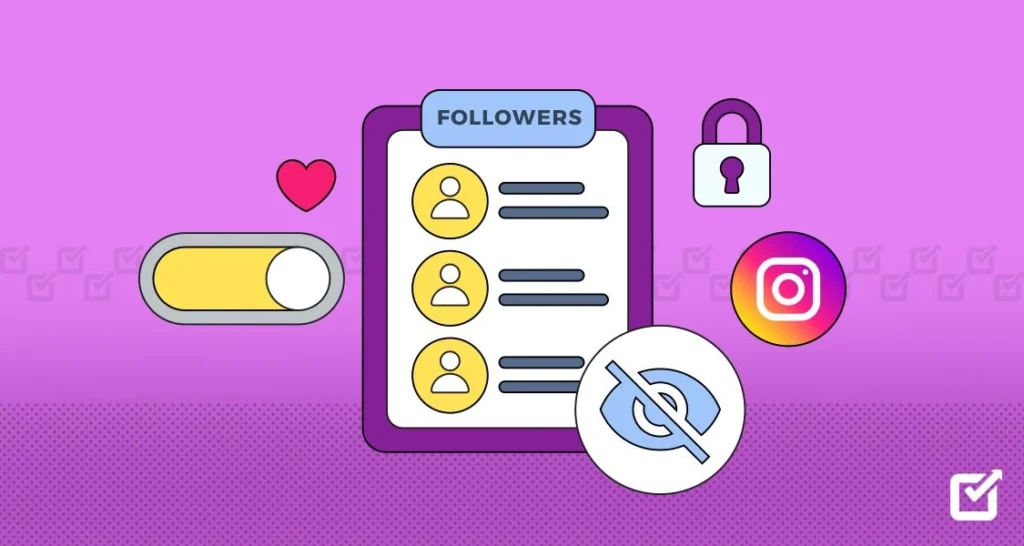
So Instagram does not have a setting that will hide your followers or the people you are following while still keeping the rest of your account public. There is no button that says “hide followers”. There is no secret menu to find this option. Instagram does not have a way to do this either.
What Instagram does have is a thing that can help control who can see your followers and the people you are following. You can make your Instagram account private which means you have to approve who can follow you. You can also block people. Remove them from your followers list. You can restrict certain people so they can not see everything you post.
Think of this like a house, with doors. You can not make the whole house invisible. You can choose who gets to come in and look around. You can decide who gets to see your followers and the people you are following on Instagram.
Why Instagram doesn’t offer this feature
Instagram is built around visible, public social connections, that’s part of how the app works as a discovery and networking tool, not just a photo-sharing app.
Hiding follower relationships selectively would undercut features like mutual friends, follow suggestions, and public profile browsing, which is presumably why Meta hasn’t built a dedicated toggle for it, even though users have requested one for years.
On platforms like TikTok, a public profile can still hide its following list. Instagram hasn’t matched that, and there’s no indication in Instagram’s own Help Center that a fully hidden follower list is coming.
Who Can See Your Followers and Following List?
This is the part that a lot of articles do not talk about. It is the part that really matters. When it comes to your Facebook connections or your Twitter connections, whether someone can see your connections on Facebook or your connections on Twitter depends entirely on whether your Facebook account’s public or your Twitter account is private, with a few exceptions even then.
Your Facebook connections and your Twitter connections are important so you should think about whether your Facebook account’s public or your Twitter account is private.
Public account visibility
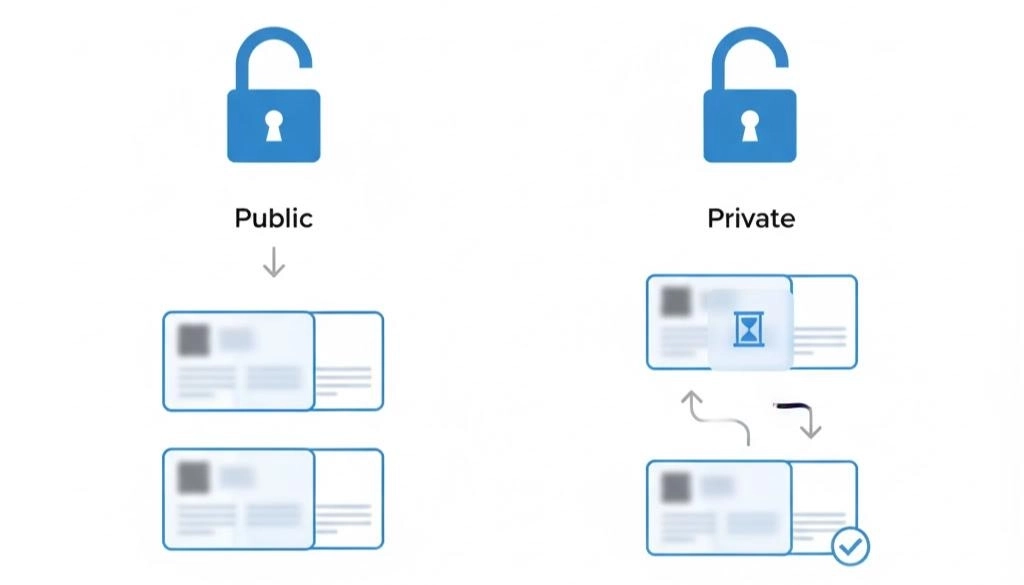
When you have an account on Instagram, anyone who has an Instagram account can look at your followers and the people you are following. They can do this whether they are logged in or not. It does not matter if they are someone who follows you or a complete stranger.
All they have to do is tap on the number of people you are following or the number of followers you have and then they can scroll through the list. There is nothing stopping them from doing this. This is how Instagram sets up accounts by default so if you have never changed your privacy settings this is probably how your account is set up right now.
Private account visibility
When you switch to an account only the people you have said are okay to follow you can see the list of people you are friends with the list of people you follow the things you post and the stories you share.
Other people can still see your picture, the information, about you and how many people follow you. If they try to look at your actual lists it will not work for them. This is the way Instagram lets you keep your friends and the people you follow private.
What remains visible even on private accounts
The thing is, people do not talk about this enough. Your follower count and your following count are always visible to everyone whether your account is public or private. The detailed list of people behind those numbers is the thing that gets locked.
When someone is already following you and you approve them, they can see your full list of followers too. Going private does not hide anything from the people who already follow you. Your follower count and your following count are still visible to everyone.
If your goal is to grow your audience rather than limit visibility, check out our guide on how to go viral on Instagram for tips on increasing your reach while balancing your privacy settings.
Visibility at a glance:
| What’s visible | Public account | Private account |
| Follower/following count | Everyone | Everyone |
| Full followers list | Everyone | Approved followers only |
| Full following list | Everyone | Approved followers only |
| Posts and stories | Everyone (stories may vary) | Approved followers only |
How to Make Your Instagram Account Private
Step-by-step instructions
- Open the Instagram app and tap your profile picture in the bottom-right corner.
- Tap the three lines in the top-right corner to open the menu.
- Select Settings and privacy.
- Tap Account privacy.
- Turn on a Private account, then confirm when prompted.
That’s the entire process. It takes under a minute, and it’s reversible any time you want to switch back to public.
What changes after switching
New followers now have to send a request, which you approve or deny one by one. Anyone who wasn’t already following you loses access to your posts, stories, and both of your lists. People who already followed you before the switch keep their access, so if your real concern is someone specific who already follows you, going private alone won’t solve it, you’ll need to remove or block them too.
How to Hide Your Followers from Specific People
Sometimes it’s not the internet at large you’re worried about. It’s one person. Here’s what actually works for that.
1. Block someone
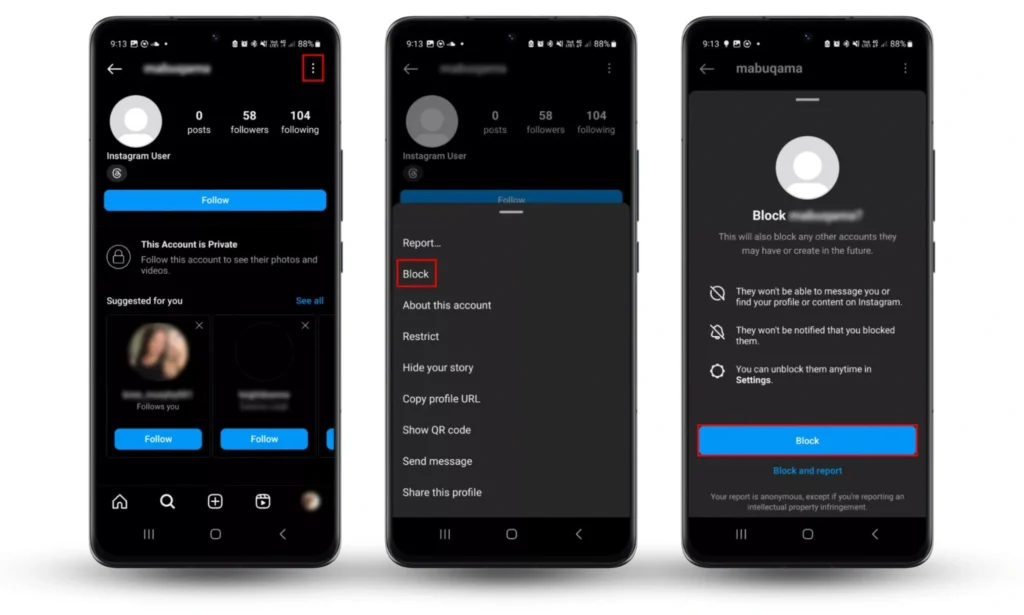
Blocking is the strongest option. A blocked user can’t see your profile, your posts, your followers, or your following list, and they can’t message you. They also can’t find your account by searching, even from a second account, unless you’re not otherwise protected.
The downside is that blocking is visible in the sense that the person typically realizes they’ve lost access, and it ends any interaction entirely.
2. Remove followers
If someone already follows you and you don’t want them to anymore, you can remove them without blocking. Go to your followers list, tap the three dots next to their name, and select Remove. According to Instagram, the person isn’t notified when this happens.
This only works cleanly if your account is private, otherwise, nothing stops them from following you again immediately.
3. Restrict an account
Restrict is a lighter-touch option built for reducing unwanted interaction rather than hiding your lists. A restricted person can still see your profile and your public content, and they can still technically view your follower list if your account is public.
What changes is that their comments become visible only to them by default, and their messages move to a filtered request folder you don’t get notified about. It’s a good tool for harassment or discomfort, but it does not hide your followers.
4. Mute vs Restrict vs Block
These three get confused constantly, so here’s the distinction in plain terms:
- Mute hides someone’s posts and stories from your feed. They have no idea it happened, and it changes nothing about what they can see of you.
- Restrict limits their interaction with your content without alerting them, but doesn’t hide your lists.
- Block cuts off their access entirely, including your followers and following list, and they will notice.
Here’s a slightly more detailed version that stays concise, improves readability, and adds more practical value.
Other Instagram Privacy Features You Should Use
None of these features hide your follower or following list directly, but they do give you much more control over who can interact with you and what others can see. Used together, they make your Instagram account significantly more private and reduce unwanted attention.
1. Close Friends
The Close Friends feature lets you create a private list of people who can see selected Stories. Instead of sharing every Story with your entire follower list, you can choose a smaller group of trusted friends and family.
This is useful if you want to post personal updates, travel photos, or everyday moments without broadcasting them to everyone who follows you. You can update your Close Friends list at any time, and Instagram doesn’t notify people when you add or remove them.
2. Story Controls
Instagram gives you several ways to manage who can view and interact with your Stories. You can hide Stories from specific people without blocking them, limit who can reply to your Stories, or choose to share Stories only with your Close Friends list.
These controls are especially useful if you want to keep certain updates away from coworkers, acquaintances, or specific individuals while still maintaining your normal follower list.
3. Comment Controls
Under Settings and privacy → Comments, you can decide who is allowed to comment on your posts. You can also automatically filter offensive comments, block comments from selected accounts, and create a custom list of words, phrases, or emojis that will be hidden whenever someone uses them.
These tools help reduce spam, harassment, and unwanted conversations while keeping your comment section more manageable.
4. Mention Controls
Mentions allow other users to tag your username using @yourusername in captions, comments, Stories, and Reels.
If you’re new to tagging, you can also read our guide on how to tag someone on Instagram to understand how mentions and tags work across different types of posts. Instagram lets you choose whether everyone, only people you follow, or no one can mention you.
Restricting mentions helps prevent strangers from dragging your account into conversations, spam posts, or unwanted public discussions.
5. Tag Controls
Photo and video tags work differently from mentions. Someone can tag your account in a post even if you didn’t upload it. By enabling manual tag approval, every new tag must be approved before it appears on your profile.
This gives you complete control over which photos and videos become associated with your account and helps protect your online reputation.
6. Hidden Words
Hidden Words automatically filters message requests and comments that contain offensive language, spam, or words and phrases you choose yourself. You can also create your own custom keyword list to block repeated insults, promotional spam, or other unwanted content.
This feature is particularly useful for creators, businesses, and anyone who receives frequent messages from people they don’t know. It quietly filters harmful interactions without requiring you to block every account individually.
Business, Creator, and Personal Accounts: Privacy Differences
1. Business accounts
Business accounts can technically go private, but Meta discourages it since a private business profile limits discovery, ads performance, and the ability for potential customers to find you organically. Most businesses accept public followers as a trade-off for reach.
2. Creator accounts
Creator accounts function similarly to business accounts for privacy purposes. Going private is possible but works against the point of a creator profile, which usually depends on public visibility for growth and brand deals.
3. Personal accounts
Personal accounts have no such trade-off. If privacy matters more to you than reach, there’s no real downside to switching a personal account to private.
Can Third-Party Apps Hide Instagram Followers?
1. Why you should avoid them
No. Any app or browser extension claiming it can hide your Instagram followers, following list, or activity is not using an official Instagram feature, because that feature doesn’t exist. These tools typically ask for your Instagram login credentials directly, which goes against Instagram’s own terms of service around unauthorized third-party access.
2. Security risks
Handing over your login to an outside app puts your entire account at risk: your DMs, your saved payment info if you use Instagram Shopping, and your ability to recover the account if it gets locked.
There have been long-running discussions on communities like r/Instagram on Reddit where users report accounts getting compromised after connecting to exactly these kinds of “privacy” or “follower tracking” apps.
If an app promises something Instagram itself doesn’t offer, treat that as a red flag rather than a shortcut.
Common Myths About Hiding Followers
| Myth | Fact |
| You can hide your following list without going private | Not currently possible on Instagram; going private is the only native method |
| Blocking someone hides your followers from everyone | Blocking only affects that one person’s access |
| Restricting hides your follower list | Restrict limits interaction, not list visibility |
| Business accounts can hide follower counts | Follower and following counts are visible on every account type, public or private |
| Third-party apps can hide your followers safely | These apps aren’t Instagram-approved and typically require your login credentials |
Best Privacy Method Based on Your Situation
1. Protecting against strangers
Go private. It’s the single most effective step, and it closes off your lists to anyone who isn’t already approved.
2. Avoiding an ex
Going private helps against new attempts to check your profile, but if they already follow you, you’ll need to remove them or block them outright. Block is the more complete option if you want zero access, including search visibility.
3. Managing business privacy
Keep the account public for reach, but lean on Restrict and comment filtering to manage unwanted interaction without sacrificing discoverability.
4. Reducing unwanted attention
A combination works best here: private account, Restrict for anyone borderline, and Hidden Words to filter out specific comments or message content before they reach you.
Instagram Privacy Checklist
Run through these in Settings and privacy:
- Set Account privacy to private, if that fits your goals.
- Review your current followers and remove anyone you don’t recognize.
- Turn off Activity Status so others can’t see when you’re online.
- Set up Close Friends for a smaller story audience.
- Turn on comment filtering and add Hidden Words.
- Require approval for tags before they appear on your profile.
- Limit who can mention you.
- Turn on two-factor authentication in the Meta Accounts Center for account security generally.
- Review which third-party apps have access to your account and remove anything you don’t recognize.
- Check your story reply settings for anyone you’d rather not hear from.
Frequently Asked Questions
Can I hide my followers on Instagram without making my account private?
No. There’s currently no way to hide your full follower list on a public account. Blocking or restricting individual users are the only options short of going private.
Can someone see my followers if my Instagram is private?
Only if they’re an approved follower. Everyone else sees your follower count but can’t open the list.
Can you hide who you follow on Instagram?
Not selectively. Your following list follows the same visibility rules as your followers list.
How do I stop someone from seeing my followers?
Block them for the most complete result, or remove them as a follower if your account is private and you just want them off the list without a full block.
Does blocking someone hide my followers?
It hides your followers and following list from that specific person only, not from anyone else.
Can restricted accounts see my followers?
Yes, if your account is public. Restrict limits interaction, not list visibility.
Conclusion
Instagram doesn’t let you hide your followers or following list with a single setting, and there’s no indication that’s changing soon. What you do have is real control: going private, blocking, removing followers, and restricting each solve a different version of the same problem.
For most people, a private account paired with a quick cleanup of your current follower list handles the majority of privacy concerns. If it’s one specific person you’re worried about, block them directly rather than relying on account-wide settings.
And skip any app that promises to do this for you automatically, if Instagram hasn’t built it, an unofficial app claiming to isn’t doing anything safe.