To track SEO, set clear goals, connect Google Search Console and GA4, record a baseline, and review rankings, traffic, technical health, backlinks, conversions, and revenue on a fixed schedule. Then compare changes over time and act on what you find.
Tracking SEO is not just watching keyword positions. Good tracking links visibility, traffic, engagement, conversions, technical health, and business results. A page can rank first and still earn nothing. You only see that when you follow the whole chain.
This guide gives you that chain as a working system. You’ll learn what to measure, where to find it, how often to check it, and what to do when the numbers move.
Key Takeaways
- Start with goals, then pick KPIs. Don’t start with a list of metrics.
- Google Search Console (GSC) shows what happens in search. GA4 shows what happens after the click. You need both.
- Track rankings in groups, not as isolated keywords.
- Monitor technical changes, not just traffic.
- Measure AI search visibility separately from classic rankings.
- Always ask “what changed, and why?” before making a fix.
- Report conversions and revenue, not just traffic.
What Is SEO Tracking?
SEO tracking is the ongoing process of measuring how your website performs in organic search. It covers visibility, rankings, clicks, traffic, conversions, technical health, and revenue. The goal is to learn what’s working, catch problems early, and show the business impact of SEO.
SEO tracking vs SEO reporting
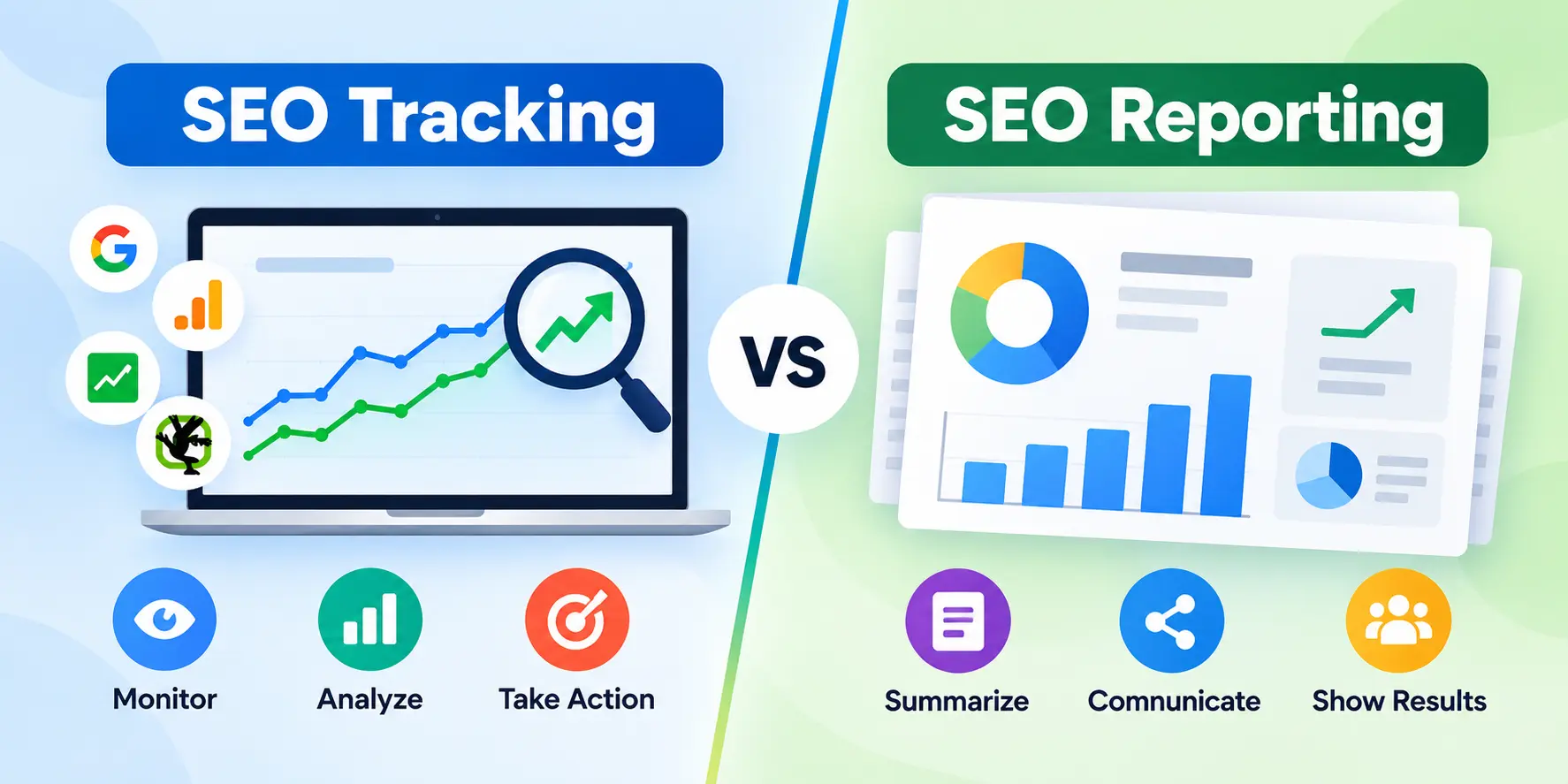
Tracking is the collecting and watching. Reporting is the packaging and sharing. You track every week. You report to stakeholders monthly or quarterly. Good reports come from good tracking, but a report alone won’t catch a sudden indexing problem on a Tuesday.
SEO tracking vs SEO auditing
An audit is a one-time deep inspection of your site’s health. Tracking is continuous. Audits find the problems. Tracking tells you whether fixes worked and whether new problems appear.
Why SEO tracking matters
Without tracking, you’re guessing. Here is what it gives you:
- Proof that SEO work is producing results
- Early warning when pages drop out of the index or lose rankings
- Evidence for which content deserves more investment
- A way to connect organic search to leads and revenue
- A record of what changed, so you can learn from it
How to Track SEO Performance in 10 Steps
Follow these steps in order. Each one feeds the next.
1. Define your SEO goals
Goals come first because they decide which metrics matter. A local plumber and an online shoe store should not track the same things.
Traffic goals. Suited to publishers and content sites. Example: grow non-branded organic clicks by 25% over 12 months.
Lead-generation goals. Suited to B2B and service businesses. Example: generate 40 organic demo requests per month.
Ecommerce/revenue goals. Suited to online stores. Example: increase organic revenue by 20% year over year.
Brand visibility goals. Suited to new or competitive brands. Example: appear in the top 10 for 50 core topic keywords and be cited in AI answers for your category.
Write each goal with a number and a deadline. “Get more traffic” is not a goal you can track.
2. Choose SEO KPIs that match your goals
A KPI is a metric tied directly to a goal. Pick three to seven. More than that and your reporting turns into noise.
| Goal | Primary KPIs |
|---|---|
| Traffic | Organic clicks, non-branded clicks, impressions |
| Lead generation | Organic key events (form fills, calls), conversion rate |
| Ecommerce | Organic revenue, transactions, revenue per session |
| Brand visibility | Search visibility, top-10 keywords, AI citations |
3. Set up Google Search Console
GSC is free and comes straight from Google. It is your most reliable source for search performance. Verify your site, preferably as a domain property so it covers all subdomains and protocols. Submit your XML sitemap.
In the Performance report, focus on:
- Clicks: how many times people clicked through to your site
- Impressions: how often your pages appeared in results
- CTR: clicks divided by impressions
- Average position: your average ranking for a query or page
- Queries and pages: what people searched and which URLs appeared
- Countries and devices: where and how people found you
GSC keeps about 16 months of data, so start early. You can’t recover history you didn’t collect.
4. Set up Google Analytics 4
GA4 tells you what visitors do after they arrive. Install it with a tag or through Google Tag Manager. Then confirm these are working:
- Organic sessions (filter by the Organic Search channel)
- Landing pages
- Engagement (engaged sessions, engagement rate)
- Key events (GA4’s term for conversions you care about)
- Leads and purchases
- Revenue, for ecommerce
Link GA4 to Search Console inside the property settings. This lets you see query data alongside behavior data in some reports.
5. Establish your SEO baseline
A baseline is a snapshot of performance before you change anything. Without it you can’t prove improvement.
Record the last 3 to 12 months of:
- Clicks, impressions, CTR, and average position
- Organic sessions and key events
- Number of ranking keywords in positions 1–3, 4–10, and 11–20
- Referring domains
- Indexed pages
- Core Web Vitals status
Save it in a spreadsheet. Date it.
6. Set up keyword rank tracking
GSC shows average positions, but a dedicated rank tracker gives you daily or weekly checks by location and device. Tools include Ahrefs, Semrush, SE Ranking, and Moz. Load your priority keywords, set the target country or city, and tag them by topic. More on this in the keyword section below.
7. Monitor backlinks and authority
Use a backlink tool to watch new links, lost links, and referring domains. Set a monthly review. Authority scores from third-party tools are estimates, not Google signals, so treat them as directional.
8. Monitor technical SEO health
Schedule regular crawls with a tool like Screaming Frog, Semrush Site Audit, or Ahrefs Site Audit. Check GSC’s indexing and Core Web Vitals reports weekly. Set alerts for changes to robots.txt, canonicals, and redirects if your tools support it.
9. Track conversions and revenue
Mark the actions that matter as key events in GA4. Assign values to leads if you can. Connect your CRM if sales happen offline. This is the step that turns traffic into business proof.
10. Build a recurring SEO reporting system
Put it all in a dashboard (see the dashboard section below) and review it on a fixed rhythm. A system you check on schedule beats a perfect one you open twice a year.
The Most Important SEO Metrics to Track
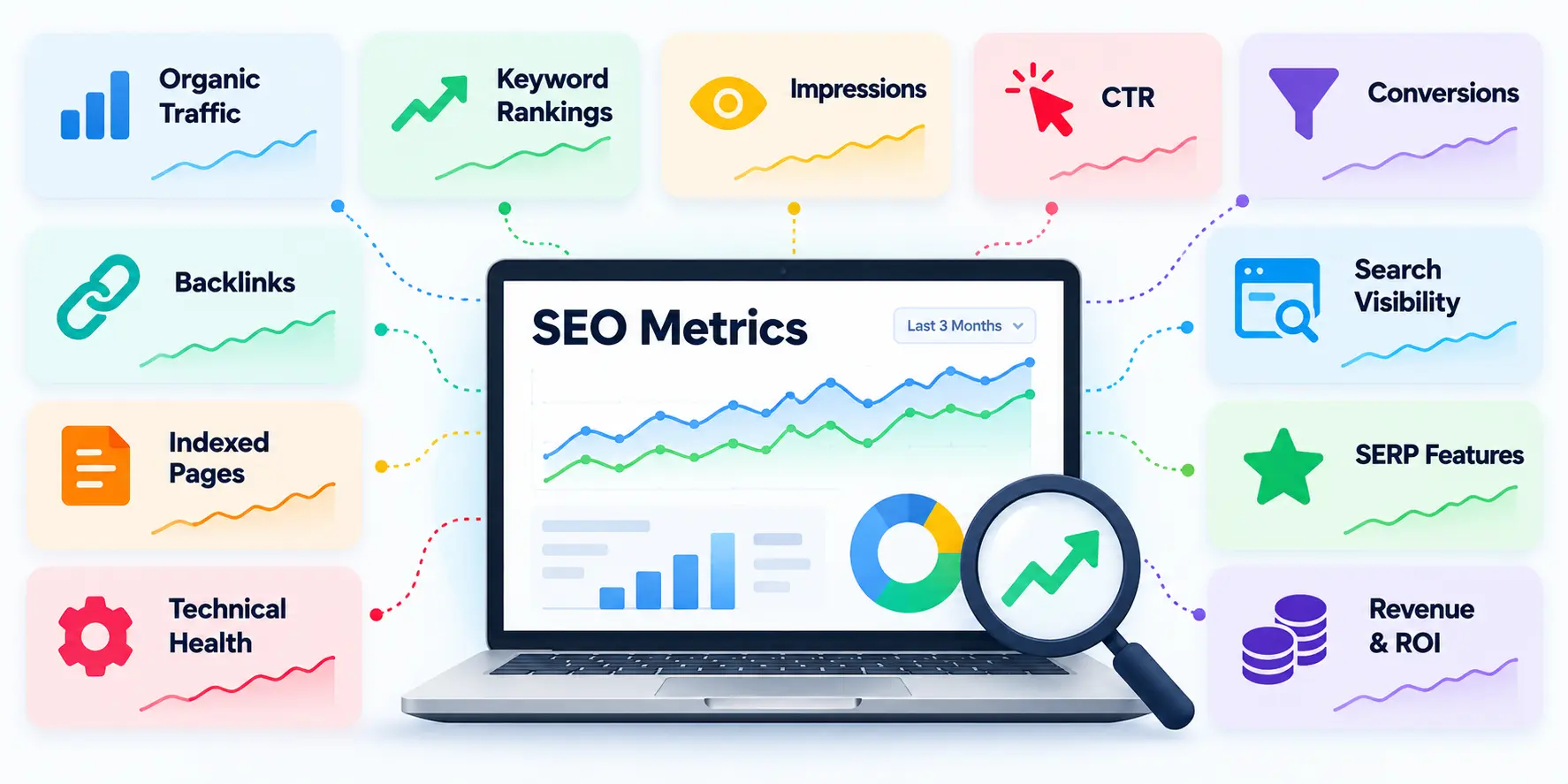
Each metric below follows the same mini-template: what it means, why it matters, where to track it, how often, and what to do.
Organic traffic
- Meaning: Visits from unpaid search results.
- Why it matters: It’s the most common signal of SEO growth, though not the most important one.
- Where: GA4 (sessions) and GSC (clicks).
- How often: Weekly.
- Action: If traffic falls, check whether impressions, rankings, or demand changed first.
Search impressions
- Meaning: How often your pages appeared in search results.
- Why it matters: It’s an early sign of growing or shrinking visibility.
- Where: GSC.
- How often: Weekly.
- Action: Rising impressions with flat clicks point to a CTR problem.
Keyword rankings
- Meaning: Where your pages appear for specific searches.
- Why it matters: Rankings drive clicks, but only for terms people actually search.
- Where: GSC and a rank tracker.
- How often: Weekly.
- Action: Improve pages stuck in positions 4–15, since small gains there often pay off fastest.
Search visibility
- Meaning: A score estimating how much of the available clicks you capture across your tracked keywords.
- Why it matters: It’s more stable than watching single keywords.
- Where: Ahrefs, Semrush, SE Ranking.
- How often: Weekly or monthly.
- Action: Use it to compare yourself against competitors. It’s a tool estimate, not Google data.
Organic CTR
- Meaning: The share of impressions that become clicks.
- Why it matters: It shows how appealing your result is.
- Where: GSC.
- How often: Weekly or monthly.
- Action: Rewrite weak titles and meta descriptions on pages with high impressions and low CTR.
Organic conversions
- Meaning: Completed goals from organic visitors, such as form fills or purchases.
- Why it matters: It shows whether traffic has commercial value.
- Where: GA4 key events.
- How often: Monthly.
- Action: If conversions lag, review landing page intent and calls to action.
Conversion rate
- Meaning: Conversions divided by sessions.
- Why it matters: It separates traffic quality from traffic quantity.
- Where: GA4.
- How often: Monthly.
- Action: Compare by landing page to find pages that attract visits but fail to convert.
Revenue from organic search
- Meaning: Sales or pipeline value attributed to organic visits.
- Why it matters: It’s the number leadership cares about.
- Where: GA4 for ecommerce, CRM for lead-based businesses.
- How often: Monthly or quarterly.
- Action: Double down on the topics and pages that produce revenue.
SEO ROI
- Meaning: Return relative to what you spend on SEO.
- Why it matters: It justifies budget.
- Where: GA4 plus CRM plus your cost records.
- How often: Quarterly.
- Action: Covered in full in the ROI section below.
Backlinks and referring domains
- Meaning: Links from other sites and the number of unique domains linking to you.
- Why it matters: Links remain a strong signal of trust and relevance.
- Where: Ahrefs, Semrush, Moz, and GSC’s Links report.
- How often: Monthly.
- Action: Investigate lost links from valuable domains and review any sudden spam spikes.
Indexed pages and crawlability
- Meaning: How many pages Google has indexed, and whether it can crawl the rest.
- Why it matters: A page that isn’t indexed can’t rank.
- Where: GSC Page indexing report and site crawlers.
- How often: Weekly.
- Action: Fix “Crawled – currently not indexed” and blocked pages that should be live.
Core Web Vitals
- Meaning: Google’s user-experience measures: loading (LCP), responsiveness (INP), and visual stability (CLS).
- Why it matters: Poor experience can hurt engagement and is a known page experience factor.
- Where: GSC Core Web Vitals report, PageSpeed Insights.
- How often: Monthly.
- Action: Fix groups of URLs flagged “Poor” or “Needs improvement,” starting with your highest-traffic templates.
SERP feature visibility
- Meaning: Whether you appear in featured snippets, People Also Ask, image packs, and similar features.
- Why it matters: These features take up space and change click behavior.
- Where: Semrush, Ahrefs, SE Ranking.
- How often: Monthly.
- Action: Add concise definitions, lists, and tables to pages that rank close to a snippet.
AI Overview and AI search visibility
- Meaning: Whether your brand or pages are cited or mentioned in AI-generated answers.
- Why it matters: More searches end without a click, so traffic alone can understate your reach.
- Where: AI visibility tools, manual prompt checks, and referral data in GA4.
- How often: Monthly.
- Action: Strengthen clear, well-sourced content on topics where you want to be cited.
SEO Metrics and Tools: Quick Reference Table
| Metric | What It Measures | Tool | Frequency | Warning Sign | Recommended Action |
|---|---|---|---|---|---|
| Organic clicks | Search demand captured | GSC | Weekly | Sustained drop vs last period | Check impressions, position, seasonality |
| Impressions | Search visibility | GSC | Weekly | Sharp decline | Check indexing and ranking losses |
| CTR | SERP appeal | GSC | Weekly/monthly | Low CTR on high-impression pages | Rewrite titles and descriptions |
| Rankings | Keyword visibility | GSC / rank tracker | Weekly | Drop out of top 10 | Review content, links, competitors |
| Organic sessions | Site traffic | GA4 | Weekly/monthly | Sessions fall, clicks stable | Check tracking setup |
| Conversions | Business results | GA4 | Monthly | Traffic up, conversions flat | Review intent match and CTAs |
| Backlinks | Authority growth | Ahrefs/Semrush | Monthly | Lost links from key domains | Reclaim or replace links |
| Indexing | Search accessibility | GSC | Weekly | Valid pages decreasing | Inspect URLs, fix blocks |
| Core Web Vitals | Page experience | GSC / PageSpeed Insights | Monthly | “Poor” URL groups | Fix templates |
| AI visibility | Presence in AI answers | AI tools / manual checks | Monthly | Competitors cited, you aren’t | Improve topical depth and sources |
| Revenue/ROI | Business impact | GA4 + CRM | Monthly/quarterly | Falling return | Reallocate effort to top earners |
How to Track SEO With Google Search Console
GSC is the best free source of SEO data. Open Performance → Search results and work through these tasks.
Track clicks and impressions
Turn on Total clicks and Total impressions. Watch the trend line, not single days. Weekly patterns are normal.
Track keyword performance
Open the Queries tab. Sort by clicks, then by impressions. Queries with many impressions and few clicks are opportunities.
Track average position
Enable Average position. Remember it’s an average across all impressions, so it can move when you start appearing for new, lower-ranking queries. A worse average can sometimes mean you’re showing up for more terms.
Track CTR
Filter to a single page or query to see CTR in context. A position 1 result should earn far more clicks than position 8. If it doesn’t, your snippet needs work.
Find winning and declining pages
Open the Pages tab and compare two periods. Sort by the difference in clicks to surface the biggest gainers and losers.
Compare date ranges
Use the Compare option. Compare like with like: last 28 days vs the previous 28, or this month vs the same month last year. Year-over-year avoids most seasonality.
Segment branded vs non-branded searches
Use a query filter with a regex that matches your brand name and its misspellings. Branded clicks reflect existing awareness. Non-branded clicks show how well SEO wins new audiences. Reporting them together can hide real trouble.
Check indexing and page issues
Review the Pages report under Indexing weekly. Look for sudden growth in “Not indexed” URLs, “Blocked by robots.txt,” and server errors.
How to Track SEO With Google Analytics 4
Find organic search traffic
Go to Reports → Acquisition → Traffic acquisition and look at the Organic Search channel. Use the session default channel group as your filter.
Analyze organic landing pages
Create a report with landing page as the dimension, filtered to Organic Search. Add sessions, engagement rate, key events, and revenue. This shows which entry pages actually perform.
Track engagement from organic visitors
Look at engagement rate and average engagement time. Low engagement on a high-traffic landing page often means the content doesn’t match the search intent.
Set up SEO key events/conversions
In Admin → Events, mark important events as key events, such as generate_lead, purchase, sign_up, or a thank-you page view. Test each one before trusting the data.
Track leads and ecommerce revenue
For ecommerce, enable purchase tracking with values. For lead generation, pass a value where possible, such as an average lead worth.
Analyze conversion paths
Use the Advertising section’s attribution reports to see the paths people take. Organic often assists a sale that another channel closes. Looking only at last-click credit undersells SEO.
Google Search Console vs Google Analytics: Which Should You Use?
GSC covers what happens before and on the search result. GA4 covers what happens after someone reaches your site.
| Task | GSC | GA4 |
|---|---|---|
| Impressions | ✓ | — |
| Search queries | ✓ | Limited (via GSC link) |
| Average Google position | ✓ | — |
| Organic clicks | ✓ | — |
| Organic sessions | — | ✓ |
| Engagement | — | ✓ |
| Key events/conversions | — | ✓ |
| Revenue | — | ✓ |
Clicks and sessions won’t match exactly. They’re counted differently, and tracking blockers affect GA4 but not GSC. Expect a gap and look at trends instead.
Use both. They measure different stages of organic search performance.
How to Track Keyword Rankings
Track priority keywords
Start with 20 to 100 keywords tied to revenue or leads. Don’t track thousands you’ll never review.
Track keyword groups instead of isolated keywords
Tag keywords by topic, intent, or funnel stage. A single keyword can bounce around. A group of twenty shows the real trend.
Track ranking distribution
Count how many keywords sit in positions 1–3, 4–10, 11–20, and beyond. Movement between those bands tells you more than one average.
Track search visibility
Use your tool’s visibility score to see overall footprint. Compare it against the same score for competitors.
Track competitor rankings
Add two to five real search competitors, not just business rivals. Note who gains on your shared keywords.
Track mobile vs desktop rankings
Results differ by device. Since most search happens on mobile for many sites, check mobile first.
Track local rankings
For local businesses, track by city or postcode, and review your Google Business Profile insights too. Rankings can differ block by block.
How to Track SEO by Landing Page and Topic Cluster
Page-level tracking explains where your results come from.
Identify winning pages
Find pages with rising clicks and conversions. Ask why they work, then repeat the pattern.
Find declining pages
Sort by largest click loss over 90 days. Check for ranking drops, new competitors, outdated information, or lost links.
Compare new vs updated content
Tag pages by publish or update date. See whether refreshed pages recover faster than untouched ones.
Measure topic-cluster growth
Group pages by theme in a spreadsheet or rank tracker. Add up clicks, impressions, and conversions per cluster. Growth in a cluster suggests your topical authority is building.
Identify content decay
Content decay is a slow loss of traffic as pages age. Look for pages that peaked and have declined for three or more months. Update, consolidate, or redirect them.
How to Track Technical SEO
Technical problems can erase months of work overnight. Watch these areas.
Crawlability
Can search engines reach your pages? Run a crawl monthly, and check GSC’s Crawl stats report for spikes in errors.
Indexability
Check that important pages carry no accidental noindex tag and appear in the index. Use the URL Inspection tool for spot checks.
Robots.txt changes
A single line can block your entire site. Keep a saved copy of your robots.txt and compare it regularly. Some tools alert you when it changes.
XML sitemap issues
Make sure your sitemap lists only canonical, indexable URLs and is processed without errors in GSC.
Canonical changes
Watch for pages whose canonical tag suddenly points somewhere else. This often follows a CMS update or plugin change.
Redirects and broken pages
Monitor 404s and redirect chains. After any migration, check that old URLs redirect to the right new ones with a 301.
Core Web Vitals
Use GSC’s report to find groups of slow URLs. Fix by template, since one fix can cover hundreds of pages.
Structured data/schema
Check the Enhancements reports in GSC for errors or warnings on your schema types.
Internal-link changes
Note changes to navigation, footers, and templates. A redesign can quietly orphan important pages.
How to Track Backlinks and Website Authority
New backlinks
Check new links monthly. Note which content earned them, since that tells you what attracts links.
Lost backlinks
Lost links from strong sites deserve a follow-up. Sometimes a page moved, and a redirect can restore the link.
Referring domains
Unique domains matter more than raw link counts. One hundred links from a single site count for far less than links from many relevant sites.
Link quality
Judge links by relevance and editorial context, not just the tool’s authority score. Third-party scores are estimates.
Competitor backlink growth
Watch how quickly competitors gain referring domains. Look at which content attracted them.
How to Track SEO Conversions
Rankings and traffic don’t show bottom-line results. Conversions do.
What counts as an SEO conversion?
It’s any action that has value to the business:
- Purchase
- Form submission
- Phone call
- Demo request
- Signup
- Download
Set up conversion/key-event tracking in GA4
Create events for each action, test them with GA4’s DebugView, and mark them as key events. For calls, use call tracking numbers or click-to-call events.
Attribute conversions to organic search
Use the Organic Search channel as your filter. Keep UTM tags off internal links so they don’t overwrite sources. Accept that attribution has gaps (more on that below).
Track assisted conversions
Some visitors read your blog, leave, and return through a different channel. Look at multi-channel and path reports to see how often organic appears earlier in the journey.
Assign monetary value to leads
If a form fill is worth nothing in your reports, SEO looks worthless. Estimate a value: average deal size × close rate. Even a rough number beats zero.
How to Track SEO ROI
SEO ROI formula
SEO ROI = (SEO-generated value − SEO cost) ÷ SEO cost × 100
Calculate total SEO investment
Include the costs people often forget:
- Agency or freelancer fees
- In-house salaries (the share spent on SEO)
- Content creation and updates
- Tools and software
- Development time for technical fixes
Calculate organic conversion value
Multiply the number of organic customers by the average revenue (or lifetime value) per customer. For leads, multiply leads by close rate and average deal value.
Example SEO ROI calculation
Say a B2B company spends $5,000 per month on SEO. Over a quarter, that’s $15,000. Organic search brings 90 customers worth $1,000 each, so the value is $90,000.
ROI = ($90,000 − $15,000) ÷ $15,000 × 100 = 500%
Challenges with SEO attribution
SEO ROI is never perfectly precise. Reasons include:
- Customers often touch several channels before buying
- Dark traffic and privacy settings hide some organic visits
- SEO results compound over months, so costs and returns don’t line up neatly
- Offline sales need CRM links to count
Report the method you used and keep it consistent. A consistent estimate is more useful than a precise-looking one that changes each month.
How to Track SEO in AI Search
AI answers now sit alongside traditional results, and measurement is still immature. Treat these numbers as directional, not exact.
Track Google AI Overview appearances
Google Search Console doesn’t currently break out AI Overview performance separately. Clicks and impressions from AI features are counted within overall Search data. To monitor appearances, use an SEO platform that detects AI Overviews for your tracked keywords, and run manual spot checks on priority queries.
Track AI citations and brand mentions
Run a fixed set of 20 to 50 prompts about your category on a schedule. Record whether your brand or pages are cited, and which competitors appear. Some tools automate this. Because AI answers vary, repeat prompts and look at patterns.
Track ChatGPT and other AI referral traffic
In GA4, look at referral sources and filter for domains from AI platforms, such as chatgpt.com and perplexity.ai. Create a custom channel group or exploration to group them. Volume is often small, but it is growing for many sites.
Track zero-click visibility
Impressions can rise while clicks fall when answers appear directly on the results page. Watch impressions, brand search growth, and direct traffic together to catch the pattern.
Compare AI visibility with traditional rankings
Put your AI citation list beside your rankings. Pages that rank well often get cited, but not always. Differences show content gaps.
Why traffic alone can underestimate search visibility
If someone sees your brand in an AI answer and searches for you later, the visit shows up as branded or direct traffic. Traffic misses the first touch. That’s why you add visibility measures.
How to Diagnose SEO Performance Changes
Numbers change for many reasons. Work through the cause before you fix anything.
Rankings up but traffic down
Check whether search demand fell, or whether new SERP features now push your result lower on the page. Compare with Google Trends.
Impressions up but clicks down
Your visibility grew but fewer people click. Look at CTR, title quality, and AI Overviews or other SERP features answering the query.
Traffic up but conversions down
You may be attracting the wrong audience. Review which queries are growing and whether the landing pages match their intent.
Rankings down but traffic stable
Lost rankings may be on low-volume terms. Check which keywords fell and how many clicks they carried.
Traffic drops suddenly across the entire site
Check in this order:
- Is GA4 tracking still working?
- Did GSC show an indexing or manual action issue?
- Did someone change robots.txt,
noindex, or redirects? - Did a confirmed Google update roll out?
- Is it seasonal?
One page loses traffic while the site grows
Look at that page’s position, competitors, and freshness. Did someone edit it recently? Did a link disappear? Did a newer page start competing with it?
Conversions drop while organic traffic remains stable
Test the conversion path. Forms break. Buttons move. Check your GA4 events and run the form yourself.
| What changed? | Likely causes | What to check |
|---|---|---|
| Impressions ↑, clicks ↓ | CTR issue, SERP features, AI answers | GSC CTR and SERP |
| Rankings ↑, traffic ↓ | Lower demand, SERP features | GSC + Google Trends |
| Traffic ↑, conversions ↓ | Intent mismatch, broken conversion | GA4 landing pages and events |
| Pages disappear | Indexing issue | GSC Page indexing, URL Inspection |
| Sitewide decline | Technical fault, algorithm update, demand | GSC + crawler |
A quick example. A page moved from position 9 to position 4, yet clicks barely rose. The check showed a featured snippet and a video result above it. The fix was not more links. It was rewriting the intro to win the snippet.
How Often Should You Track SEO?
Match your check frequency to how fast problems can hurt you.
What to check daily
Only alerts: site down, robots.txt changes, or major indexing errors. Don’t refresh dashboards.
What to check weekly
- GSC clicks, impressions, and top movers
- Indexing status
- Rank tracker changes on priority keywords
- Critical technical alerts
What to check monthly
- Organic sessions, engagement, and conversions
- Backlink gains and losses
- Core Web Vitals
- Landing page and cluster performance
- AI visibility checks
What to review quarterly
- Progress against goals
- SEO ROI
- Competitor benchmarks
- Content decay and update priorities
- Strategy and budget
Best SEO Tracking Tools
Google Search Console
Free. Best for clicks, impressions, queries, and indexing. It’s first-party data, so it’s the benchmark for everything else.
Google Analytics 4
Free. Best for behavior, key events, and revenue from organic visitors.
Google Looker Studio
Free. Best for dashboards that combine GSC, GA4, and other sources.
Ahrefs
Paid. Strong for backlinks, rank tracking, and competitor research.
Semrush
Paid. Strong for keyword tracking, site audits, visibility scoring, and AI visibility features.
Screaming Frog
Free up to a limited number of URLs, paid beyond that. Strong for technical crawling.
SE Ranking
Paid. A budget-friendly option for rank tracking and reporting.
Moz
Paid. Useful for keyword tracking and link analysis.
| Tool | Cost | Best for | Data type |
|---|---|---|---|
| Google Search Console | Free | Search performance, indexing | First-party |
| GA4 | Free | Behavior, conversions | First-party |
| Looker Studio | Free | Dashboards | Reporting layer |
| Screaming Frog | Free / Paid | Technical crawls | Crawl data |
| Ahrefs | Paid | Links, rankings, competitors | Third-party estimates |
| Semrush | Paid | Visibility, audits, rank tracking | Third-party estimates |
| SE Ranking | Paid | Affordable rank tracking | Third-party estimates |
| Moz | Paid | Keywords, links | Third-party estimates |
You can track SEO for free with GSC, GA4, Looker Studio, Bing Webmaster Tools, and Screaming Frog’s free version. Paid tools add competitor data, daily rank tracking, and backlink monitoring.
How to Build an SEO Tracking Dashboard
Essential dashboard KPIs
Keep it to one page where possible:
- Organic clicks and impressions
- Non-branded vs branded clicks
- Top 10 keyword count
- Organic conversions and revenue
- Referring domains
- Indexed pages and Core Web Vitals status
- AI citations or referral visits
Executive dashboard vs SEO specialist dashboard
Executives want outcomes: traffic trend, conversions, revenue, ROI, and a short commentary. Specialists need detail: query lists, page-level changes, crawl errors, and link data. Build two views rather than one overloaded report.
Connect GSC and GA4
In Looker Studio, add both as data sources. Use blended data carefully, because the two tools count differently.
Compare current vs previous periods
Show each KPI beside the prior period and the same period last year.
Add annotations for SEO changes
Mark site launches, content updates, migrations, and confirmed algorithm updates. Annotations explain the spikes and dips later, when nobody remembers what happened.
How to Track SEO After Making Website Changes
Follow this process for content updates, redesigns, and migrations.
- Record the implementation date. Write down what changed and when.
- Create a pre-change baseline. Capture clicks, impressions, positions, and conversions for the affected pages.
- Track affected URLs and queries. Isolate only the pages and keywords you touched.
- Compare before vs after performance. Use equal time windows, usually four to eight weeks after the change.
- Account for seasonality. Compare to the same period last year, and to a control group of unchanged pages.
- Determine whether the change worked. If changed pages outperform the control group, it likely helped. If not, investigate before repeating it.
Give SEO changes time. Many take weeks or months to show results, so avoid judging a change after a few days.
Common SEO Tracking Mistakes
- Tracking too many metrics. Choose a short list tied to goals.
- Obsessing over rankings alone. Rankings don’t pay bills.
- Measuring traffic without conversions. Visits without outcomes can mislead.
- Ignoring branded vs non-branded traffic. Brand clicks can hide weak SEO growth.
- Comparing the wrong date ranges. Use equal lengths and matching seasons.
- Ignoring seasonality. Holiday dips aren’t always problems.
- Treating third-party estimates as first-party data. Tool traffic numbers are modeled. GSC is direct.
- Ignoring technical SEO changes. One deploy can undo a year of work.
- Ignoring AI search visibility. Your audience may see you there first.
- Reporting numbers without explaining what action they require. Every chart needs a “so what.”
SEO Tracking Example: From Search Visibility to Revenue
Here’s a hypothetical B2B software company, using round numbers for clarity.
| Stage | Number |
|---|---|
| Impressions | 100,000 |
| Organic clicks | 4,000 (4% CTR) |
| Sessions | 3,700 |
| Leads | 150 (about 4% of sessions) |
| Customers | 30 (20% lead-to-customer) |
| Revenue | $30,000 |
| Monthly SEO investment | $6,000 |
ROI = ($30,000 − $6,000) ÷ $6,000 × 100 = 400%
This chain shows where to improve. More impressions come from ranking for more terms. More clicks come from better titles. More leads come from better landing pages. More customers come from better sales follow-up. Each stage has its own owner and its own fix.
SEO Tracking Checklist
Setup
- GSC verified and sitemap submitted
- GA4 installed and linked to GSC
- Key events configured and tested
- Baseline recorded
Visibility
- Priority keywords loaded in rank tracker
- Keywords grouped by topic
- Competitors added
Traffic
- Weekly check of clicks, impressions, CTR
- Branded vs non-branded segmented
Technical
- Indexing reviewed weekly
- Monthly crawl completed
- Core Web Vitals checked
Authority
- New and lost links reviewed monthly
Conversions
- Organic conversions and conversion rate tracked
- Lead values assigned
Revenue
- Organic revenue reported
- ROI calculated quarterly
AI visibility
- Prompt checks and citation log updated monthly
- AI referral traffic monitored in GA4
Reporting
- Dashboard built and annotated
- Executive summary sent on schedule
Frequently Asked Questions About Tracking SEO
How do I track my SEO performance?
Set goals, connect GSC and GA4, record a baseline, and monitor rankings, traffic, technical health, conversions, and revenue on a regular schedule. Compare against your baseline and investigate changes.
How do I know if SEO is working?
Look for rising non-branded clicks and impressions, more keywords in the top 10, and growing organic conversions over several months. If traffic grows but leads and revenue don’t, the work isn’t fully succeeding yet.
What are the most important SEO metrics?
Organic clicks, impressions, keyword rankings, CTR, organic conversions, revenue from organic search, and technical health. Which matter most depends on your goals.
Can I track SEO for free?
Yes. Google Search Console, GA4, Looker Studio, and Bing Webmaster Tools cover most needs. Paid tools add competitor data and more precise rank tracking.
Can Google Analytics track SEO rankings?
No. GA4 measures traffic and behavior after the click. Use Google Search Console or a rank tracker for positions.
Is Google Search Console enough for SEO tracking?
It’s enough to start. It lacks competitor data, detailed backlink analysis, and on-site behavior, so add GA4 and, when budget allows, a paid tool.
How often should I check SEO performance?
Check alerts daily, performance weekly, reports monthly, and strategy quarterly.
How do I track SEO conversions?
Set up key events in GA4 for valuable actions, then filter reports to the Organic Search channel. Add CRM data for offline sales.
How do I calculate SEO ROI?
Use (SEO-generated value − SEO cost) ÷ SEO cost × 100. Include all costs, and use customer value, not just leads.
How long should I track SEO before judging results?
Most sites need at least three to six months of data. Competitive topics and new sites can take longer.
How do I track AI Overview visibility?
Use an SEO tool that detects AI Overviews for your keywords, run regular manual checks on key queries, and log citations. Search Console doesn’t report AI Overviews separately.
Final Thoughts: Turn SEO Data Into Decisions
Tracking SEO works when data leads to action. A dashboard full of numbers that nobody acts on is just decoration.
Use one simple loop: set goals → establish baselines → measure visibility → measure traffic → measure conversions → diagnose changes → improve → repeat.
Start small. Verify GSC, set up GA4, write down your baseline, and pick a handful of KPIs. Review them on a schedule. As your process matures, add rank tracking, technical monitoring, AI visibility, and ROI reporting.