



Screen mirroring shows what is on one device’s screen on a second display, in real time. A phone, tablet or laptop sends its picture to a television, monitor or projector, and the two screens match.
This article explains what screen mirroring is, what happens technically between the source device and the receiving display, how wireless connections such as Wi-Fi Direct and Miracast fit in, and how mirroring differs from screen casting and Apple AirPlay.
What Is Screen Mirroring?
Screen mirroring is a capability that duplicates the visible content of one device onto another display in real time. Whatever appears on the source device, including apps, menus and video, also appears on the receiving screen, and changes on the source are reflected as they happen.
Two roles are involved. The source device (a smartphone, computer or tablet) produces the picture. The receiving display (a television, monitor, projector or wireless display adapter) shows it.
A hypothetical example: you open a photo album on your phone while the phone is mirrored to a television. The album appears on the television. When you scroll on the phone, the television scrolls too.
How Is Screen Mirroring Different From Regular Screen Sharing?
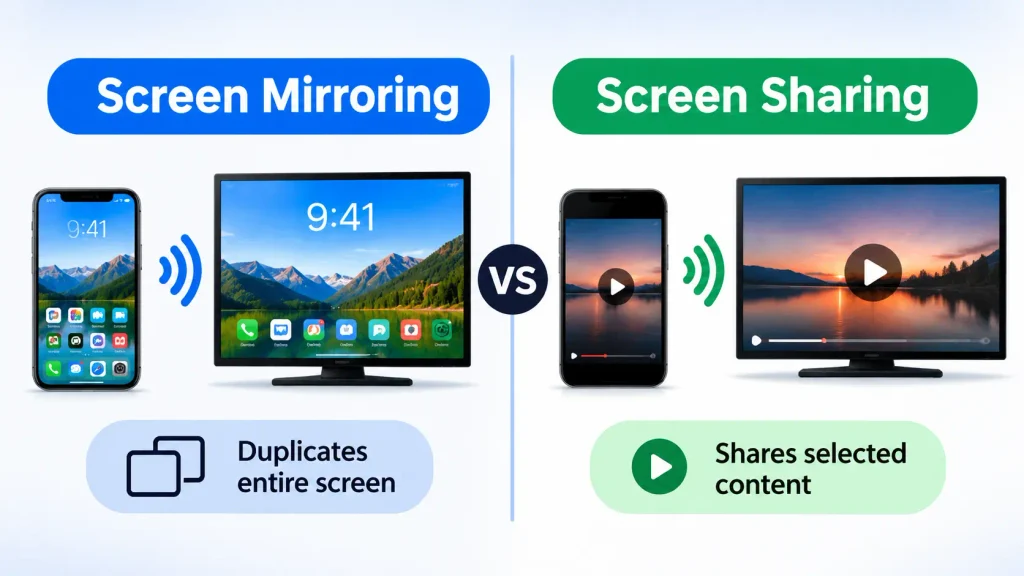
Screen mirroring sends your device’s display to another screen you control, usually a television or monitor in the same space. Screen sharing in a video call sends your display to other participants’ devices through a conferencing service. The goal is similar, but the transport and the audience differ for any technical comparison beyond this distinction.
What Can You Display Through Screen Mirroring?
Because mirroring duplicates the whole display, it can show anything visible on the source device: home screens, documents, photos, video and app interfaces. Protected content may carry additional playback restrictions, covered in the FAQ below.
What Is the Technology Behind Screen Mirroring?
Screen mirroring works in five stages: the source device captures its display, encodes it into compressed data, transmits it wirelessly, the receiver decodes it, and the receiving display renders the image. This cycle repeats continuously.
| Stage | What happens | Where |
|---|---|---|
| 1. Screen capture | The current display and audio are captured | Source device |
| 2. Encoding | The data is compressed using a codec | Source device |
| 3. Wireless transmission | Encoded data travels over a wireless link | Between devices |
| 4. Decoding | The compressed data is turned back into video and audio | Receiver |
| 5. Rendering | The image is drawn and audio is played in sync | Receiving display |
Recommended visual: a flow diagram showing Screen Capture → Encoding → Wireless Transmission → Decoding → Display Rendering.
Screen Capture and Display Processing
The source device first captures what it is currently displaying. This graphical information is then prepared for transmission, so it can be handled by the encoding stage. Because the device is capturing a live display, the process runs continuously instead of sending a single image.
Video Encoding and Compression
Display information is compressed before it is sent. Compression reduces the amount of data that must travel between devices, which lowers bandwidth requirements. The compression is done by a video codec, and H.264 and HEVC are two codecs relevant to this topic.
Both devices must understand the same codec. This is one reason compatibility depends on the protocols and formats that the source and the receiver support.
Wireless Data Transmission
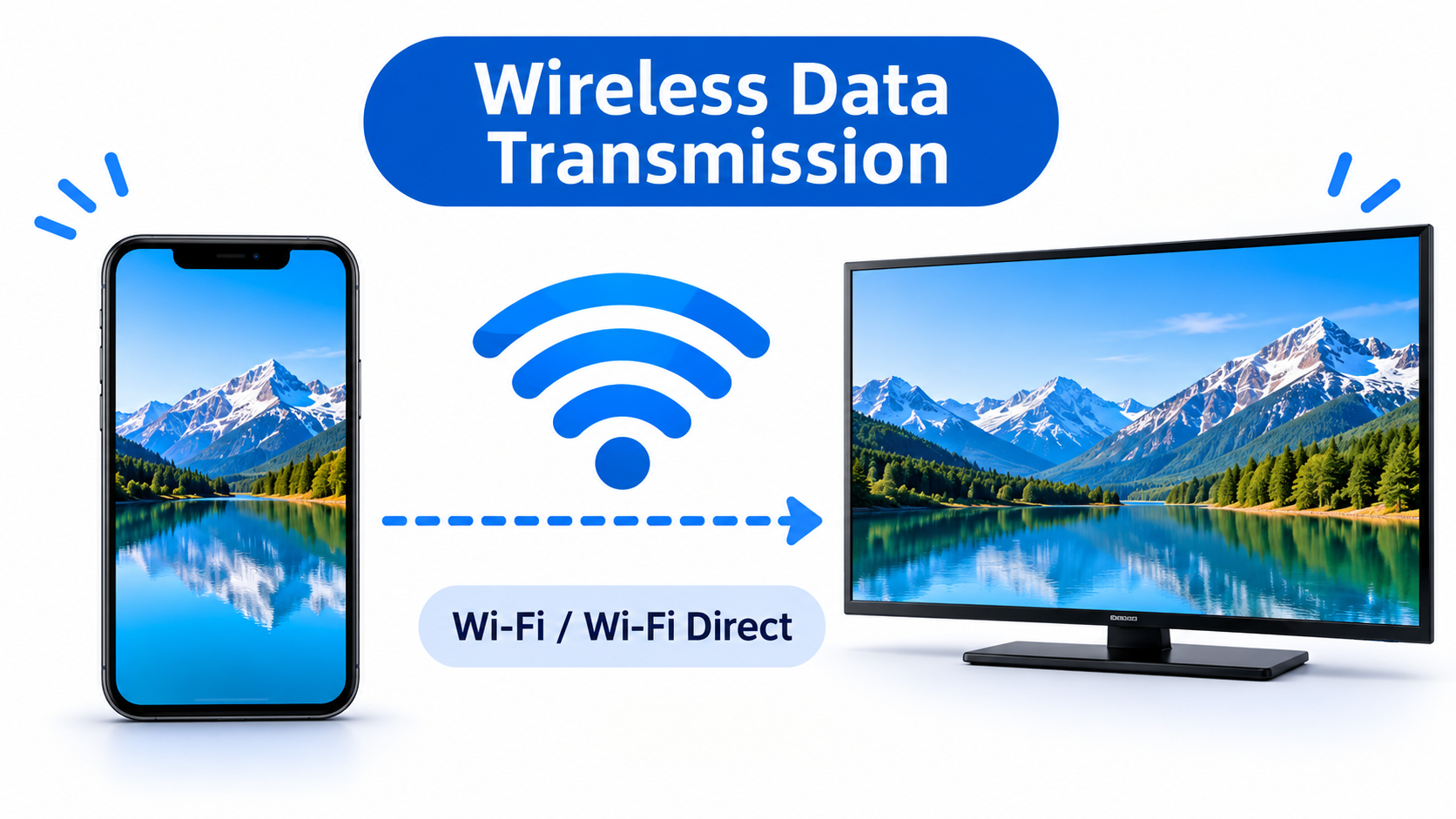
The encoded audio and video information travels between the devices over wireless communication, most commonly Wi-Fi. How well this works depends on network conditions. Bandwidth, signal strength and interference all influence how smoothly the data arrives.
Bluetooth is not the normal transport for full-resolution, real-time screen mirroring, so Wi-Fi-based connections are the usual path.
Video Decoding and Display Rendering
The receiver decodes the compressed data and reconstructs the image. The television or monitor then renders each frame and plays the audio. Audio and video must stay aligned, so the receiver also has to keep them synchronized. Poor synchronization shows up as speech that does not match lip movement.
Understanding Latency in Screen Mirroring
Latency is the delay between something happening on the source device and appearing on the receiving display. It comes from several places: processing time for capture and encoding, delay while the data crosses the wireless link, and processing time for decoding and rendering.
Resolution, frame rate and available bandwidth all affect performance. Specific latency figures depend on test conditions and are this article does not quote numbers without a documented testing methodology.
Wireless Screen Mirroring: How the Connection Works
Wireless screen mirroring links a source device and a receiver without a cable, then sends display data continuously over that link. This section covers the connection architecture, not a device setup tutorial.
How Wireless Screen Mirroring Establishes a Connection
The connection is built in a sequence of steps:
- Device discovery. The source device finds a compatible receiver.
- Connection negotiation. The devices agree on how they will communicate.
- Authentication, where supported. Some systems verify the connection before it starts.
- Session establishment. The transmission session opens and display data begins to flow.
Which steps apply depends on the protocol both devices use.
Wi-Fi Direct vs. Traditional Wi-Fi Networks
The two approaches differ in where the devices communicate. With Wi-Fi Direct, the devices communicate directly with each other. With a traditional Wi-Fi network, they communicate through an existing wireless network.
| Approach | How devices communicate | Example in this article |
|---|---|---|
| Wi-Fi Direct | Directly, device to device | Miracast |
| Shared Wi-Fi network | Through an existing wireless network | Apple’s documented AirPlay mirroring workflow |
Not every screen mirroring technology uses the same Wi-Fi setup, so the two should not be treated as identical architectures.
The Role of Miracast in Wireless Screen Mirroring
Miracast is a wireless display protocol that uses Wi-Fi Direct. Compatible devices communicate directly, so the source can send its display to a Miracast-capable receiver. Receivers can be televisions with built-in support or wireless display adapters.
Microsoft documents Miracast in the context of wireless displays and Windows projection. Wi-Fi Alliance documentation is the recommended source for deeper protocol detail. for specifications such as supported resolutions or codecs.
Does Wireless Screen Mirroring Require an Internet Connection?
Not necessarily. Wi-Fi connectivity and internet access are different things. A local wireless connection between the source device and the receiver can be enough to carry mirrored display data. Internet access may be needed in some situations, for example when the content being shown is streamed from an online service. Whether a particular setup requires it depends on the protocol and the content.
What Affects Wireless Screen Mirroring Performance?
Performance depends on:
- Network bandwidth
- Signal strength and interference
- Video resolution
- Frame rate
- Processing capability of the source and the receiver
The quality section below covers each factor in more detail.
Screen Casting vs. Screen Mirroring: What’s the Difference?
Screen mirroring duplicates the device’s display. Screen casting generally sends selected media, or instructions for playing it, to a receiver. Mirroring shows everything on the screen. Casting shows chosen content.
How Screen Mirroring Works
Mirroring duplicates the entire display and updates it in real time. The source device stays involved in the display process, continuously supplying updates, so anything you do on it stays visible on the receiving screen.
How Screen Casting Works
In casting, selected media or playback instructions go to the receiver. The receiver may retrieve and play the content independently. Because the source device is not supplying every frame, it can often be used for other tasks during playback.
Key Differences Between Screen Casting and Screen Mirroring
| Feature | Screen Mirroring | Screen Casting |
|---|---|---|
| Display | Duplicates the device screen | Plays selected content |
| Source device | Continuously supplies display updates | Often sends playback instructions or media |
| Device interaction | Mirrored activity remains visible | Source device can often be used independently |
| Content | Entire screen | Selected media or supported content |
| Example | Mirroring a smartphone home screen | Casting a YouTube video |
When Is Screen Mirroring Different From Casting?
Mirroring suits cases where you want the receiving display to show exactly what your device shows, such as presenting a document or app. Casting suits cases where you want to play a particular piece of media while keeping your device free. Neither is better in every situation, and the choice depends on what you need displayed.
Screen Mirroring vs. AirPlay: Understanding the Technology
Screen mirroring is a general capability. AirPlay is Apple’s proprietary technology that supports both media streaming and screen mirroring. AirPlay is one way to mirror a screen, not another name for mirroring.
What Is Apple AirPlay?
AirPlay is Apple’s proprietary wireless media technology. It works between AirPlay-compatible source devices and receiving devices, such as Apple TV. Apple Support documents its use for streaming and for screen mirroring.
How Does AirPlay Technology Work?
At a high level, AirPlay follows these steps:
- Device discovery. The source finds a compatible receiver.
- Establishing communication. The two devices connect.
- Media transmission. Content is sent to the receiver.
- Receiving and playback. The receiver plays the content.
- Screen mirroring. In mirroring mode, the source’s display is duplicated instead of selected media being played.
Apple’s documented AirPlay mirroring workflow uses a compatible receiver and a shared Wi-Fi network. This differs from Miracast, which uses Wi-Fi Direct.
Screen Mirroring vs. AirPlay: Key Technical Differences
| Comparison | Screen Mirroring | Apple AirPlay |
|---|---|---|
| Meaning | General screen duplication capability | Apple’s proprietary wireless technology |
| Purpose | Replicate a device display | Stream media and mirror screens |
| Ecosystem | Different manufacturers and protocols | Apple ecosystem and compatible receivers |
| Technology | Can use Miracast or other implementations | Uses AirPlay technology |
| Content delivery | Generally sends live display updates | Can stream selected media or mirror a display |
| Compatibility | Depends on supported protocols | Requires AirPlay-compatible devices |
Is AirPlay the Same as Screen Mirroring?
No. AirPlay is not a name for all screen mirroring technologies. Screen mirroring is one of the functions AirPlay supports.
AirPlay also has a separate function. In media streaming, selected content goes to the receiver. In screen mirroring, the display itself is duplicated. The same technology covers both, but they behave differently, much like casting and mirroring do in general.
What Affects Screen Mirroring Quality and Performance?
Quality depends on the whole chain from capture to rendering. A weakness at any stage, in the network or in either device, can show up on screen as lag, lower sharpness or out-of-sync audio.
Network Bandwidth and Signal Strength
Mirrored video is a continuous stream. If the wireless link cannot carry the data fast enough, the receiver may get it late. Weak signal strength reduces the link’s capacity.
Resolution and Frame Rate
Higher resolution and higher frame rates mean more data to encode and send. Support for specific resolutions and frame rates varies across protocols.
Encoding, Decoding and Processing Delays
The source needs processing power to capture and encode, and the receiver needs it to decode and render. Slower hardware at either end adds delay.
Audio and Video Synchronization
Audio and video travel together and must be matched at the receiver. When synchronization fails, picture and sound drift apart.
Wireless Interference and Network Congestion
Other wireless traffic can compete with the mirroring connection. Interference and a crowded network can reduce the effective bandwidth available for mirrored data.
Frequently Asked Questions About Screen Mirroring
Does screen mirroring use Wi-Fi or Bluetooth?
Screen mirroring typically uses Wi-Fi. Bluetooth is not the normal transport for full-resolution, real-time screen mirroring. The Wi-Fi setup varies by technology: Miracast uses Wi-Fi Direct, while Apple’s documented AirPlay mirroring workflow uses a shared Wi-Fi network.
Can screen mirroring work without an internet connection?
It can. A local wireless connection between the devices can be enough to carry mirrored display data, because Wi-Fi connectivity is not the same as internet access. Internet access may still be needed for online content or specific setups.
Is screen mirroring the same as HDMI?
The outline treats wired versus wireless display as a distinct topic, and the comparison. What the article can say is that screen mirroring as described here is a wireless capability that duplicates a display, while the HDMI comparison concerns wired connection architecture.
What is the difference between Miracast and AirPlay?
Miracast is a wireless display protocol that uses Wi-Fi Direct. AirPlay is Apple’s proprietary technology for media streaming and screen mirroring, and Apple’s documented mirroring workflow uses a compatible receiver and a shared Wi-Fi network. They are not interchangeable.
Does screen mirroring transmit audio?
Yes. The audio and video information are encoded and transmitted together, and the receiver keeps them synchronized during playback.
Why does screen mirroring sometimes lag?
Delay builds up at several stages: encoding on the source, transmission over the wireless link, and decoding and rendering on the receiver. Low bandwidth, weak signal, interference, high resolution, high frame rate and limited processing power can all make it worse.
Does screen mirroring reduce video quality?
It can. Video is compressed before it is sent, and the wireless link has limited capacity, so quality depends on the codec, resolution, frame rate and network conditions. The size of any quality loss in a given setup is
Is Google Cast the same as Miracast?
No. Miracast, AirPlay and Google Cast are not interchangeable technologies. Miracast is a wireless display protocol that uses Wi-Fi Direct, while Google Cast is associated with casting, where selected content is sent to a receiver.
Can screen mirroring transmit protected content?
Sometimes, but protected content may have additional playback restrictions. Content protection such as HDCP can affect whether protected material appears on a receiving display.
Does screen mirroring use mobile data?
Mirroring itself travels over the local wireless link between devices, but whether any mobile data is used depends on the content being shown and the setup. The supplied research does not cover this.
Conclusion
Screen mirroring duplicates one device’s display on another screen in real time. Behind the scenes, the source captures its display, encodes it, sends it over a wireless link, and the receiver decodes it and renders the image in sync with the audio.
The wireless link can work in different ways. Miracast uses Wi-Fi Direct, while Apple’s documented AirPlay mirroring workflow uses a compatible receiver and a shared Wi-Fi network. Mirroring duplicates the whole screen, casting sends selected content, and AirPlay is Apple’s technology that supports both mirroring and media streaming.
In practice, whether mirroring works depends on both devices supporting the same protocols, and how well it performs depends on bandwidth, signal, resolution, frame rate and processing.