

Sound plays an important role in how audiences experience a video. Background music establishes the mood, sound effects make actions feel more realistic, and ambient audio helps viewers connect with the environment on screen. Even simple videos often need several audio elements to create a polished viewing experience.
However, sound design involves much more than adding a music track or placing a few sound effects. Editors need to find suitable audio, match effects with visual actions, adjust timing, balance dialogue and background music, and make sure every element works together. For projects with multiple scenes, these tasks can take considerable time.
Artificial intelligence is changing how editors approach this process. AI agents can understand creative instructions and assist with connected sound-design tasks, from finding suitable audio to arranging and refining individual sound layers. Instead of manually handling every operation, editors can describe how a scene should sound and let an agent carry out the requested work.
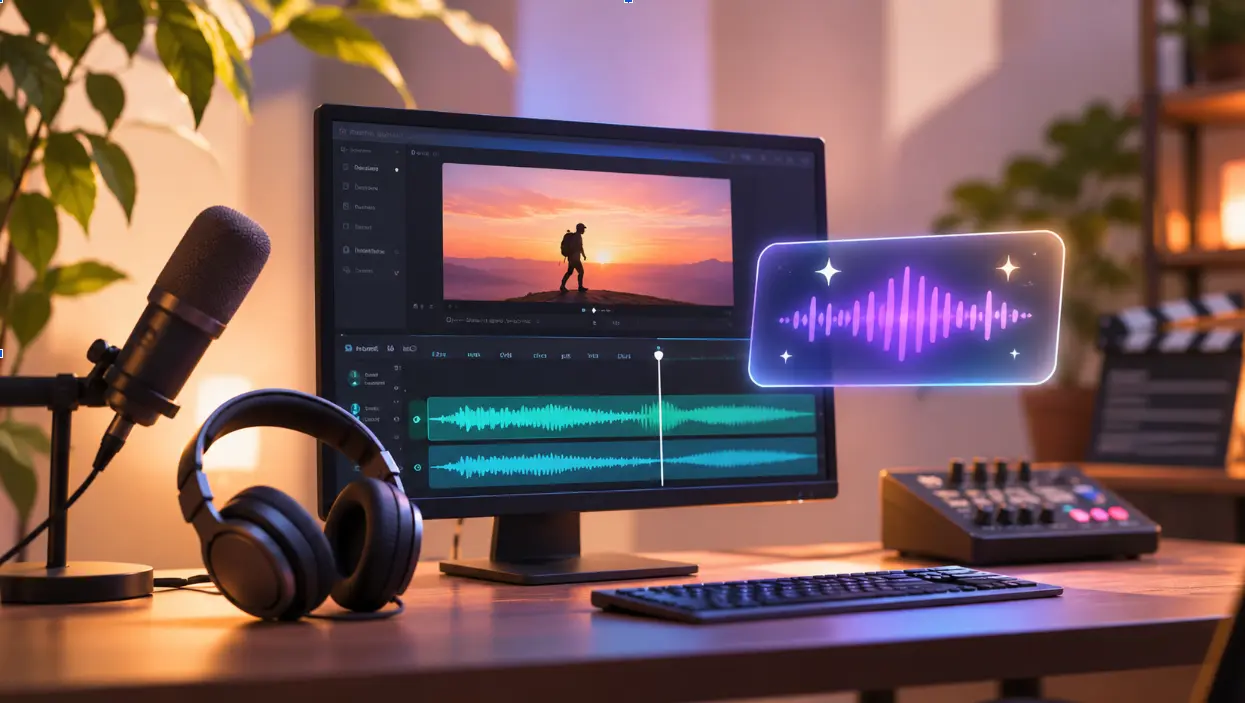
This approach is making sound design more accessible while giving creators greater control over how audio supports their videos.
Why Is Sound Design Important in Video Production?
Visuals may attract attention, but sound helps establish the atmosphere and emotional direction of a video. A product demonstration, for example, may use subtle effects to emphasize product interactions, while a cinematic scene may rely on ambient sounds and music to build tension.
Sound design also helps create continuity between different shots. When a scene moves from an indoor conversation to an outdoor location, background ambience can make the transition feel natural.
Without proper sound design, even well-edited footage can feel incomplete. Dialogue may become difficult to understand, background music may overpower important moments, or visual actions may lack the audio cues that make them believable.
For this reason, sound design is an important part of post-production, whether the project is a film, advertisement, product video, trailer, or social media explainer.
How AI Agents Are Changing Traditional Sound Design
Traditional sound design often requires editors to search through audio libraries, import files, place individual effects, adjust timing, and balance different tracks manually.
AI agents introduce a more instruction-driven approach. Instead of performing every operation separately, creators can describe the sound they want and allow an agent to complete several connected tasks.
For example, an editor working on a street scene could ask an agent to add background traffic ambience, footsteps as a character walks away, and music that gradually builds toward the final reveal.
The agent can generate or find suitable audio, arrange the different elements around the footage, and adjust their timing according to the instructions. Editors can then listen to the result and request changes.
This approach is already appearing in modern editing environments. For example, invideo editor brings AI-assisted sound design into its timeline, allowing creators to describe the atmosphere they want, generate or find suitable music and sound effects, and arrange multiple audio layers around their footage. Its agentic sound design capabilities also allow creators to refine the result through further instructions while retaining manual control over the audio.
The important difference is that the AI agent is not simply suggesting which sounds to use. It can carry out supported sound-design operations within the editing project, giving creators a starting point they can review and improve.
How AI Agents Automate Different Sound Design Tasks
AI agents can support several parts of sound design, from finding the right audio to arranging and balancing multiple layers. Understanding these tasks helps explain where automation can save time and where human judgment remains important.
1. Generating Background Music and Sound Effects
Finding the right music and sound effects can take time, particularly when a video contains several scenes with different moods.
AI agents can generate audio based on descriptions of the desired sound. An editor might request soft background music for an emotional scene, energetic music for a product reveal, or a specific sound effect for an action.
Some editing environments also provide access to built-in audio libraries. Agents can search these libraries and import suitable music, ambience, and effects directly into the project.
Creators can therefore work with generated audio or existing sounds depending on their requirements. The choice depends on the creative direction and the type of audio needed.
2. Matching Sound Effects With Visual Actions
Sound effects are most effective when they occur at the right moment. A door closing, footsteps, a machine starting, or an object falling should have audio that matches the corresponding visual action.
Traditionally, editors need to locate each effect and position it manually on the timeline. AI agents can simplify this by following instructions about the actions and moments that need sound.
For example, an editor working on a short product video could ask an agent to add subtle clicks when interface elements appear and a stronger effect when the product reveal happens.
The agent can arrange the effects around the footage, while the editor checks whether the timing feels natural.
3. Creating Ambient Soundscapes
Ambient sound helps establish where a scene takes place. A quiet office may need subtle room ambience, while an outdoor scene could require wind, distant traffic, or environmental sounds.
AI agents can help build these soundscapes by generating or sourcing appropriate audio and placing it across the relevant sections of a timeline.
They can also carry ambience through a scene so that the background does not suddenly disappear between cuts. This is particularly useful for documentaries, films, advertisements, and narrative videos where environmental audio contributes to the viewing experience.
4. Layering and Timing Multiple Audio Elements
Professional sound design often involves several audio layers working together. A single scene might contain dialogue, background music, ambient noise, and multiple sound effects.
Placing all these elements correctly requires attention to timing and how each layer interacts with the others.
AI agents can arrange sounds on separate timeline layers based on creative instructions. For example, they can carry background ambience throughout a scene, introduce effects when specific actions happen, or gradually increase music before an important moment.
This helps editors establish a structured sound bed without positioning every audio clip individually.
5. Balancing Dialogue, Music, and Effects
Clear dialogue is essential in interviews, tutorials, advertisements, and most narrative videos. Background music and effects should support the conversation rather than compete with it.
AI agents can assist with audio balancing by bringing dialogue forward, lowering music beneath speech, or softening effects that overpower other sounds.
Editors can then listen to the mix and request further adjustments. This is particularly useful when a project contains several speakers, changing background sounds, or scenes with different audio requirements.
6. Refining Sound Based on Feedback
Sound design rarely feels complete after the first attempt. An effect may be too strong, a music track may not fit the mood, or a buildup may need more time.
AI agents make revisions more direct because editors can describe the change they want instead of locating and adjusting every individual audio element themselves.
For example, an editor might request a subtler background track, a longer musical buildup, or a different sound effect for a particular action. The agent can apply the requested changes to the relevant parts of the timeline.
This makes experimentation easier while allowing creators to retain control over the final sound.
How to Use AI Agents for Sound Design in a Video Project
Using AI for sound design does not require handing over every creative decision. A more effective approach is to provide clear direction, review the generated result, and refine the audio where necessary.
Step 1: Add Your Footage and Existing Audio
Start by bringing your video footage into an editing project. You can also add existing music, voice recordings, and sound effects that you want to use.
Having the visual material available helps establish what kind of audio each scene needs.
Step 2: Describe the Desired Sound
Give the AI agent clear instructions about the atmosphere, music, effects, and timing you want.
For example:
“Add soft outdoor ambience beneath the conversation, footsteps as the character walks away, and music that gradually builds toward the final reveal.”
You can also provide an audio reference if you want the agent to follow a particular sound treatment.
Step 3: Let the Agent Arrange the Audio
The agent can generate or search for relevant sounds and place them on the timeline according to your instructions.
It can arrange background ambience, position effects around visual actions, and balance dialogue with music and other audio layers.
Step 4: Listen and Refine the Result
Play the video and listen to how the audio works with the visuals. If something feels out of place, ask the agent to replace a sound, change its timing, adjust its level, or modify the overall treatment.
You can also make manual adjustments using the timeline and audio controls.
Step 5: Export the Finished Project
Once the sound design is complete, review the final mix alongside the video. Make any remaining adjustments and export the finished project in your preferred format.
Where AI-Assisted Sound Design Is Most Useful
AI-assisted sound design can support different types of video projects. Its value depends on how much audio work a production requires and how closely the sound needs to match the visuals.
Films and Short Films
Filmmakers can use AI agents to build atmosphere through background ambience, music, and effects that match the action on screen. A suspenseful scene, for example, may need a gradual musical buildup, subtle environmental sounds, and precisely timed effects to create tension.
Advertisements and Product Videos
Product videos often rely on small audio details to make demonstrations more engaging. AI agents can help add clicks, mechanical sounds, background music, and effects that emphasize product features or important visual reveals.
Trailers and Promotional Videos
Trailers depend heavily on sound to build anticipation. AI agents can help arrange rising music, pauses, impacts, and effects around important moments, making it easier to create a stronger progression toward the final reveal.
Social Media Videos and Explainers
Short-form videos need clear dialogue and audio that supports the pace of the content. AI can help add background music, emphasize transitions, and balance effects without allowing them to compete with the speaker’s voice.
Why Human Creativity Still Matters in AI Sound Design
Although AI agents can automate many sound-design tasks, they do not remove the need for creative judgment.
An agent can generate a soundtrack, position effects, and balance different audio layers, but the editor still needs to decide whether the result supports the intended emotion and storytelling.
For example, adding dramatic music to every scene may make a video feel repetitive. Sometimes silence or subtle ambient sound creates a stronger emotional effect than a complex soundtrack.
Editors also need to consider the context of each scene, the audience, and the overall visual style. AI-generated suggestions should be treated as a starting point that can be reviewed and refined.
The most effective approach combines automated execution with human direction. AI handles repetitive operations, while creators focus on the mood, timing, and emotional impact of the final sound.
Common Challenges When Using AI for Sound Design
Giving Vague Instructions
AI agents need clear creative direction. Asking for “good background music” may not provide enough information. Describing the mood, pace, scene, and intended atmosphere can produce more relevant results.
Overusing Sound Effects
Adding too many effects can make a video feel distracting. Every sound should contribute to the scene rather than simply fill the audio timeline.
Ignoring Dialogue Clarity
Background music and effects should never make important conversations difficult to understand. Always review the balance between dialogue and other audio elements.
Skipping the Final Audio Review
Even when an AI agent handles the initial sound design, creators should listen to the complete video before exporting. Check transitions, volume changes, timing, and whether the audio matches the visuals.
The Future of AI Agents in Sound Design
AI agents are making sound design more accessible by allowing creators to describe what they want instead of manually performing every editing operation.
As these capabilities develop, sound design will become increasingly connected to the broader video editing process. Creators will be able to direct music, ambience, effects, and audio balance while reviewing the results within the same editing environment.
The important change is not simply that AI can generate audio. It is that AI agents can work with the footage, understand the requested sound treatment, arrange multiple audio layers, and revise the result based on feedback.
This creates opportunities for smaller creative teams and independent filmmakers to manage more complex audio work without expanding every part of their production process.
Final Thoughts
Sound design is an essential part of creating engaging videos, but finding, arranging, and balancing audio can take considerable time. AI agents are helping simplify these tasks by generating music, sourcing sound effects, creating ambience, and positioning audio around visual actions.
By combining AI assistance with manual editing controls, creators can spend less time handling repetitive audio operations and more time shaping the overall experience.
The goal is not to automate every creative decision. It is to reduce the technical work behind sound design so editors can focus on what matters most: making the sound support the story.
Frequently Asked Questions
1. What is agentic sound design?
Agentic sound design is an approach where an AI agent receives creative instructions and performs sound-design tasks within a video editing project. This can include generating or sourcing audio, arranging sound effects, layering music, and refining the result based on feedback.
2. Can AI agents generate sound effects for videos?
Yes. AI agents can generate custom sound effects based on text instructions. They can also search built-in audio libraries for existing effects that match a particular scene or action.
3. Can AI automatically add background music to a video?
AI agents can generate or find suitable music and place it on the editing timeline based on the requested mood and creative direction. Creators can then adjust its timing, duration, and volume.
4. Can AI agents balance dialogue and background music?
Yes. AI agents can help bring dialogue forward, lower background music beneath speech, and soften effects that overpower the scene. Editors can review and refine the mix afterward.
5. Can I use my own sound effects with AI agents?
Yes. In invideo Editor, users can upload their own music, recordings, and sound effects and instruct the agent on how to incorporate them into the project.
6. Can I manually edit AI-generated sound designs?
Yes. AI-assisted sound design does not remove manual editing control. In invideo Editor, audio remains editable on the timeline, where creators can move and trim clips, adjust levels and fades, and use panning, mute, solo, and audio effects.
7. Which types of videos benefit from AI sound design?
Films, advertisements, product videos, trailers, promotional content, social media videos, and explainers can all benefit from AI-assisted sound design. The approach is particularly useful when projects require multiple audio layers and carefully timed effects.