What Is a Domain Name
Simple Definition of a Domain Name
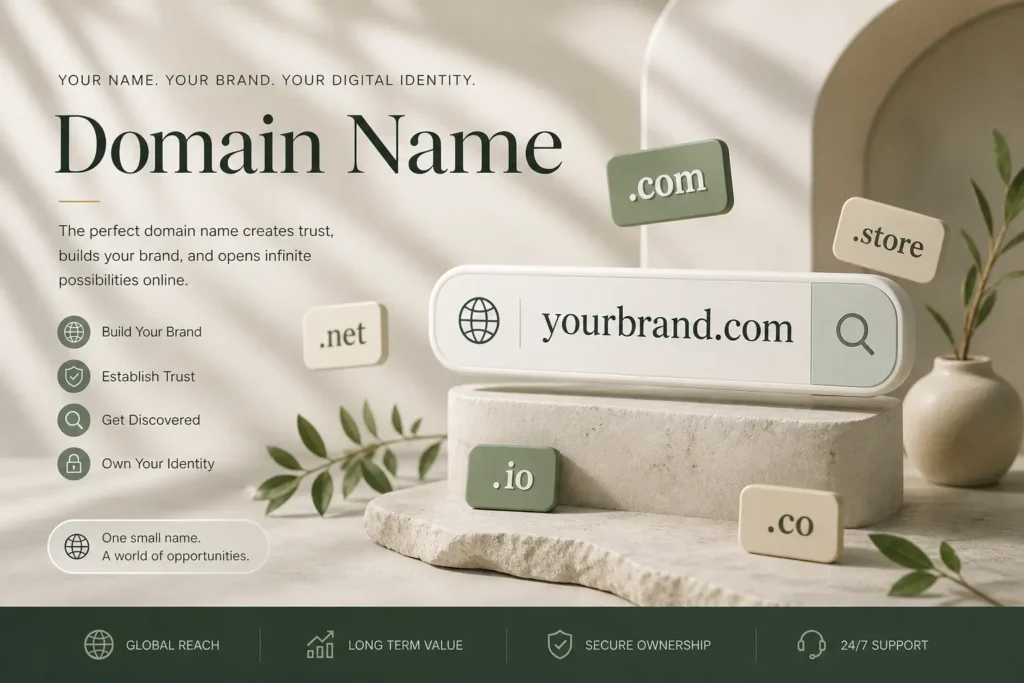
A domain name is the address of your website on the internet. It is what people type into their browser to visit your site.
For example:
google.comamazon.inyourwebsite.com
Instead of remembering a long series of numbers (called an IP address), users can simply type a domain name. It makes websites easy to find and remember.
How Domain Names Work With Websites
Behind the scenes, domain names are connected to servers where your website files are stored.
Here’s how it works step by step:
- A user types your domain name into a browser
- The request goes to the Domain Name System (DNS)
- DNS finds the correct IP address linked to your domain
- The browser connects to the server
- Your website loads on the screen
Think of it like a contact name in your phone:
- Domain name = Contact name
- IP address = Phone number
You don’t remember the number, you just search the name.
What “Registration” Means
Domain name registration means reserving a domain name so only you can use it.
When you register a domain:
- You buy the rights to use that name for a specific period (usually 1 year or more)
- No one else can register the same domain while it’s active
- You can renew it to keep ownership
This process is done through companies called domain registrars like GoDaddy or Namecheap.
This is where search engine registration comes into context:
- Registering a domain does not automatically rank your website on search engines
- After registering your domain, you still need to:
- Create a website
- Add content
- Submit your site to search engines like Google
Difference Between Domain and Hosting
Many beginners confuse domain names with hosting, but they are different.
| Feature | Domain Name | Web Hosting |
|---|---|---|
| What it is | Your website address | Where your website lives |
| Example | yourwebsite.com | Server space |
| Purpose | Helps users find your site | Stores website files |
| Needed for website | Yes | Yes |
Simple way to understand:
- Domain = Your home address
- Hosting = The actual house
You need both to make your website live on the internet.
What Makes a Good Domain Name
Choosing the right domain name is one of the first big decisions for your website. A good domain name helps people remember you, trust you, and find you easily.
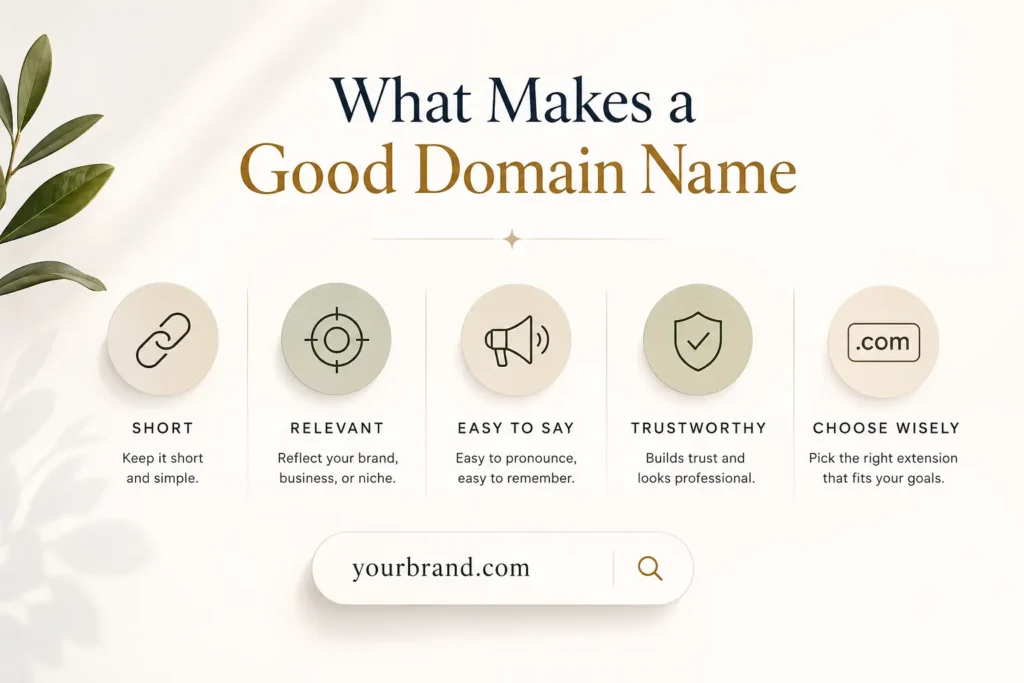
If you’re wondering what is a good domain name or how to choose a great domain name, the answer comes down to a few simple but important factors.
Key Characteristics of a Good Domain Name
1. Short and Easy to Remember
Short names are easier to type, share, and recall.
- Good:
flipkart.com - Not ideal:
bestonlineshoppingdealsindia.com
Aim for:
- 6–14 characters (if possible)
- 1–2 words max
Short domains reduce mistakes and improve direct traffic.
2. Easy to Spell and Pronounce
If people can’t spell your domain, they won’t find you.
- Avoid confusing words
- Avoid complex spellings
- Test it: say it out loud and ask someone to type it
Example:
A simple name like zomato.com is easy to say and type, even for first-time users.
3. Brandable and Unique
A strong domain name should feel like a brand, not just a keyword.
- Unique names stand out
- They are easier to build trust with
- They work better long-term
Examples:
- Zomato
These names don’t describe the service directly, but they are memorable and strong.
4. Avoid Numbers and Hyphens
Numbers and hyphens create confusion.
- Users may not know if it’s “5” or “five”
- Hyphens are often forgotten
Bad examples:
best-deals-4-you.comshoponline123.com
Good domains are clean and simple.
Should Your Domain Include Keywords
This is one of the most common questions:
“Should my business domain name include keywords?”
The answer depends on your goal.
When Keywords Help
Keywords can be useful if:
- You want to clearly show what your business does
- You are targeting a specific niche
- You want quick clarity for new visitors
Examples:
buyshoesonline.comdelhicarrepair.com
These names make the purpose obvious.
When Branding Is Better
Brandable domains are better when:
- You want long-term growth
- You plan to expand your services
- You want a strong identity
Examples:
- Amazon
- Flipkart
These names don’t limit the business to one product or service.
Real-World Balance (Best Approach)
The best domain names often combine both ideas:
- Slight keyword hint + strong brand feel
- Simple + unique
Examples:
hostinger.com→ suggests hosting but still brandableshopify.com→ feels like shopping + brand identity
Domain Name vs Business Name
Many people assume your domain name and business name must be the same. That’s not true. They can match, but they don’t have to.
Can Your Domain Name and Business Name Be Different?
Yes, they can be different.
- Your business name is your official identity (used in branding, legal documents, marketing)
- Your domain name is your website address
You can run a business with one name and use a different domain if:
- Your exact business name is already taken
- You want a shorter or simpler domain
- You want a more brandable or modern online identity
Pros and Cons of Matching vs Different Names
When They Match (Best for simplicity)
Pros:
- Easy to remember
- Strong brand consistency
- Better trust for new users
Cons:
- May be hard to find an available domain
- Might end up with long or complicated names
When They Are Different
Pros:
- More flexibility in choosing a clean domain
- Easier to get a short and catchy name
- Can improve branding if chosen smartly
Cons:
- Can confuse users at first
- Requires extra branding effort
- You need to clearly connect both names in marketing
Real Examples of Brands with Different Domain Names
Some of the biggest brands don’t use an exact match—and it works perfectly.
- Alphabet Inc. → uses Google domain (
google.com) - Meta Platforms → uses Facebook domain (
facebook.com) - Block, Inc. → uses Square domain (
squareup.com)
These companies built strong branding, so the difference does not create confusion.
When Should You Match Them?
You should try to match your domain and business name if:
- You are starting a new brand
- The domain is available
- You want simple and clear branding
When Is It Okay to Keep Them Different?
You can choose a different domain if:
- Your business name domain is unavailable
- You find a shorter, better domain
- You plan strong branding and marketing
Simple Rule to Follow
- If possible → keep them the same
- If not → choose a domain that is simple, clear, and easy to connect with your brand
How Important Is a Domain Name for SEO

If you’re asking how important is a domain name for SEO, the honest answer is simple:
A domain name does not directly boost rankings, but it plays a strong indirect role in your overall SEO success.
Let’s break this down clearly.
Direct vs Indirect SEO Impact
Direct Impact (Very Limited)
Search engines like Google no longer give strong ranking advantage just because your domain contains keywords.
In the past:
- Exact-match domains like
bestshoesonline.comranked easily
Now:
- Content quality, backlinks, and user experience matter much more
So, having keywords in your domain alone will not help you rank higher.
Indirect Impact (Very Important)
Your domain affects SEO in ways that influence user behavior:
- How people perceive your brand
- Whether they click your link
- Whether they trust your site
These factors directly impact your SEO performance over time.
Branding and Click-Through Rate (CTR)
When users see your website in search results, your domain name is one of the first things they notice.
A strong domain can:
- Increase trust
- Improve click-through rate (CTR)
- Make your site stand out
Example:
random-seo-tips-123.comseogrowth.com
Which one would you click?
A clean, brandable domain encourages more clicks, and higher CTR sends positive signals to search engines.
Trust and Authority Factors
A good domain name helps build trust, which is critical for SEO.
1. User Trust
Users are more likely to trust domains that are:
- Simple
- Professional
- Brandable
Spammy-looking domains reduce credibility.
2. Brand Authority
Strong brands naturally attract:
- More backlinks
- More searches (brand searches)
- More repeat visitors
Examples:
- Amazon
- Flipkart
These domains don’t rely on keywords, but they dominate because of brand strength.
3. Long-Term SEO Growth
A good domain supports:
- Consistent branding
- Better marketing
- Higher recall value
This leads to stronger SEO over time, even if the domain itself isn’t a ranking factor.
Quick Breakdown
| Factor | Impact on SEO |
|---|---|
| Keywords in domain | Low (direct) |
| Brandability | High (indirect) |
| Trust & credibility | High |
| Click-through rate | High |
| Backlinks potential | High |
How to Buy a Domain Name
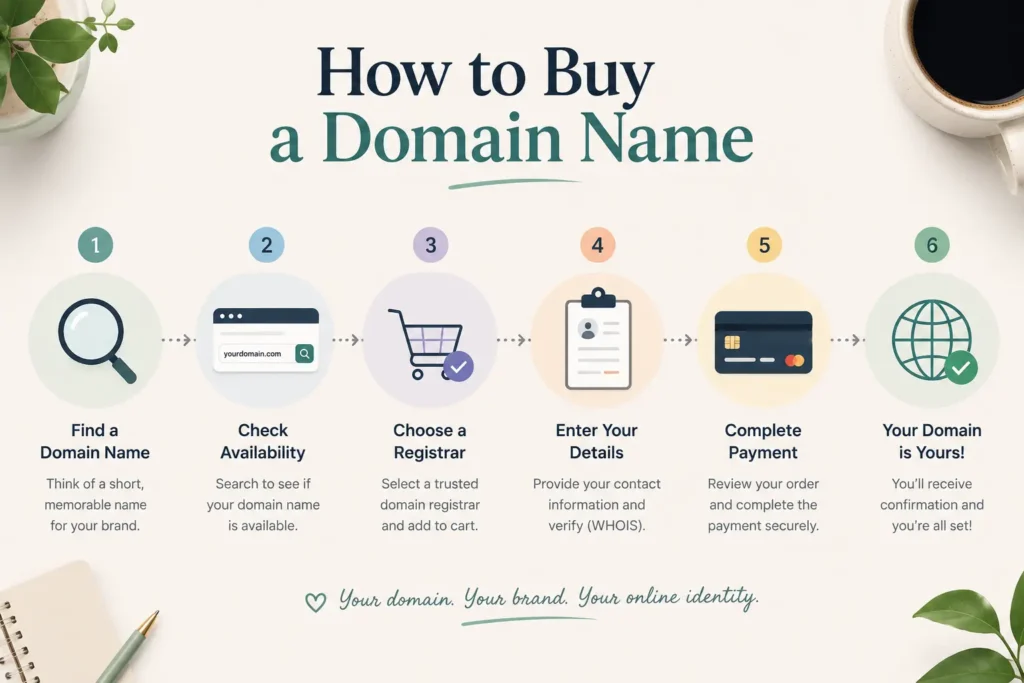
Buying a domain name is simple once you understand the process. You don’t need technical skills, just follow a few clear steps.
If you’re searching for how to purchase a domain name permanently, you’ll also need to understand how domain ownership really works (we’ll cover that below).
Step-by-Step Process
1. Choose a Domain Name
Start with a name that is:
- Short and easy to remember
- Easy to spell
- Relevant to your brand or niche
Example:
- Brand-focused →
yourbrand.com - Keyword-focused →
onlinemarketingtips.com
Take your time here, this is a long-term decision.
2. Check Availability
Once you have a name in mind, check if it’s available.
You can do this on domain registrar websites like:
- GoDaddy
- Namecheap
If your domain is taken, try:
- Adding a small variation
- Using a different extension (.net, .in, .co)
- Making it more brandable
3. Register with a Provider
After finding an available domain:
- Select it and add it to your cart
- Choose the registration period (1–10 years)
- Add extras if needed (like privacy protection)
Domain privacy helps hide your personal details from public records.
4. Complete Payment
Finally:
- Enter your details
- Make the payment
- Confirm your purchase
Once done, the domain is officially registered under your name.
Can You Buy a Domain Name Permanently?
This is where many people get confused.
You Cannot Buy a Domain Forever
Domains are not sold permanently. Instead, they are:
- Leased for a fixed period (usually 1 year or more)
- Renewable for as long as you want
How Domain Ownership Works
When you buy a domain:
- You get exclusive rights to use it
- No one else can register it while it’s active
- You control where it points (your website, landing page, etc.)
But you don’t “own” it forever unless you keep renewing it.
The Renewal System
Domains must be renewed regularly:
- Every 1 year (most common)
- Or up to 10 years in advance
If you forget to renew:
- Your domain may expire
- It can be purchased by someone else
Most registrars like GoDaddy offer auto-renewal to avoid this risk.
Common Misconceptions
Myth 1: I can buy a domain permanently
→ Not true. You can only renew it continuously.
Myth 2: Once I buy it, it’s mine forever
→ Only if you keep renewing it on time.
Myth 3: Expired domains come back to me automatically
→ No. They can be taken by others if you miss renewal.
Pro Tip
If you’re serious about your website:
- Register your domain for multiple years
- Enable auto-renewal
- Use a trusted provider like Namecheap
Why Are Some Domain Names So Expensive
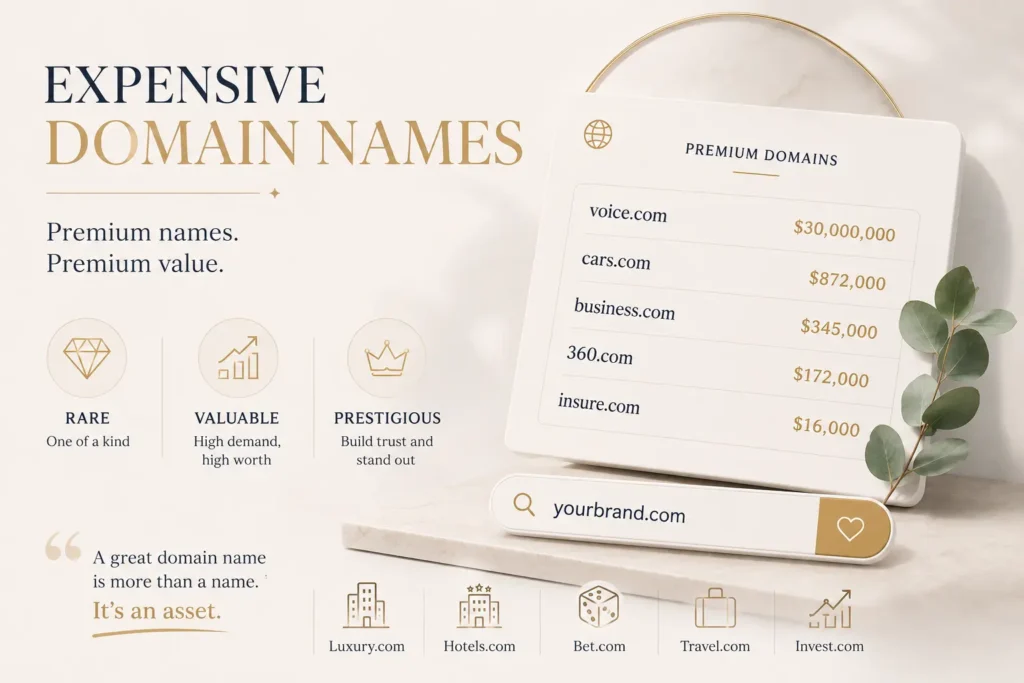
If you’ve ever searched for a domain and found prices ranging from $10 to thousands, or even millions, you’re not alone.
So, why are some domain names so expensive?
It comes down to demand, scarcity, and branding value, just like real estate.
Let’s break it down.
Premium Domains
A premium domain is a high-value name that is already owned or considered highly desirable.
These domains are expensive because:
- They are short and easy to remember
- They often include popular words
- They have strong business potential
Examples of premium-style names:
cars.comhotels.com
These are considered “digital gold” because businesses can build entire brands around them.
Short and Keyword-Rich Domains
Short domains are rare, and rarity increases price.
Why short domains cost more:
- Easier to type
- Easier to remember
- Better for branding
For example:
- 3-letter domains like
abc.comare extremely valuable
Keyword-rich domains
Domains that include high-search keywords can also be expensive.
Examples:
buyinsurance.combestloansonline.com
These domains:
- Clearly describe the service
- Can attract direct traffic
- Have strong commercial intent
Brand Value and Demand
Some domains are expensive simply because they sound like a strong brand.
A name that feels like a company can be worth a lot.
Examples:
- Tesla
- Uber
Even though these names are not keyword-heavy, they are:
- Unique
- Memorable
- Scalable
If multiple businesses want the same domain, the price goes up.
Domain Reselling Market
There is a full marketplace where people buy and sell domains for profit.
Popular platforms include:
- Sedo
- GoDaddy auctions
How it works:
- Investors buy domains early
- Hold them for value
- Sell later at a higher price
This is similar to real estate flipping.
Real-World Example
Some domains have sold for massive amounts:
voice.com→ sold for millionsbusiness.com→ one of the most expensive sales ever
Why?
- Single word
- High demand
- Huge business potential
What Drives Domain Prices (Quick Table)
| Factor | Impact on Price |
|---|---|
| Length (shorter = better) | Very High |
| Keywords | High |
| Brandability | Very High |
| Demand | Very High |
| Extension (.com vs others) | High |
Important Insight
Not every expensive domain is necessary.
You don’t need a costly domain to succeed.
Many successful companies started with simple names and built value over time:
- Flipkart
Domain Name Privacy and Security
When you register a domain, your personal details (name, email, phone number, address) are usually added to a public database called WHOIS. This is where private registration comes in.
What Is Private Registration
Private registration (also called domain privacy protection) hides your personal information from the public WHOIS database.
Instead of showing your real details, it displays proxy information provided by your domain registrar.
For example, when you register a domain through Namecheap or GoDaddy:
- Your real email → hidden
- Your phone number → hidden
- Your address → hidden
Only the registrar’s contact details appear publicly.
Why It Matters
Without privacy protection, anyone can access your domain details online.
This can lead to:
- Spam emails and calls
- Marketing harassment
- Potential security risks
- Exposure of personal data
Private registration acts as a shield between you and the public internet.
Benefits of Domain Privacy
1. Protects Personal Information
Your sensitive data stays hidden, reducing the risk of misuse.
2. Reduces Spam
Public WHOIS data is often scraped by marketers. Privacy protection helps avoid:
- Unwanted emails
- Telemarketing calls
3. Improves Security
Keeping your details private makes it harder for attackers to:
- Target you directly
- Attempt domain hijacking
- Use your data for scams
4. Maintains Professional Image
Instead of showing personal details, your domain looks more secure and business-ready.
Limitations of Private Registration
Private registration is useful, but not perfect.
1. Not Fully Anonymous
Authorities or legal bodies can still access your real information if required.
2. May Cost Extra
Some registrars charge an additional fee (though some include it for free).
3. Communication Filtering
Important messages (like domain-related emails) may pass through the registrar’s system, which can sometimes delay communication.
When Should You Use It
You should enable private registration if:
- You are an individual or small business
- You want to protect personal data
- You want to avoid spam
For most users, it’s a smart default choice.
Managing Your Domain Name
Managing your domain properly is just as important as buying it. If you miss renewals or make mistakes during transfer, you could lose your domain.
Renewing Your Domain
Renewal Process
Renewing a domain is simple and usually takes just a few minutes.
Here’s how it works:
- Log in to your domain registrar (like GoDaddy or Namecheap)
- Go to your domain dashboard
- Select the domain you want to renew
- Choose the renewal period (1–10 years)
- Complete the payment
Most registrars also offer:
- Auto-renewal → your domain renews automatically before expiry
- Reminder emails → alerts before your domain expires
Can I Renew My Domain Name With Another Provider?
Yes, you can renew your domain with another provider, but not directly.
You first need to transfer your domain to the new registrar, then renew it there.
Transferring Before Renewal
If you want to switch providers:
- Unlock your domain from your current registrar
- Get the authorization code (EPP code)
- Start the transfer on the new registrar
- Approve the transfer request
Once the transfer is complete:
- Your domain is moved to the new provider
- It usually includes a 1-year renewal as part of the transfer
Things to Check Before Switching
Before transferring your domain, make sure everything is in order:
1. Domain Lock Status
- Your domain must be unlocked
- Otherwise, transfer will fail
2. Expiration Date
- Avoid transferring right before expiry
- Start at least 7–10 days before expiration
3. WHOIS Information
- Ensure your email is correct
- You’ll receive transfer approval emails
4. DNS Settings
- Check your DNS records. Use a DNS lookup tool to check your DNS records and make sure everything is set up correctly.
- Backup important settings to avoid website downtime
5. Transfer Restrictions
- Domains cannot be transferred within 60 days of registration or previous transfer
Pro Tip
If you’re happy with your current provider, simply enable auto-renewal and avoid the hassle.
If you’re switching for better pricing or support, plan the transfer carefully.
How to Delete a Domain Name
Deleting a domain name means giving up your rights to use it. Once deleted, you no longer control that domain, and it can eventually become available for others.
When Should You Delete a Domain Name
You might consider deleting a domain if:
- You no longer need the website
- You are rebranding to a new domain
- You bought a domain by mistake
- You want to avoid future renewal costs
In many cases, you don’t need to manually delete it, you can simply turn off auto-renewal and let it expire.
How to Delete a Domain Name (Basic Process)
The exact steps may vary depending on your registrar (like GoDaddy or Namecheap), but generally:
- Log in to your domain account
- Go to your domain list/dashboard
- Select the domain you want to delete
- Look for options like “Delete,” “Cancel,” or “Remove Domain”
- Confirm the deletion request
Some registrars may not allow instant deletion. Instead, they let the domain expire naturally.
What Happens After Deletion
Deleting a domain doesn’t make it instantly available. It goes through a lifecycle:
1. Expiration Period
- The domain stops working (your website and email go offline)
- You may still be able to renew it without extra fees
2. Grace Period
- Last chance to renew at normal cost
- Duration depends on the registrar
3. Redemption Period
- You can still recover the domain
- But with an extra fee (sometimes expensive)
4. Pending Deletion
- The domain is scheduled for release
- No recovery possible at this stage
5. Available Again
- The domain becomes public
- Anyone can register it
Important Things to Know
- Deleting a domain is often irreversible after a certain stage
- Someone else can buy your domain once it’s released
- You may lose traffic, backlinks, and brand value
Better Alternative (Recommended)
Instead of deleting, consider:
- Letting it expire naturally
- Redirecting it to another domain
- Selling it on marketplaces
How to Get Your Domain Name Back
Losing a domain can feel stressful, but in many cases, you still have a chance to recover it—if you act quickly.
If you’re asking “how do I get my domain name back”, the answer depends on its current status.
Expired Domains: What It Means
When your domain expires:
- Your website goes offline
- Emails linked to the domain stop working
- The domain enters a temporary holding period
But it’s not gone immediately—you still have time to recover it.
Grace Period and Redemption
After expiration, domains usually go through two key stages:
1. Grace Period (Best Chance to Recover)
- Lasts around 0–30 days (varies by registrar like GoDaddy or Namecheap)
- You can renew the domain at the normal price
- No penalties in most cases
This is the easiest and cheapest time to get your domain back.
2. Redemption Period (Second Chance, Higher Cost)
- Starts after the grace period
- Lasts around 30 days
- Domain is removed from your account but still recoverable
However:
- You must pay a redemption fee (can be expensive)
- The process may take a few days
3. After Redemption (High Risk)
If you miss both stages:
- The domain enters pending deletion
- Then becomes available to the public
At this point, anyone can register it—including competitors or domain investors.
Recovery Steps
Follow these steps based on your situation:
Step 1: Check Domain Status
- Log in to your registrar account
- Look for status like:
- Expired
- Grace period
- Redemption
Step 2: Renew Immediately
If still in grace period:
- Simply renew your domain
- Your website should be restored quickly
Step 3: Request Redemption (If Needed)
If in redemption:
- Contact your registrar support
- Pay the recovery fee
- Wait for restoration
Step 4: Try to Re-Register or Backorder
If the domain is already released:
- Search for availability again
- Use backorder services on platforms like GoDaddy
Backordering helps you attempt to grab the domain as soon as it becomes available.
Important Tips
- Act fast, timing is everything
- Enable auto-renewal to avoid this situation
- Keep your contact email updated for renewal reminders
How to Change Domain Name in WordPress
Changing your domain name in WordPress is not just about replacing a URL. You need to update settings, move files, and make sure your site works properly after the change.
Basic Steps
Follow these steps carefully to change your domain without breaking your website.
1. Buy and Set Up the New Domain
- Purchase your new domain from a registrar like Namecheap or GoDaddy
- Point the domain to your hosting using DNS (nameservers or A record)
2. Backup Your Website
Before making any changes:
- Backup your files
- Backup your database
This protects you in case something goes wrong.
3. Update WordPress Address (URL)
In your WordPress dashboard:
- Go to Settings → General
- Update:
- WordPress Address (URL)
- Site Address (URL)
Replace old domain with your new one.
4. Update URLs in Database
Your old domain is stored in multiple places inside your database.
You need to:
- Replace all old URLs with the new domain
- Use plugins or tools like:
- Search & Replace plugins
- Or manual update via database
5. Update wp-config.php (Optional)
If needed, you can define your new domain manually:
define('WP_HOME','https://yournewdomain.com');
define('WP_SITEURL','https://yournewdomain.com');
6. Set Up Redirects (Very Important for SEO)
Redirect your old domain to the new one using 301 redirects.
This helps:
- Preserve SEO rankings
- Send users to the correct site
7. Update External Tools
Don’t forget to update your domain in:
- Google Search Console
- Google Analytics
- Social media profiles
- Backlinks (if possible)
Common Mistakes to Avoid
1. Not Taking Backup
Skipping backup can lead to permanent data loss.
2. Forgetting Database URLs
If you don’t update all URLs:
- Images may break
- Links may still point to the old domain
3. Not Setting Redirects
Without redirects:
- You lose traffic
- SEO rankings drop
4. DNS Not Configured Properly
If DNS is not set correctly:
- Your site won’t load on the new domain
5. Mixed Content Issues
If switching from HTTP to HTTPS:
- Some resources may still load insecurely
- This causes browser warnings
Pro Tip
After changing your domain:
- Test every page
- Check links and images
- Monitor traffic and errors
Domain Ownership, Legal Issues, and Disputes
Understanding who “owns” a domain, and what rights come with it, is important if you’re building a brand or business online. Many people assume a domain name automatically gives full legal ownership, but that’s not always the case.
Are Domain Names Intellectual Property
The short answer: not exactly.
A domain name by itself is not automatically considered intellectual property (IP) in the same way as trademarks, copyrights, or patents.
However, it can be connected to intellectual property rights depending on how it’s used.
Ownership vs Trademark
Domain Ownership (What You Actually Get)
When you register a domain through companies like GoDaddy or Namecheap:
- You get the right to use the domain
- You control it for the registration period
- You can renew, transfer, or sell it
But this is more like a lease, not full legal ownership of a name.
Trademark (Stronger Legal Protection)
A trademark protects your brand name legally.
For example:
- Apple owns trademarks for its brand name
- No one else can legally use that name in the same industry
If your domain matches a registered trademark, the trademark owner may have stronger legal rights—even if you registered the domain first.
Legal Rights and Risks
1. Cybersquatting Issues
Cybersquatting is when someone registers a domain similar to a known brand to profit from it.
Example:
- Registering something like
amaz0n-store.comto confuse users
This can lead to legal action under policies like the Uniform Domain-Name Dispute-Resolution Policy (UDRP).
2. Trademark vs Domain Conflicts
If a domain violates someone’s trademark:
- The trademark owner can file a complaint
- You may be forced to transfer or lose the domain
Even if you legally registered it, trademark rights can override domain registration.
3. Good Faith Usage Matters
You are generally safe if:
- You are not copying a known brand
- You are using the domain for a genuine purpose
- Your domain is unique and not misleading
Key Difference (Simple Table)
| Aspect | Domain Name | Trademark |
|---|---|---|
| Type | Registration right | Legal protection |
| Ownership | Temporary (renewable) | Legal ownership |
| Protection level | Limited | Strong |
| Purpose | Website address | Brand identity |
When Does a Domain Become Valuable IP?
A domain can become part of your intellectual property when:
- It is linked to a registered trademark
- It represents a recognized brand
- It gains commercial value
For example:
- Google → domain + trademark = strong IP asset
Practical Advice
- Always check trademarks before buying a domain
- Avoid names similar to established brands
- Consider registering a trademark if your brand grows
Technical Basics of Domain Names
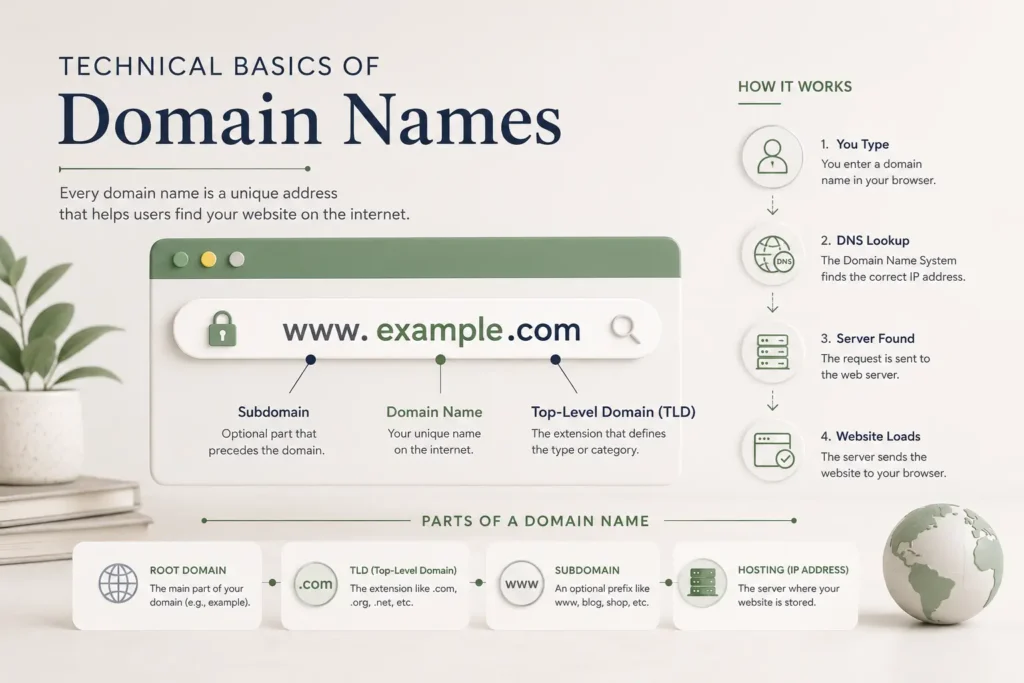
If you’ve ever wondered how to parse a domain name from a URL or how to get the domain name from a website address, it becomes easy once you understand the basic structure.
Structure of a URL
A full website address (URL) has multiple parts.
Example:
https://www.example.com/blog/postLet’s break it down:
- https:// → Protocol (how data is transferred)
- www → Subdomain
- example.com → Domain name
- /blog/post → Path (specific page on the site)
The domain name is the main part that identifies the website.
Extracting Domain Name
To extract the domain name, focus on the core part between the protocol and the path.
Step-by-step:
- Remove the protocol (
http://orhttps://) - Remove the path (
/blog/post, etc.) - Ignore subdomains like
www
What remains is your domain.
Simple Examples
Example 1
URL:
https://www.google.com/search?q=seoDomain:
- Google →
google.com
Example 2
URL:
https://blog.amazon.in/productsDomain:
- Amazon →
amazon.in
(Subdomain “blog” is not part of the main domain)
Example 3
URL:
http://store.flipkart.com/offersDomain:
- Flipkart →
flipkart.com
Quick Trick to Identify Domain
Look for the main name + extension:
example.comwebsite.inbrand.net
Everything before it (like www, blog, store) is optional.
Common Mistakes
- Confusing subdomain with domain
- Including paths as part of domain
- Ignoring country extensions like
.in,.uk
Quick Table
| URL | Domain Name |
|---|---|
| https://www.example.com/page | example.com |
| https://blog.site.in/article | site.in |
| http://store.brand.net | brand.net |
Domain Control and Restrictions
Managing a domain is not just about owning it. In many cases, you also need control over which domains can be accessed on a network or device. This is useful for safety, productivity, and security.
How to Block a Domain Name
Blocking a domain means preventing access to a specific website. This can be done at different levels depending on your setup.
Use Cases
There are several practical reasons to block a domain:
- Security protection
Block malicious or phishing websites that may harm devices or steal data - Parental control
Restrict access to inappropriate content for children - Workplace productivity
Prevent access to distracting sites like social media or entertainment platforms - Network control
Manage bandwidth usage and restrict unnecessary traffic
Basic Methods
You can block a domain in different ways depending on your technical level.
1. Router-Level Blocking
- Access your router settings
- Add the domain to the blocked list
- Applies to all devices connected to the network
2. Device-Level Blocking
- Edit the hosts file on your computer
- Map the domain to a non-working IP (like 127.0.0.1)
- Blocks access only on that device
3. Browser Extensions
- Use website blocker extensions
- Easy to set up
- Good for personal use
4. Firewall or Security Software
- Add domain rules in firewall settings
- Useful for advanced control and enterprise setups
Common Mistakes to Avoid When Choosing a Domain Name
A small mistake at the start can cause problems later. Choosing the right domain is not just about availability—it’s about long-term usability and trust.
Choosing Long or Complex Names
Long domain names are hard to remember and easy to mistype.
- Users may forget or misspell them
- They look less professional
- They are harder to share verbally
Short, simple names always perform better.
Ignoring Branding
A domain should feel like a brand, not just a collection of words.
- Generic names are harder to stand out
- Unique names are easier to remember
- Strong branding builds trust over time
If your domain sounds like every other site, it won’t stick.
Not Checking Trademarks
Skipping this step can lead to legal issues later.
- You might accidentally use a protected name
- This can result in disputes or forced domain transfer
- Rebranding later can be costly
Always check if your chosen name is legally safe to use.
Forgetting Renewal
Many people lose their domain simply because they forget to renew it.
- Domains expire if not renewed on time
- Someone else can register it
- You may have to pay a high price to get it back
Set auto-renew or reminders to avoid losing your domain.
Pro Tips for Choosing the Perfect Domain Name
A strong domain name does more than just look good. It supports your brand, helps users remember you, and stays relevant as your business grows.
Use Brandable Words
Instead of picking generic or keyword-heavy names, focus on something unique.
- Short, catchy, and easy to recall
- Distinct from competitors
- Flexible enough for future growth
Brandable names are easier to build trust around and stand out in crowded spaces.
Think Long-Term
Your domain should still make sense years from now.
- Avoid trends that may fade
- Don’t limit yourself to one product or service
- Choose something that can grow with your business
A future-proof name saves you from rebranding later.
Check Social Media Availability
Consistency across platforms matters.
- Look for the same name on major social platforms
- Avoid confusion caused by different usernames
- Makes your brand easier to find
Having the same name everywhere strengthens your online presence.
Choose the Right Extension
The extension (like .com, .in, .net) plays a role in trust and perception.
- .com is the most widely trusted
- Country-specific extensions (.in, .uk) work well for local businesses
- Niche extensions (.tech, .store) can fit specific industries
Pick an extension that aligns with your audience and goals.
FAQs About Domain Names
Can I Own a Domain Name Forever
No. A domain name is not a one-time purchase. You get renewable ownership, which means you can keep it as long as you continue renewing it before it expires.
How Long Does Domain Registration Last
Domain registration typically lasts between 1 and 10 years, depending on how long you choose during purchase. You can renew it anytime before it expires to maintain ownership.
Can I Change My Domain Name Later
Yes, you can change your domain name, but it may affect your SEO.
- You may lose some rankings and traffic
- Old links may stop working if not redirected
- Proper redirects can reduce the impact
If you plan to change your domain, do it carefully to avoid losing visibility.
Conclusion
A domain name is a long-term decision, so it’s worth taking the time to get it right.
- Choose your domain name carefully, keeping it simple and easy to remember
- Focus on branding rather than forcing keywords
- Manage it properly and never miss renewals
- Understand the basic legal and technical aspects to avoid future issues
When your domain is clear, consistent, and well-managed, it becomes a strong foundation for everything you build online.