


A lot of software projects go wrong before a single line of code is written. The team builds what was asked for, but nobody agrees on how fast it should be, how secure it should be, or who should be allowed to use it. The result is a product that technically works but still disappoints.
That is why understanding functional vs non-functional requirements matters. Functional requirements describe what a system does. Non-functional requirements describe how well it does it, and under what limits.
Together, they define what a successful product looks like. In this guide, you will see the difference, real examples, the main categories, and a practical way to write, document, and test both types.
What Are Functional Requirements?
Functional requirements describe the specific features, actions, and behaviors a system must perform. They answer a simple question: “What should the software do?”
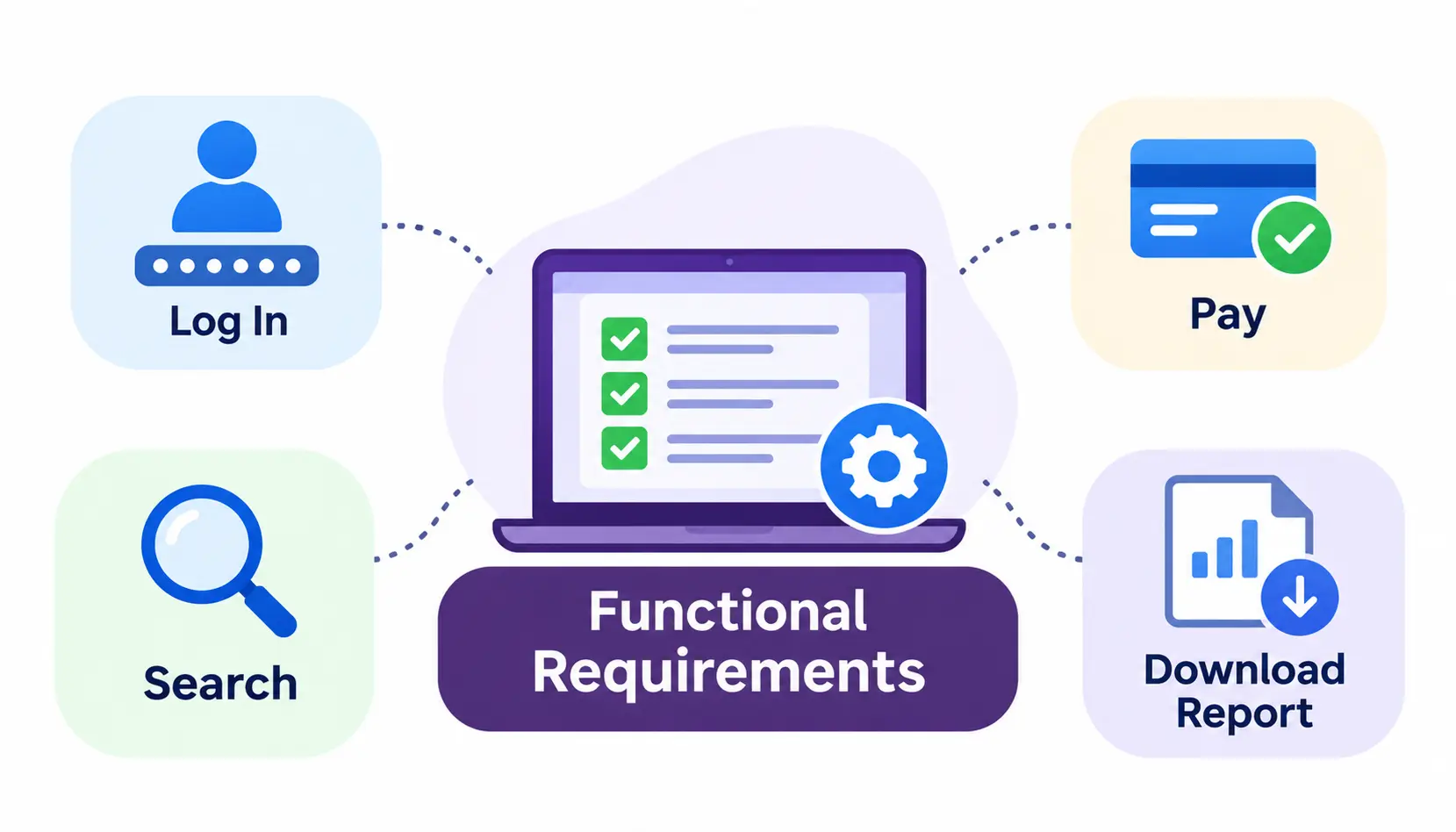
If you can picture a user doing it on screen, it is probably a functional requirement. Logging in, searching, paying, and downloading a report are all good examples.
Key Characteristics of Functional Requirements
Good functional requirements share a few traits:
- They define specific system behavior. They say what the system does in a given situation.
- They describe interactions. They cover what the user does and how the system responds.
- They specify inputs, outputs, and business operations. For example, what data goes in, what result comes out, and which rules apply.
- They can be verified through functional tests. Either the system behaves as described, or it does not.
Common Types of Functional Requirements
Most products draw from the same handful of categories:
- User authentication and registration
- Data input, processing, and storage
- Search and filtering
- Payment and transaction processing
- Notifications and alerts
- Reporting and data retrieval
- User roles and permissions
Functional Requirements Examples
Here are practical examples you can adapt:
- A user can create an account using an email address.
- Customers can add products to a shopping cart.
- Users can reset forgotten passwords.
- Administrators can generate monthly sales reports.
- A banking application allows customers to transfer money between accounts.
Notice that each one describes an action. None of them say how fast, how safe, or how many users. That comes next.
What Are Non-Functional Requirements?
Non-functional requirements define the quality attributes, performance expectations, and constraints under which a system operates. They answer a different question: “How well should the software do it?”
A checkout feature is a functional requirement. A checkout that stays fast on Black Friday and keeps card data safe is where non-functional requirements come in. Wikipedia’s overview of non-functional requirements is a handy reference if you want a neutral definition and a list of related terms.
Key Characteristics of Non-Functional Requirements
- They define quality and operating standards. Speed, safety, and stability all fall here.
- They influence architecture and technical decisions. A target of very high availability, for example, shapes how you design servers and backups.
- They often need measurable targets. “Fast” means nothing until you attach a number and a condition.
- They are verified through quality testing. Think performance, security, and usability tests rather than simple feature checks.
Types of Non-Functional Requirements
Teams group these in slightly different ways. The list below covers the categories you will meet most often.
Performance
Performance covers response time, latency, throughput, and resource usage. It describes how quickly and efficiently the system responds.
Security
Security covers data protection, encryption, authentication, and authorization. It sets the rules for keeping information and access safe.
Usability
Usability covers ease of use, navigation, accessibility, and overall user experience. It asks whether real people can finish their tasks without frustration.
Reliability
Reliability covers consistent operation, fault tolerance, and recovery. A reliable system keeps working correctly, or recovers quickly when something fails.
Availability
Availability covers uptime and the ability to reach the system when people need it. It is usually expressed as a percentage over a period of time.
Scalability
Scalability is the ability to handle more users, transactions, and data without a drop in quality. It matters most for products that expect growth.
Maintainability
Maintainability covers how easily developers can modify, update, and troubleshoot the software. Clean structure and good documentation help here.
Compatibility and Portability
This category covers support for different devices, browsers, operating systems, and environments. It also covers how easily the system can move from one environment to another.
Compliance
Compliance means following the legal, regulatory, and industry rules that apply to your product. Healthcare, finance, and public sector software often face strict rules.
Non-Functional Requirements Examples
Good examples are measurable. Here are some sample statements:
- The application must return 95% of search results within two seconds under the specified test workload.
- The platform must maintain 99.9% monthly availability.
- Sensitive customer data must be encrypted during transmission and storage.
- The application must support the agreed number of concurrent users.
- The interface must meet the accessibility standard selected for the project.
These numbers are illustrations, not universal standards. Your own targets should come from your users, your business, and your risk level.
Functional vs Non-Functional Requirements: Key Differences
The short answer: functional requirements describe what a system must do, such as features and behaviors. Non-functional requirements describe how well the system must do it, such as speed, security, and reliability. Functional requirements are checked by testing features. Non-functional requirements are checked by measuring quality.
The table below shows the contrast using one product, an online store.
| Aspect | Functional requirements | Non-functional requirements |
| Question answered | What does the system do? | How well does it do it? |
| Focus | Features and behavior | Quality and constraints |
| Typical testing | Functional, integration, acceptance | Performance, security, usability, load |
| Effect on design | Defines system behavior | Shapes architecture and technical choices |
| Online store example | Customers can pay by card | Payment confirmation appears within the agreed time and card data is encrypted |
Difference Based on Purpose
Functional requirements state what the system must do. Non-functional requirements state how well it must perform while doing it.
Think of a delivery service. “Deliver the parcel” is the function. “Deliver it within 24 hours without damage” is the quality expectation.
Difference Based on Focus
Functional requirements focus on features and system behavior. Non-functional requirements focus on quality attributes and constraints.
A user usually notices functional gaps right away because a feature is missing. Non-functional gaps often appear later, when the system slows down, crashes, or exposes data.
Difference Based on Testing
Functional requirements are tested by checking whether features behave as specified. Non-functional requirements need different kinds of tests, such as performance, security, usability, and load testing.
This is why vague quality wishes cause trouble. You cannot run a load test against the word “fast.”
Difference Based on System Design
Functional requirements shape what the system does. Non-functional requirements often shape how it is built.
A requirement for very high availability might push a team toward redundant servers. A strict compliance rule might decide where data can be stored. These choices are expensive to change late, so raise non-functional needs early.
Difference Based on Examples
Using a ride-booking app as a quick comparison:
- Functional: A rider can request a ride and see the driver’s location.
- Non-functional: The driver’s location must refresh at an agreed interval, and location data must be protected.
Same feature, two different kinds of requirement.
Functional vs Non-Functional Requirements Examples in Real-World Applications
Definitions only go so far. Seeing both types side by side in real products makes the difference click.
Online Shopping Application
- Functional: Users can search products, add items to a cart, and place orders.
- Non-functional: Search results must load within a defined response time, and the application must support peak shopping traffic.
In my experience, retail teams often write the first list in detail and forget the second. Then a sale launches and the site slows to a crawl.
Banking Application
- Functional: Customers can view balances and transfer money.
- Non-functional: Transactions must be encrypted, and the platform must meet defined availability and performance targets.
Banking shows why the two types depend on each other. A transfer feature that is not secure is not acceptable, no matter how well it works.
Healthcare Management System
- Functional: Doctors can access patient records and update treatment information.
- Non-functional: Patient data must be protected, and authorized users must be able to access records reliably.
Here, compliance and reliability carry real weight. A record that is unavailable during an emergency is a serious problem.
Food Delivery Application
- Functional: Customers can browse restaurants, place orders, and track deliveries.
- Non-functional: The application must remain responsive during peak ordering periods.
Dinner rush is predictable. A good requirement names that peak and sets a target for it.
Can a Requirement Be Both Functional and Non-Functional?
A single sentence can mix both types, but it is usually clearer to separate them. Many requirements start life as one blended statement because that is how people naturally speak.
The trouble is testing. When behavior and quality sit in one sentence, it is harder to tell which part failed and who owns the fix.
Take a secure login:
Combined statement: “The system must allow users to log in securely within two seconds.”
Split into:
- Functional requirement: The system must allow registered users to log in using valid credentials.
- Non-functional requirement: The login request must complete within the agreed response-time target, and credentials must be protected using approved security controls.
Now the developer, the security reviewer, and the performance tester each have a clear target. Classification debates are common, so do not worry about perfect labels. Focus on making each statement clear and testable.
How to Write Functional Requirements
Good functional requirements come from conversations, not guesses. Here is the process I follow.
Identify User and Business Needs
Start by understanding what users and stakeholders expect the system to do. Interviews, workshops, and reviews of existing workflows all help.
Ask what problem each feature solves. If nobody can answer, the feature may not belong in the project.
Define Specific System Actions
Describe the expected behavior, inputs, outputs, and conditions. Be exact about what triggers an action and what the system does next.
For example: “When a user submits a valid email on the reset page, the system sends a reset link to that address.”
Use Clear and Unambiguous Language
Avoid vague statements such as “the system should be user-friendly.” Say what the user must be able to do instead.
Stick to one meaning per term. If you call someone a “customer” in one place and a “client” in another, readers will wonder if they are different roles.
Add Acceptance Criteria
Explain how the team will decide whether the requirement has been met. Acceptance criteria turn a wish into something you can check.
A simple format works well: given a starting situation, when the user acts, then the system responds in a specific way.
Review and Validate Requirements
Check that requirements are complete, consistent, and testable. Ask a developer and a tester to read them before you finalize.
Testers are especially good at spotting statements they cannot verify.
How to Write Non-Functional Requirements
Non-functional requirements are harder because people rarely volunteer them. Users say what they want to do, not how fast it should happen. You often need to draw them out.
Identify Relevant Quality Attributes
Select the qualities that matter to your project, such as performance, security, and availability. You do not need every category for every product.
A small internal tool may need little scalability planning. A public payments app needs a lot.
Define Measurable Targets
Replace vague expectations with specific thresholds and conditions. Instead of “the page should load quickly,” write “95% of product pages must load within three seconds on a standard broadband connection.”
If you cannot yet pick a number, record it as an open question and agree on it with stakeholders before development reaches that area.
Specify the Testing Conditions
Mention the workload, environment, user volume, or other conditions needed to verify the requirement. A response-time target without a stated load is easy to meet in a quiet test and easy to miss in real life.
Assign Ownership and Priority
Identify who is responsible for each requirement and which ones are critical. Security and compliance items often cannot be traded away. Others may be negotiable if time or budget gets tight.
Validate and Document Requirements
Review the targets with stakeholders and include them in the requirements documentation. Many disagreements surface here, and it is far cheaper to settle them now than after launch.
Functional and Non-Functional Requirements in an SRS Document
Both types usually end up in the same formal document. Putting them in one place keeps the team aligned.
What Is a Software Requirements Specification (SRS)?
A software requirements specification, or SRS, is a document that describes what a software system should do and the conditions it must meet. It acts as a shared reference for business teams, developers, testers, and clients.
A good SRS reduces guesswork. It also gives the team something to point to when scope questions come up.
Where Are Functional Requirements Documented?
Functional requirements usually appear in sections covering features, use cases, workflows, and system behavior. Many teams group them by module, such as accounts, orders, or reports.
Where Are Non-Functional Requirements Documented?
Non-functional requirements typically appear in sections on performance standards, security expectations, availability, and technical constraints. Some teams place them in a dedicated quality section, while others attach them to the related feature.
Either approach works if the requirements stay easy to find and trace.
Sample SRS Requirement Format
A simple table keeps requirements organized and testable:
| ID | Requirement type | Requirement statement | Acceptance criteria |
| FR-01 | Functional | Users can reset their passwords | A valid reset request generates a reset link |
| NFR-01 | Non-functional | Password reset requests must meet the agreed response-time target | Verified through performance testing |
Unique IDs matter more than they seem. They let you link each requirement to a test case later.
How Are Functional and Non-Functional Requirements Tested?
The two types need different testing approaches. Planning both early saves painful surprises at the end.
Testing Functional Requirements
- Unit testing: checks small pieces of code on their own.
- Integration testing: checks that components work together.
- System testing: checks the complete system against the requirements.
- User acceptance testing: lets business users confirm the system meets their needs.
Testing Non-Functional Requirements
- Performance testing: measures speed and responsiveness.
- Load and stress testing: checks behavior under heavy or extreme use.
- Security testing: looks for weaknesses in data protection and access control. A structured software testing process also helps identify functionality gaps, security vulnerabilities, and other issues before an application reaches production.
- Usability and accessibility testing: checks how easily real people can use the product.
- Reliability and recovery testing: checks that the system stays stable and recovers after failures.
Verification vs Validation
Verification asks, “Did we build the system right?” It checks whether the software matches the written requirements.
Validation asks, “Did we build the right system?” It checks whether the finished product actually meets user needs. You need both, because a system can match its specification perfectly and still miss the point.
Functional and Non-Functional Requirements in Agile Development
Agile teams still need both types. They just capture them in lighter formats.
Functional Requirements as User Stories
Features are often written as user stories with acceptance criteria. For example:
- Story: As a registered user, I want to reset my password so that I can regain access to my account.
- Acceptance criteria: A valid request sends a reset link. An unknown email does not reveal whether an account exists.
Short stories keep the focus on the user’s goal.
Managing Non-Functional Requirements in the Product Backlog
Quality expectations can be documented and prioritized in the product backlog. Some teams write them as separate backlog items, such as “improve search performance to the agreed target.” Others attach them as constraints on related stories.
What matters is that they are visible and ranked, not left as unspoken assumptions. Choosing the right software development methodology also helps teams organize requirements, prioritize tasks, manage feedback, and maintain quality throughout the development process.
Definition of Done and Quality Standards
Teams can make relevant quality expectations part of their definition of done. For instance, a story is not complete until it passes the agreed security checks and meets the accessibility standard chosen for the project.
This keeps quality from being postponed to a “later” sprint that never arrives.
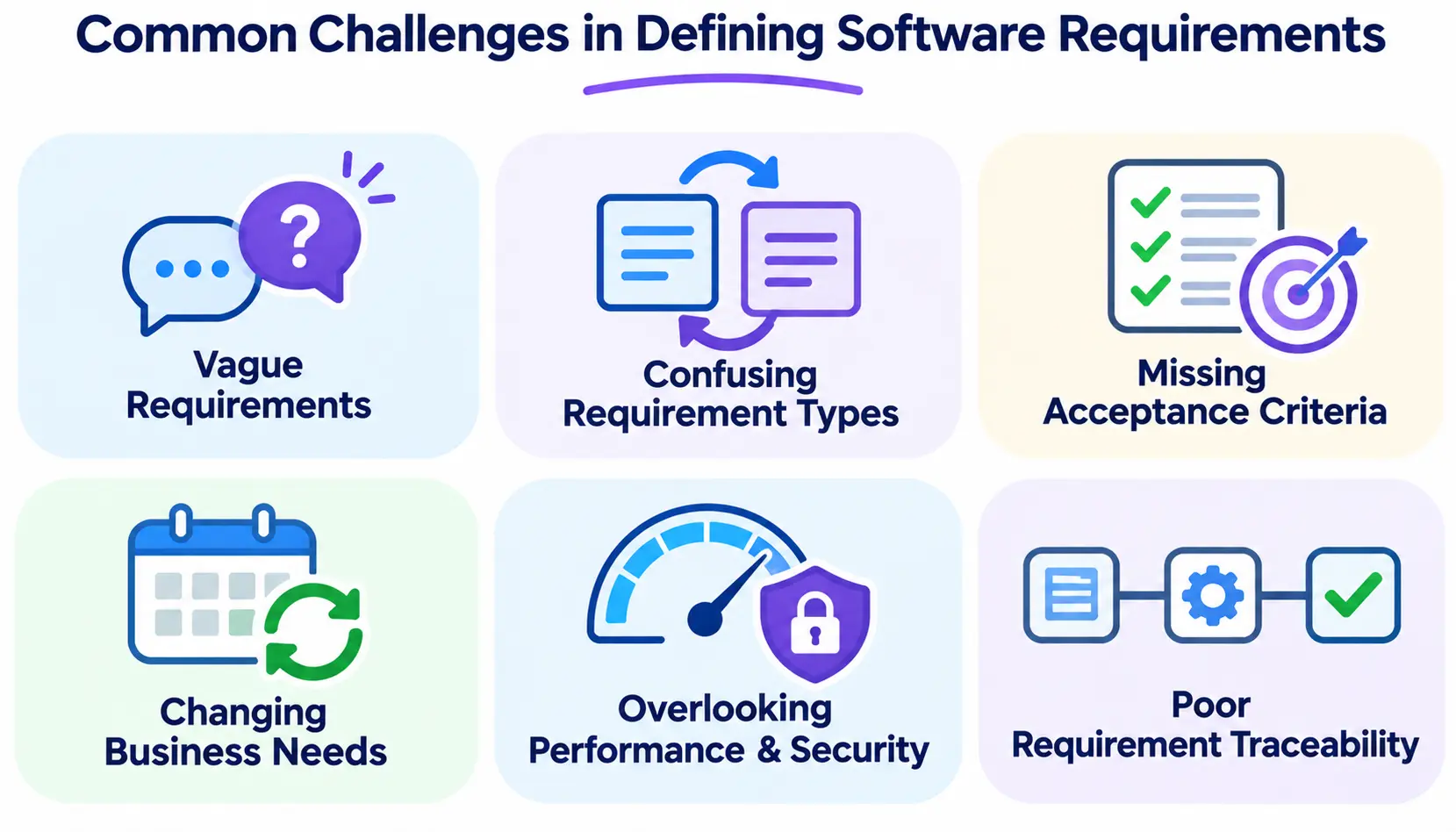
Common Challenges in Defining Software Requirements
Ambiguous or Vague Requirements
Words like “easy,” “fast,” and “modern” mean different things to different people. Replace them with observable behavior or numbers.
Confusing Functional and Non-Functional Requirements
Mixing the two in one sentence makes testing harder. Split them where possible, as shown in the login example earlier.
Missing Measurable Acceptance Criteria
Without criteria, “done” becomes an opinion. Every requirement should come with a way to check it.
Changing Business and User Needs
Requirements change as markets and users change. Plan for that with regular reviews rather than pretending the first version will last.
Overlooking Performance and Security
Teams often focus on visible features and leave quality for later. Fixing performance or security problems late is usually far more costly than planning for them early.
Poor Requirement Traceability
If you cannot link a requirement to its source, design, and tests, you cannot be sure it was met. Traceability also makes impact analysis easier when something changes.
Best Practices for Managing Functional and Non-Functional Requirements
These habits have worked well on the projects I have seen:
- Involve relevant stakeholders early.
- Use clear and consistent language.
- Keep requirements specific and testable.
- Prioritize requirements by business impact and risk.
- Link requirements to acceptance criteria and test cases.
- Review requirements when project scope changes.
- Maintain traceability throughout development.
None of these is complicated. The hard part is doing them consistently, especially when deadlines press.
Frequently Asked Questions About Functional vs Non-Functional Requirements
1. What is the main difference between functional and non-functional requirements?
Functional requirements describe what a system does, such as features and behaviors. Non-functional requirements describe how well it does it, such as speed, security, and reliability.
2. What are five examples of functional requirements?
Five common examples are user registration, adding items to a shopping cart, resetting a password, generating a sales report, and transferring money between bank accounts.
3. What are common examples of non-functional requirements?
Common examples include response time, availability, data encryption, support for a set number of concurrent users, accessibility, and compatibility with specific browsers or devices.
4. Is security a functional or non-functional requirement?
Security is usually treated as non-functional because it describes a quality of the system. However, specific security features, such as a login screen or role-based access, are functional requirements.
5. Is performance a functional or non-functional requirement?
Performance is a non-functional requirement. It describes how fast or efficiently the system works, not which features it offers.
6. Can one requirement be both functional and non-functional?
One statement can contain both, but it is clearer to split it into two. One part describes the behavior, and the other sets the quality target.
7. Where are functional and non-functional requirements documented?
They are commonly documented in a software requirements specification. Many teams also track them in backlogs, user stories, and requirements management tools.
8. How are functional and non-functional requirements tested?
Functional requirements are tested with unit, integration, system, and acceptance tests. Non-functional requirements are tested with performance, load, security, usability, and reliability tests.
9. Are non-functional requirements important in Agile?
Yes. Agile teams still need clear quality expectations. They usually manage them through backlog items, acceptance criteria, and a shared definition of done.
10. Who defines functional and non-functional requirements?
Business analysts, product owners, and stakeholders usually lead the work. Developers, testers, security specialists, and users contribute so the requirements are realistic and complete.
Conclusion
Understanding functional vs non-functional requirements comes down to two questions. What should the system do, and how well should it do it? Functional requirements answer the first. Non-functional requirements answer the second.
A product needs both to succeed. Features without quality feel unreliable, and quality without the right features solves nothing. Businesses planning a new application should consider custom software development to build solutions around their specific workflows, user needs, performance expectations, and long-term goals.
To put this into practice, write each requirement clearly, give it a measurable target or acceptance criteria, and link it to a test. Review the list with stakeholders early, and revisit it as the project changes. Do that consistently, and your team will spend less time arguing about what “done” means and more time delivering software people can rely on.