
Looking for a budget-friendly SEO tool doesn’t have to be overwhelming.
At first, it might seem as simple as typing a few ideas into Google but then you realize there’s a whole universe of keyword research tools: ones for SEO, PPC, long-tail keywords, questions, competitor analysis, and even social media insights. Some tools provide suggestions automatically, others dig into SERPs or track your rivals’ rankings.
Pricing can get confusing too. Some tools are free, some claim to be free but aren’t, and others are paid, sometimes way more than you actually need.
Keyword research is the backbone of any SEO strategy; it helps you understand what your audience is searching for and ensures your content matches their intent. By targeting the right keywords, you can drive highly relevant traffic to your website, uncover content opportunities, and stay ahead of competitors.
So how do you choose the right one? In this guide, we will explain how keyword research works, what metrics you should analyze, and explore some of the best affordable keyword research tools that can help improve your SEO strategy.
What is Keyword Research?

Keyword research is the process of identifying the words and phrases that users type into search engines when they are looking for information, products, or services. These keywords represent the topics that people are interested in and searching for online.
By understanding these search queries, website owners can create content that answers users’ questions and provides relevant information. When your content matches the keywords people search for, search engines are more likely to show your website in the results.
For example, if someone searches for “cheap keyword research tools,” they are likely looking for affordable SEO tools that help with keyword analysis. Creating a detailed article about that topic can help your website attract visitors who are interested in SEO tools.
Keyword research also helps businesses understand customer behavior, identify trending topics, and discover new content opportunities.
Why Keyword Research is Important for SEO
Keyword research plays a major role in the success of any SEO strategy. Without proper keyword research, you might create content that does not match what users are searching for.
Here are some key benefits of keyword research:
1. Helps Understand Your Audience: Keyword research reveals the topics your audience is interested in. This allows you to create content that directly addresses their needs.
2. Improves Search Engine Rankings: When you optimize content around the right keywords, search engines can better understand your page and rank it for relevant queries.
3. Drives Targeted Organic Traffic: Using the right keywords helps attract visitors who are specifically interested in your topic, product, or service.
4. Supports Content Planning: Keyword research helps you generate blog topics, article ideas, and content clusters that strengthen your overall SEO strategy.
5. Identifies Low-Competition Opportunities: Many keyword research tools help you discover long-tail keywords that are easier to rank for compared to highly competitive terms.
By performing keyword research before creating content, you can ensure that your website targets topics that have real search demand.
Important Keyword Metrics to Understand
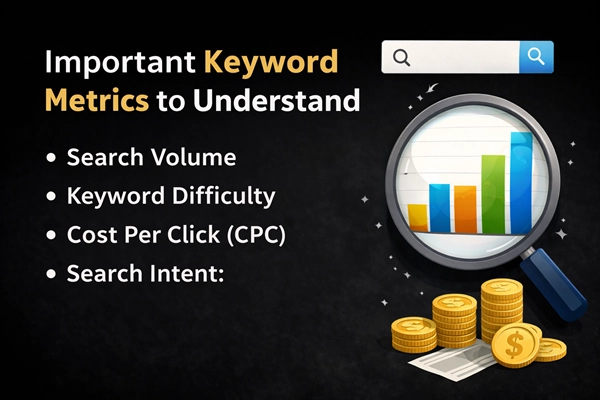
Before selecting keywords for your content, it is important to understand the key metrics that keyword research tools provide. These metrics help you evaluate whether a keyword is worth targeting.
1. Search Volume: Search volume represents the number of times a keyword is searched in a specific period, usually monthly. Keywords with higher search volume can bring more traffic, but they often have higher competition.
For beginners, targeting moderate search volume keywords can be a better strategy because they are easier to rank for.
2. Keyword Difficulty: Keyword difficulty indicates how challenging it is to rank for a specific keyword. This metric usually considers factors such as domain authority, backlinks, and the strength of competing pages.
If your website is new, it is better to focus on low or medium difficulty keywords rather than highly competitive ones.
3.Cost Per Click (CPC): Cost Per Click shows how much advertisers are willing to pay for a keyword in paid search campaigns. A high CPC often indicates that the keyword has strong commercial value.
For example, keywords related to software, marketing, or finance often have higher CPC because businesses are willing to pay more to attract potential customers.
4. Search Intent: Search intent refers to the reason behind a user’s search query. Understanding search intent is critical because search engines prioritize content that best satisfies the user’s needs.
There are four main types of search intent.
- Informational Intent: The user is searching for information or learning about a topic. Example: “what is keyword research”
- Navigational Intent: The user wants to find a specific website or brand. Example: “Ranktracker keyword tool”
- Commercial Intent: The user is researching products or services before making a purchase. Example: “best cheap keyword research tools”
- Transactional Intent: The user is ready to take an action, such as buying a product or signing up for a service. Example: “buy keyword research tool subscription”
Matching your content with the correct search intent is essential for ranking well in search results.
Best Cheap Keyword Research Tools
Many affordable SEO tools provide powerful keyword research features without the high cost of premium platforms. Below are some of the best cheap keyword research tools in 2026, along with their pricing, main features, and why they are useful for SEO.
Quick overview
| Tool | Pricing | Key Features | Pros | Cons |
| Ubersuggest | Free / $12–$99/mo | Keyword research, rank tracking, competitor analysis | Beginner-friendly, all-in-one, affordable | Smaller database, limited free plan |
| Ranktracker | $18–$209/mo | Keyword research, rank tracking, SERP & competitor analysis | Accurate keyword data, long-tail suggestions | Limited searches in lower plans, smaller database |
| KWFinder | $49–$129/mo | Long-tail keywords, keyword difficulty, SERP analysis | Easy-to-use, accurate difficulty, long-tail focus | Smaller DB, fewer advanced features |
| Mangools | $29.90–$89.90/mo | KWFinder, SERPChecker, SERPWatcher, LinkMiner, SiteProfiler | All-in-one suite, beginner-friendly, affordable | Limited data vs premium tools, some features best used together |
| Keysearch | $17–$48/mo | Keyword & competitor research, rank tracking, YouTube keywords | Affordable, simple, good for low-competition keywords | Smaller DB, limited daily searches, simpler reports |
| SE Ranking | $39–$191/mo | Keyword research, rank tracking, site audit, competitor & backlink analysis | All-in-one, accurate tracking, integrates with GA & GSC | Higher price, complex interface, some features in higher plans only |
| Keywords Everywhere | $10–$100 (credits) | Keyword metrics in search results, related keywords, trend data | Fast, works in browser, multiple platforms, bulk analysis | Not a full SEO suite, credit limits, no rank tracking |
1. Ubersuggest
Ubersuggest is a beginner-friendly SEO tool that helps users perform keyword research, analyze competitors, and improve overall website SEO performance. Developed by digital marketing expert Neil Patel, it is widely used by bloggers, freelancers, and small businesses because of its affordable pricing and simple interface.
The platform provides valuable SEO insights such as keyword ideas, search volume data, backlink information, and competitor analysis, making it an all-in-one tool that allows users to manage different aspects of their SEO strategy from a single dashboard.

Pricing
- Free plan with limited searches
- Individual plan: around $12–$29 per month
- Business plan: around $20–$49 per month
- Enterprise plan: around $40–$99 per month
Key Features
- Keyword Finder Tool: Helps you discover new keyword ideas along with important data like search volume and competition level.
- Rank Tracking for Multiple Search Engines: Allows you to track your website’s keyword rankings across search engines such as Google, Bing, and Yahoo.
- SERP Analysis and Keyword Difficulty Score: Shows the top-ranking pages for a keyword and provides a difficulty score to estimate how hard it is to rank.
- Competitor Keyword Research: Lets you analyze which keywords your competitors are ranking for and identify new content opportunities.
- Website SEO Performance Tracking: Monitors your website’s SEO progress, including keyword rankings and overall search visibility.
Pros
- Beginner-friendly and affordable: The interface is simple, intuitive, and easy to navigate, making it ideal for bloggers, freelancers, and small business owners who are new to SEO.
- All-in-one SEO tool: Offers keyword research, competitor analysis, rank tracking, and backlink insights in a single platform, so you don’t need multiple tools.
- Provides keyword suggestions and content ideas: Generates multiple keyword variations, long-tail keywords, and suggestions for blog topics to help improve SEO strategy.
Cons
- Smaller keyword database: Compared to premium SEO platforms like Ahrefs or Semrush, Ubersuggest may have fewer keyword suggestions and less backlink data.
- Limited free version: The free plan restricts daily searches and some advanced features, which may not be enough for frequent users.
- Less advanced backlink analysis: While backlinks are included, the data is not as detailed as what premium SEO platforms provide.
2. Ranktracker
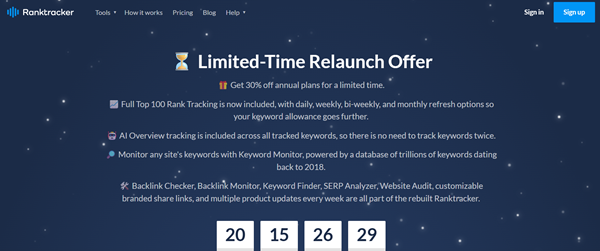
Ranktracker is an affordable and powerful SEO tool that helps users perform keyword research, track keyword rankings, and analyze competitors from a single dashboard. Designed for bloggers, marketers, and businesses, it simplifies SEO tasks by providing essential features such as keyword research, SERP analysis, rank tracking, and website performance monitoring.
With its clean interface and reliable keyword data, users can easily discover new keyword opportunities and monitor how their websites perform in search engine results, making it a popular choice for individuals and small teams looking for a cost-effective SEO solution.
Pricing
Ranktracker offers several affordable pricing plans depending on the features and limits required.
- Starter plan: around $18–$24 per month
- Double Data plan: around $59 per month
- Quad Data plan: around $109 per month
- Agency plan: around $209 per month
These plans vary based on the number of keyword searches, tracked keywords, and SEO reports available.
Key Features
- Keyword Finder Tool: Helps users discover new keyword ideas along with important data such as search volume, keyword difficulty, and traffic potential.
- Rank Tracking for Multiple Search Engines: Allows users to track keyword rankings across different search engines like Google, Bing, and Yahoo, helping monitor SEO progress over time.
- SERP Analysis and Keyword Difficulty Score: Provides detailed analysis of the search engine results page (SERP) and estimates how difficult it is to rank for a specific keyword.
- Competitor Keyword Research: Enables users to analyze competitors’ websites to see which keywords they rank for and discover new keyword opportunities.
- Website SEO Performance Tracking: Tracks overall website SEO performance, including keyword rankings, visibility trends, and traffic estimates.
Pros
- Affordable and easy-to-use: Offers competitive pricing with an intuitive dashboard that helps beginners and small teams manage SEO tasks efficiently.
- Accurate keyword difficulty and ranking data: Provides reliable keyword difficulty scores to help identify opportunities with lower competition.
- Long-tail keyword suggestions: Helps discover specific long-tail keywords that can attract targeted traffic and are easier to rank for.
Cons
- Limited keyword searches in lower plans: Lower-tier subscriptions restrict the number of keyword lookups, which may limit research for larger projects.
- Smaller database than premium tools: While sufficient for beginners, the tool’s keyword and competitor data may not cover every niche extensively.
- Backlink data is basic: Advanced backlink insights are limited compared to top-tier SEO platforms.
3. KWFinder
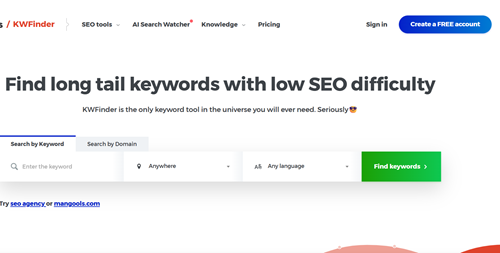
KWFinder is a powerful keyword research tool that helps users discover long-tail keywords with low competition. It is part of the Mangools toolkit and is known for its simple interface and accurate keyword difficulty metrics, making it popular among bloggers, affiliate marketers, and SEO beginners.
The tool analyzes search volume, keyword difficulty, and SERP results to help users find keyword opportunities that can drive organic traffic, while also providing insights into competitor rankings to support effective SEO content strategies.
Pricing
KWFinder offers several pricing plans depending on the number of keyword searches and additional SEO features needed.
- Basic Plan: about $49 per month – suitable for beginners and small websites
- Premium Plan: about $69 per month – provides higher search limits and additional features
- Agency Plan: about $129 per month – designed for agencies and professionals managing multiple projects
These plans are part of the Mangools SEO suite, which also includes other tools like SERPChecker, SERPWatcher, LinkMiner, and SiteProfiler.
Key Features
- Accurate Keyword Difficulty Score: KWFinder provides a reliable keyword difficulty score that helps users understand how hard it is to rank for a specific keyword. This allows marketers to target keywords that match their website’s authority level.
- Long-Tail Keyword Suggestions:The tool generates hundreds of long-tail keyword ideas based on a seed keyword. These longer phrases often have lower competition and can help websites rank faster in search results.
- Search Volume Trends:KWFinder shows monthly search volume data along with historical search trends. This helps users identify keywords that are gaining popularity or maintaining steady search demand.
- SERP Analysis: The SERP analysis feature displays the top-ranking pages for a keyword along with their domain authority, backlinks, and estimated traffic. This helps users evaluate the competition before targeting a keyword.
- Competitor Keyword Insights: KWFinder allows users to analyze competitor websites to see which keywords they rank for. This feature helps identify keyword opportunities and create better SEO content strategies.
Pros
- Easy-to-use interface: Simple, clean dashboard makes it straightforward for beginners to perform keyword research without technical expertise.
- Accurate keyword difficulty and long-tail suggestions: Offers precise difficulty scores and hundreds of keyword ideas to target low-competition search terms.
- Integrated with Mangools SEO suite: Access additional tools like SERPChecker, SERPWatcher, and LinkMiner for a comprehensive SEO workflow.
Cons
- Smaller keyword database: Does not match the size and depth of premium tools like Ahrefs or Semrush, limiting some research scope.
- Limited searches in lower plans: Basic subscription plans allow fewer keyword searches per day, restricting heavy users.
- Full features require Mangools subscription: Some advanced analytics are only available when using the complete suite.
4. Mangools
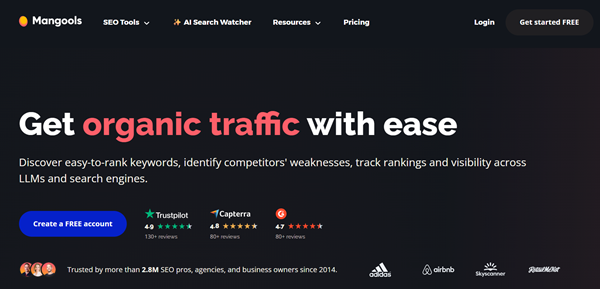
Mangools is an all-in-one SEO toolkit that provides several tools for keyword research, SERP analysis, rank tracking, and backlink analysis. Designed for bloggers, marketers, and businesses, it is known for its clean interface and beginner-friendly dashboard that simplifies various SEO tasks.
The platform includes five main tools: KWFinder for keyword research, SERPChecker for analyzing search engine results pages, SERPWatcher for tracking keyword rankings, LinkMiner for backlink research, and SiteProfiler for overall website SEO insights, making it a cost-effective alternative to many expensive SEO platforms.
Pricing
Mangools offers three main pricing plans depending on usage limits and the number of keyword searches required.
- Basic Plan: about $29.90 per month (annual billing)
- Premium Plan: about $44 per month
- Agency Plan: about $89.90 per month
All plans include access to the complete Mangools suite of SEO tools, but the limits for keyword searches, tracked keywords, and reports increase in higher plans. Mangools also offers a free trial period, allowing users to test the tools before purchasing a subscription.
Key Features
- KWFinder – Keyword Research Tool: Helps users discover keyword ideas, search volume, keyword difficulty, and long-tail keywords that are easier to rank for.
- SERPChecker – SERP Analysis Tool: Allows users to analyze search engine results pages (SERPs) and evaluate competition using important SEO metrics such as domain authority, backlinks, and ranking strength.
- SERPWatcher – Rank Tracking Tool: Tracks keyword rankings over time and monitors how a website performs in search results.
- LinkMiner – Backlink Analysis Tool: Helps users find backlink opportunities and analyze competitor backlink profiles to improve link-building strategies.
- SiteProfiler – Website SEO Analysis: Provides an overview of a website’s SEO performance, including domain authority, backlink data, and top ranking keywords.
Pros
- All-in-one SEO toolkit: Includes KWFinder, SERPChecker, SERPWatcher, LinkMiner, and SiteProfiler, covering keyword research, SERP analysis, rank tracking, and backlink research.
- Beginner-friendly interface: The dashboard is intuitive, visually clean, and easy to navigate even for users with little SEO experience.
- Accurate keyword difficulty and long-tail research: Helps users focus on realistic ranking opportunities while discovering valuable long-tail keywords.
Cons
- Limited data compared to premium tools: The keyword and backlink databases are smaller than those offered by enterprise-level SEO platforms.
- Some tools work best together within the suite: Individual tools are useful, but maximum benefits come from using the full ecosystem.
- Not ideal for large agencies: Advanced analytics and enterprise-level features are limited for teams managing many clients or large websites.
5. Keysearch
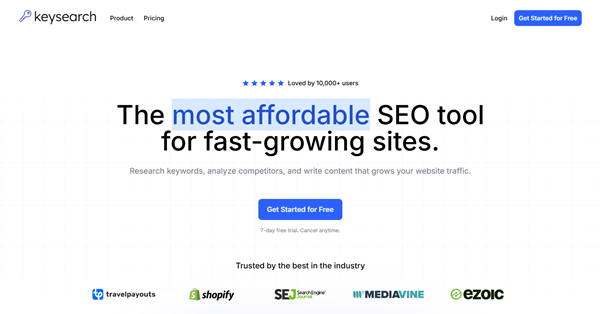
Keysearch is an affordable SEO and keyword research tool designed to help bloggers, marketers, and small businesses find profitable keywords and improve their search engine rankings. Known for its simple interface and effective keyword analysis features, it allows users to perform tasks such as keyword research, competitor analysis, backlink analysis, and rank tracking from one platform.
The tool focuses on identifying low-competition and long-tail keywords that are easier to rank for, making it a popular budget-friendly alternative to more expensive SEO tools.
Pricing
Keysearch offers simple pricing plans that make it accessible for individuals and small businesses.
- Free Trial: Limited trial to test the tool with a small number of searches.
- Starter Plan: about $17–$24 per month with around 200 keyword searches per day and basic SEO features.
- Pro Plan: about $34–$48 per month with 500 keyword searches per day, more rank tracking, and additional features.
The main difference between the Starter and Pro plans is the number of daily keyword searches, tracked keywords, and additional usage limits.
Key Features
- Keyword Research Tool: Helps users discover keyword ideas, search volume, keyword difficulty, and related long-tail keywords for SEO content planning.
- Competitor Analysis: Allows users to analyze competitor websites and identify keywords they rank for, helping discover new keyword opportunities.
- SERP Analysis: Shows the top pages ranking for a keyword along with SEO metrics such as domain authority, backlinks, and competition level.
- Rank Tracking: Tracks keyword rankings over time so users can monitor improvements in search engine results.
- Backlink Analysis: Provides information about backlinks pointing to websites, helping users build stronger link-building strategies.
- YouTube Keyword Research: Helps content creators find keywords for YouTube videos and improve video SEO performance.
- SEO Site Audit: Scans websites to identify SEO issues such as broken links, missing meta tags, and other optimization problems.
Pros
- Affordable and beginner-friendly: Simple pricing and easy navigation make it accessible for bloggers and small businesses on a budget.
- Finds low-competition and long-tail keywords: Helps discover targeted keywords that are easier to rank for, improving chances of organic traffic growth.
- Includes multiple SEO features: Offers competitor analysis, rank tracking, backlink analysis, and a site audit tool for a comprehensive SEO workflow.
Cons
- Smaller keyword and backlink database: The tool has fewer entries than premium platforms, which can limit keyword discovery for competitive niches.
- Limited daily searches depending on plan: Lower-tier plans restrict the number of searches and tracked keywords.
- Simpler interface and reports: Not as detailed or feature-rich as enterprise-level SEO platforms.
6. SE Ranking
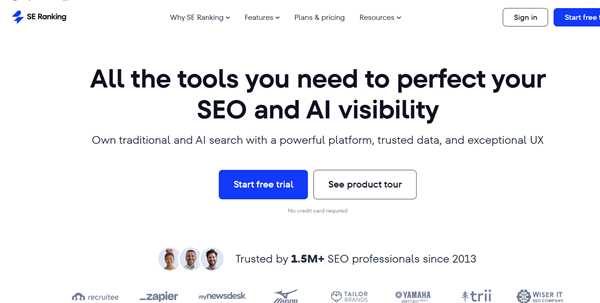
SE Ranking is a comprehensive SEO platform that helps users manage keyword research, rank tracking, competitor analysis, and website optimization from a single dashboard. Designed for bloggers, freelancers, small businesses, and SEO agencies, it provides detailed keyword insights, website audits, backlink monitoring, and SERP analysis to improve search engine rankings.
As an all-in-one SEO toolkit, it allows users to research keywords, track rankings daily, analyze competitors, and monitor backlinks, while also integrating with tools like Google Analytics and Google Search Console to track website performance and SEO progress.
Pricing
SE Ranking offers several pricing plans depending on the number of tracked keywords and features required.
- Essential Plan: around $39 per month – suitable for beginners and small websites.
- Pro Plan: around $87–$109 per month – designed for growing businesses and marketing teams.
- Business Plan: around $191 per month – built for large businesses and SEO agencies managing multiple projects.
SE Ranking also offers a 14-day free trial, allowing users to test the platform before purchasing a subscription.
Key Features
- Keyword Research Tool: Helps users discover keyword ideas, search volume, competition level, and keyword difficulty so they can choose the best keywords for SEO content.
- Rank Tracking: Tracks keyword rankings daily across search engines and helps users monitor changes in search visibility over time
- .Competitor Analysis: Allows users to analyze competitor websites and identify which keywords they rank for and how their SEO strategies work.
- Website SEO Audit: Scans websites to identify technical SEO issues such as broken links, slow pages, missing meta tags, and other optimization problems
- Backlink Monitoring: Tracks backlinks pointing to a website and helps users analyze link-building opportunities.
- SERP Analysis: Shows detailed information about the top pages ranking for a keyword so users can understand the competition before targeting it.
Pros
- Comprehensive all-in-one SEO platform: Combines keyword research, rank tracking, competitor analysis, website audits, and backlink monitoring in one platform.
- Accurate daily rank tracking: Monitors keyword positions across multiple search engines and locations, providing detailed performance insights.
- Integration with Google Analytics & Search Console: Enables data-driven SEO decisions by combining site metrics with keyword tracking.
Cons
- Higher price than basic tools: May not be suitable for beginners or small businesses with limited budgets.
- Complex interface for new users: The variety of features and reports can be overwhelming for someone just starting SEO.
- Some advanced features in higher plans: Full functionality is available only with mid-tier or business subscriptions.
7. Keywords Everywhere
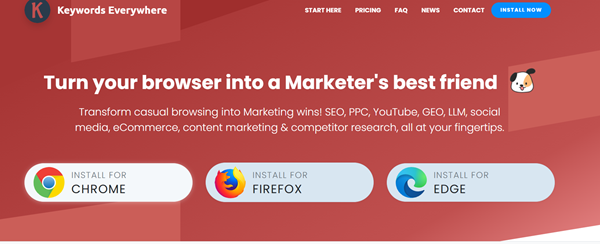
Keywords Everywhere is an affordable keyword research tool that works as a browser extension for Chrome, Firefox, and Edge, allowing users to see keyword data directly in search engine results pages.
Instead of using a separate dashboard, it displays important keyword metrics such as search volume, cost-per-click (CPC), competition level, and keyword suggestions while browsing platforms like Google Search, YouTube, Amazon, and Bing. Because of its low cost and convenient functionality, it is widely used by bloggers, digital marketers, and SEO beginners to quickly identify valuable keywords and discover new content opportunities during everyday web searches.
Pricing
Keywords Everywhere uses a credit-based pricing model, meaning users pay for keyword data based on how many keywords they analyze.
- $10 – 100,000 credits (best for beginners or small projects)
- $50 – 500,000 credits
- $100 – 1,000,000 credits
Each credit usually represents one keyword lookup, and credits can be used for features such as keyword suggestions, related keywords, and SERP analysis. Credits typically remain valid for about one year after purchase.
Key Features
- Keyword Metrics in Search Results: Displays important keyword data such as search volume, CPC, and competition level directly in search results when you search on Google or other platforms.
- Related Keywords and Long-Tail Suggestions: Provides keyword suggestions, “People Also Search For” queries, and long-tail keyword ideas that help expand your keyword list.
- Trend and Search Volume Data: Shows keyword search trends and historical data so users can identify seasonal keywords or growing search topics.
- Bulk Keyword Analysis: Allows users to upload large keyword lists and download keyword data in CSV or Excel format for deeper analysis.
- On-Page SEO Analysis: Analyzes webpage content and shows keyword density, helping users optimize their content for better SEO performance.
- Competitor Keyword Gap Analysis: Helps users discover keywords their competitors rank for but they do not, making it easier to find new content opportunities.
Pros
- Affordable credit-based pricing: Pay only for the keywords you need, making it budget-friendly for small projects or beginners.
- Shows keyword metrics directly in search results: Search volume, CPC, and competition are visible without leaving the browser.
- Provides related and long-tail keyword suggestions: Helps expand keyword lists and discover content ideas quickly.
Cons
- Not a full SEO suite: Primarily focuses on keyword research, without rank tracking, site audits, or backlink analysis.
- Requires credits for each keyword lookup: Heavy usage may become expensive depending on the project size.
- Data accuracy depends on sources: Keyword metrics may slightly differ from other SEO tools, so use as estimates.
Example of Keyword Research
Keyword research helps you discover the terms people search for online so you can create content that matches their needs. Let’s look at a simple example to understand how the process works.
1. Seed Keyword: A seed keyword is the basic word or phrase related to your topic that you enter into a keyword research tool.
This keyword represents the main topic you want to explore. When you enter this seed keyword into tools like Ubersuggest, KWFinder, or Keysearch, the tool generates multiple related keyword suggestions.
2. Keyword Suggestions: After entering the seed keyword, the tool may provide suggestions such as:
- cheap keyword research tools
- free keyword research tools
- keyword research tools for beginners
- best SEO keyword tools
These suggestions are based on real search queries used by people in search engines.
3. Analyzing Keyword Metrics: Once you have a list of keywords, the next step is to analyze important metrics such as:
- Search volume: How many people search for the keyword each month.
- Keyword difficulty: How competitive the keyword is in search results.
- Search intent: Whether users want information, tools, or services.
For example, the keyword “cheap keyword research tools” might have moderate search volume and lower competition compared to a broader keyword like “SEO tools.”
4. Choosing the Best Keyword: After analyzing the data, you can select the keyword that offers the best balance between search demand and ranking difficulty. In this case, “cheap keyword research tools” may be a good choice because it targets users looking for affordable SEO tools and may be easier to rank for.
5. Using Keywords in Content: Once the main keyword is selected, you can create a blog post around it. The primary keyword should appear in the title, headings, and content, while related keywords can be used as subheadings or supporting topics.
For example:
- Main keyword: cheap keyword research tools
- Supporting keywords:
- free keyword research tools
- keyword research tools for beginners
- best SEO keyword tools
This approach helps search engines understand your content and improves the chances of ranking for multiple related keywords
How to Use a Cheap Keyword Research Tool for SEO
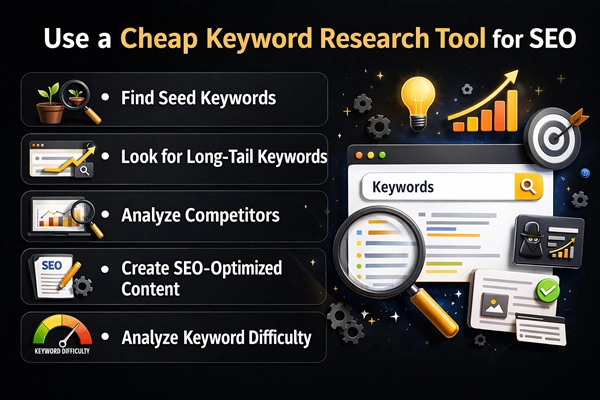
Step 1: Find Seed Keywords: Start by identifying basic keywords related to your niche or topic. These are known as seed keywords. Enter them into a keyword research tool to generate related keyword ideas.
Step 2: Analyze Keyword Difficulty: Check the keyword difficulty score to determine how competitive a keyword is. Beginners should focus on keywords that have lower competition but still have reasonable search volume.
Step 3: Look for Long-Tail Keywords: Long-tail keywords are longer phrases that are more specific. These keywords often have lower competition and higher conversion rates.
For example:
- cheap keyword research tools for bloggers
- best keyword research tools for beginners
Step 4: Analyze Competitors: Many keyword research tools allow you to analyze competitors by entering their website URL. This helps you identify the keywords they rank for and discover new content opportunities.Step 5: Create SEO-Optimized Content: Once you choose your keywords, create content that answers the user’s search query. Include the main keyword in your title, headings, and naturally throughout the content.
Cheap Keyword Research Tools vs Expensive SEO Tools
| Feature | Cheap Tools | Premium Tools |
| Price | Low cost or free, often $0–$30/month | Expensive, usually $100+ per month |
| Keyword Data | Basic keyword suggestions and search volume | Advanced keyword database with detailed metrics |
| Backlink Data | Limited backlink analysis | Large backlink databases with deep analysis |
| Competitor Analysis | Basic competitor insights | Detailed competitor research and domain analysis |
| SEO Features | Focus mainly on keyword research | All-in-one SEO tools including audits, rank tracking, and content analysis |
Cheap tools are ideal for beginners, while premium tools provide deeper insights for professional SEO campaigns.
Common Mistakes When Using Cheap Keyword Research Tools
Cheap keyword research tools can be very helpful for SEO, but using them incorrectly can lead to poor results. Below are some common mistakes people make and how to avoid them.
1. Ignoring Search Intent
- Focusing only on search volume and ignoring what users actually want.
- Choosing keywords that do not match the purpose of the content.
- Not understanding whether the search is informational, transactional, or navigational.
- Creating content that does not answer the user’s question or need.
2. Targeting High Difficulty Keywords
- Selecting keywords with very high competition.
- Trying to compete with large websites that have strong authority and backlinks.
- Ignoring low-competition keyword opportunities.
- Not balancing search volume with keyword difficulty.
3. Not Analyzing Competitors
- Skipping competitor keyword research.
- Missing important keywords that competitors are ranking for.
- Not studying top-ranking pages for content ideas.
- Failing to identify content gaps and SEO opportunities.
4. Overusing the Same Keywords
- Repeating the same keyword too many times in the content.
- Using keyword stuffing, which can harm SEO rankings.
- Not using related keywords or keyword variations.
- Writing content that sounds unnatural or repetitive to readers
FAQs About Cheap Keyword Research Tools
- What is the cheapest keyword research tool?
Some of the cheapest keyword research tools include Ubersuggest, Keysearch, and Keywords Everywhere. These tools offer affordable pricing plans and basic keyword research features that are suitable for beginners, bloggers, and small businesses. - Are cheap keyword research tools accurate?
Cheap keyword research tools usually provide reasonably accurate keyword data such as search volume and keyword difficulty. However, their databases may be smaller compared to premium tools like Ahrefs or Semrush, so the data should be used as an estimate rather than exact numbers. - Can beginners use cheap keyword research tools?
Yes, most cheap keyword research tools are designed with simple interfaces and easy-to-understand dashboards. Tools like KWFinder and Ubersuggest are especially beginner-friendly and help users learn keyword research without complex SEO knowledge. - Is a free keyword research tool enough for SEO?
Free keyword research tools can be enough for basic SEO tasks such as finding keyword ideas and understanding search demand. However, advanced SEO strategies often require more detailed insights like competitor analysis, backlink data, and rank tracking. - What features should a keyword research tool include?
A good keyword research tool should include features such as keyword suggestions, search volume data, keyword difficulty score, SERP analysis, competitor research, and long-tail keyword discovery. These features help users identify profitable keywords and create effective SEO strategies. - Do cheap keyword research tools provide long-tail keywords?
Yes, many affordable keyword tools provide long-tail keyword suggestions. Tools like KWFinder and Keysearch are particularly useful for finding long-tail keywords with lower competition. - Are cheap SEO tools suitable for bloggers?
Yes, cheap SEO tools are ideal for bloggers because they offer essential keyword research and SEO analysis features at a low cost. Bloggers can use these tools to find blog topics, optimize content, and improve search engine rankings. - Can these tools help analyze competitors?
Many cheap keyword research tools include competitor analysis features. These tools allow users to see which keywords their competitors rank for and identify new opportunities for creating better SEO content. - How often should keyword research be done?
Keyword research should be done regularly because search trends and competition change over time. Updating keyword strategies every few months can help keep your content relevant and competitive in search results. - Can keyword research tools improve website traffic?
Yes, keyword research tools help identify the keywords people are searching for online. By targeting these keywords in your content, you can improve search engine visibility and attract more organic traffic to your website.
Conclusion
Cheap keyword research tools make SEO accessible to beginners, bloggers, and small businesses who cannot afford expensive SEO platforms. These tools provide valuable insights that help you discover keyword opportunities, analyze competition, and create optimized content that attracts organic traffic.
Although premium SEO tools offer larger keyword databases and advanced analytics, affordable keyword research tools can still deliver excellent results when used strategically. By focusing on relevant keywords, understanding search intent, and creating valuable content, you can build a strong SEO strategy even with a limited budget.