

A bank statement lands in your onboarding queue. The fonts look right. The balance adds up. Then you open the file properties and see it was created in a consumer PDF editor an hour ago.
That is the reality of document verification today. Fake, altered and AI-generated PDFs are easier to make than ever, and a quick visual check no longer catches them. PDF document fraud detection tools fix this by looking beneath the surface: at metadata, fonts, file structure, pixels and data consistency.
In this guide, I compare ten tools using the same criteria: detection depth, AI-generated document detection, supported documents, API and workflow fit, pricing transparency, and ease of testing. You will also learn how detection works, how to check a PDF manually, and how to choose the right tool.
10 Best PDF Document Fraud Detection Tools
I ordered these by fit for the main use case, not by a single score. The best choice depends on your document mix, volume and risk level.
1. Extend Verify – Best for AI-Powered PDF Fraud Detection
Extend Verify is built around the idea that a PDF should be checked as a file, not just read as a page. It looks for signs that a document was edited, generated or assembled in a way that does not match its claimed source.
Key capabilities
- AI-generated document detection: Flags documents that show patterns typical of generated content.
- Metadata and structural analysis: Reviews creation tools, edit history and internal PDF objects.
- API integrations: Fits into automated intake flows, so documents are scored as they arrive.
Pricing and deployment: Confirm current plans with the vendor. Cloud and API delivery is the most common model for tools in this category.
Pros
- Strong focus on AI-era fraud
- Combines file-level and content-level checks
- Developer-friendly integration
Cons
- Less suited to teams wanting a purely manual, drag-and-drop workflow
- Pricing details may require contacting sales
Who should use it: Teams that process many PDFs automatically and worry about AI-generated submissions.
2. Sphinx – Best for Financial Document Forensics
Sphinx concentrates on financial documents, where small edits can hide big risk. It checks whether a statement’s production method and metadata match what the issuing institution would normally produce.
Key capabilities
- Authenticity checks: Tests whether the file behaves like a genuine original.
- Metadata and production-method analysis: Compares software traces with expected patterns.
- Evidence reporting: Gives reviewers indicators they can act on and document.
- KYC and KYB fit: Slots into onboarding and business verification workflows.
Pricing and deployment: Typically quote-based. Confirm current terms.
Pros
- Clear forensic focus
- Useful evidence for compliance teams
- Works well inside KYC and KYB steps
Cons
- Narrower scope outside financial documents
- Likely overkill for occasional checks
Who should use it: Fintechs, lenders and compliance teams verifying financial records at scale.
3. Doxis AI.dp – Best for Enterprise Document Fraud Detection
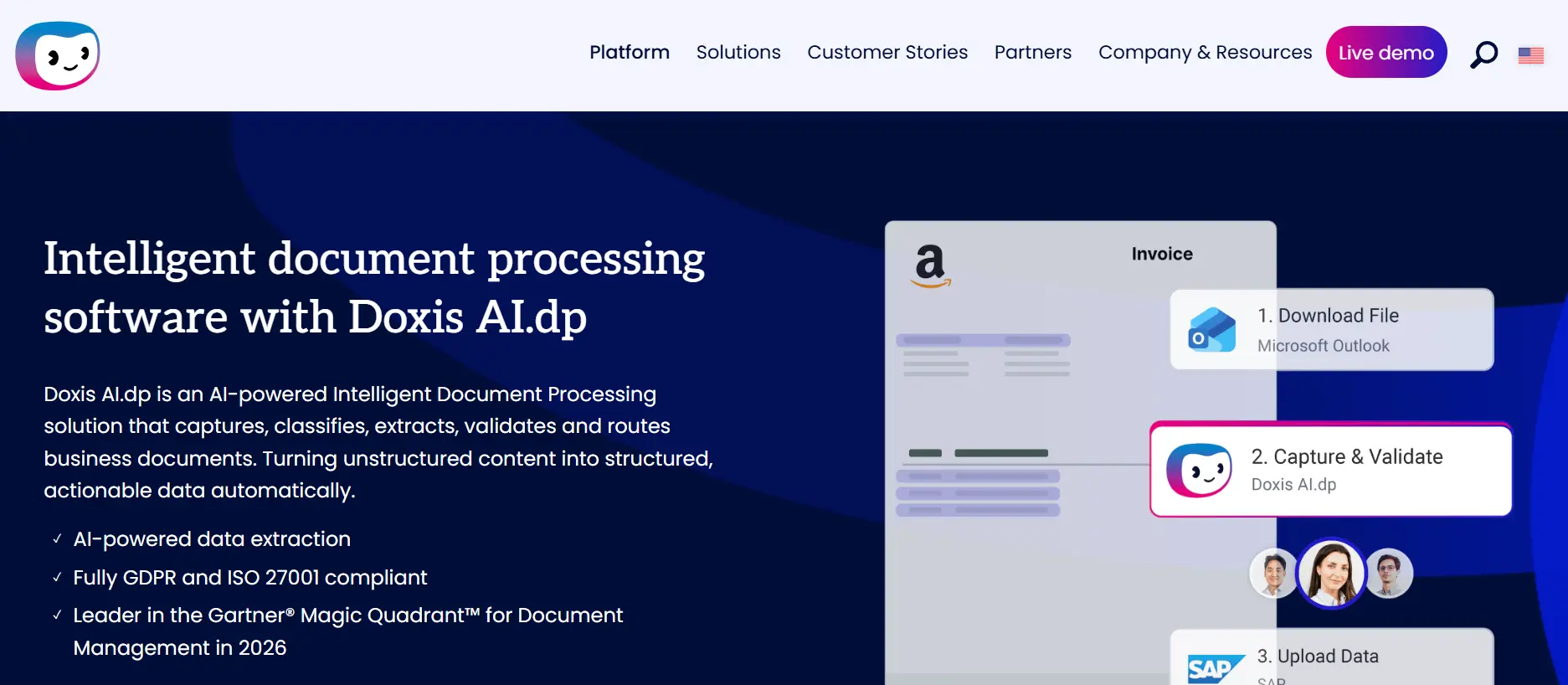
Doxis AI.dp is part of a broader enterprise document-processing platform. Fraud checks sit alongside OCR and automation, which helps if you already need that wider stack.
Key capabilities
- AI-powered verification of incoming documents.
- Metadata and EXIF analysis to spot inconsistent origins.
- PDF modification and font checks to catch edited text.
- Duplicate document detection across submissions.
- AI-generated content detection and OCR for automated processing.
Pricing and deployment: Enterprise-oriented. Expect a sales-led process and integration work.
Pros
- Fraud detection plus document automation in one platform
- Suits large, complex organisations
Cons
- Heavier to implement than a point solution
- Not ideal for small teams
Who should use it: Enterprises that want fraud checks built into end-to-end document processing.
4. Paperwork – Best for Financial Document Verification
Paperwork targets the documents lenders and landlords see most: bank statements, payslips and invoices. It looks at the data and at the file’s revision history.
Key capabilities
- Bank statement fraud detection and payslip and invoice verification.
- Metadata and revision analysis to reveal edits.
- AI-powered financial document analysis.
- API and on-premises deployment options, useful when data cannot leave your environment.
Pricing and integrations: Confirm current pricing and the list of supported integrations with the vendor.
Pros
- Strong fit for common financial documents
- On-premises option helps with strict data rules
Cons
- Less relevant for non-financial document types
Who should use it: Lenders, property managers and fintechs with sensitive data requirements.
5. VerifyPDF – Best for Quick Online PDF Fraud Checks
VerifyPDF is the easiest starting point if you just want an answer on a single file. You upload a PDF and get indicators about tampering, metadata and fonts.
Key capabilities
- PDF tampering detection and font analysis.
- AI-generated document detection.
- Bank statement and payslip verification.
- Free PDF checking for limited use, plus paid plans and an API for volume.
Pros
- Fast to try, low commitment
- Good for small teams and one-off reviews
Cons
- Free tiers have limits
- Uploading sensitive files to any online tool needs a privacy review
Who should use it: Small businesses, landlords and analysts who need quick checks.
6. KlearStack – Best for Banking Document Fraud Detection
KlearStack comes from the intelligent document processing world. Its strength is validating the contents of banking documents, not just the file.
Key capabilities
- Banking document verification and cheque fraud detection.
- Signature and amount validation.
- Duplicate document detection and cross-field verification, such as matching a written amount to a numeric one.
- API integrations for automated pipelines.
Pros
- Good for cheque and form-heavy workflows
- Content-level validation catches errors forensics may miss
Cons
- Less focused on PDF file forensics than some rivals
Who should use it: Banks and processors handling cheques and structured banking forms.
7. PDFChecker – Best for Simple Online PDF Checking
PDFChecker is a lightweight, web-based option. It suits people who want a quick signal without setting up an integration.
Key capabilities
- Basic PDF fraud checks and tampering detection.
- Simple interface with little training needed.
- Supports common PDF files and some other file types. Confirm the current list.
Pricing and availability: Confirm current plans on the vendor site.
Pros
- Easy to use
- Good for occasional checks
Cons
- Less depth than enterprise platforms
- Limited workflow and reporting features
Who should use it: Individuals and small teams with low volumes.
8. Resistant AI – Best for Enterprise-Scale Document Forensics
Resistant AI serves large financial institutions that see high volumes and organised fraud. It scores documents and looks for patterns across submissions, not just single files.
Key capabilities
- Document authenticity analysis and AI-generated document detection.
- Fraud pattern identification across many files.
- Document risk scoring that routes cases for review.
- API integrations for automated decisions.
Pricing and deployment: Custom pricing, sales-led.
Pros
- Built for scale
- Pattern detection helps against repeat fraud rings
Cons
- Not aimed at casual users
- Longer evaluation cycle
9. Inscribe – Best for Lending and Financial Document Review
Inscribe focuses on underwriting and onboarding teams. It automates document review and surfaces fraud risk so analysts can focus on edge cases.
Key capabilities
- Bank statement and payslip verification.
- AI-powered fraud analysis and cross-document verification.
- Fraud risk assessment inside lending workflows.
Pricing and deployment: Custom pricing. Confirm integration options.
Pros
- Designed around lending operations
- Cross-document checks catch inconsistencies between files
Cons
- Narrower use outside finance
10. Fortiro – Best for Configurable Financial Document Fraud Checks
Fortiro lets you shape the rules. If your risk team wants control over what gets flagged, this flexibility is useful.
Key capabilities
- Configurable fraud detection rules.
- PDF and image analysis and bank statement verification.
- Visual fraud indicators that show reviewers what looks wrong.
- Third-party data validation.
Pricing and deployment: Confirm current terms with the vendor.
Pros
- Adjustable rules reduce noise
- Visual flags speed up review
Cons
- Configuration takes time to tune
Editorial note: Tools 8–10 extend beyond the original seven competitors. Confirm current product availability, features and pricing for every tool before publication.
What Is PDF Document Fraud Detection?
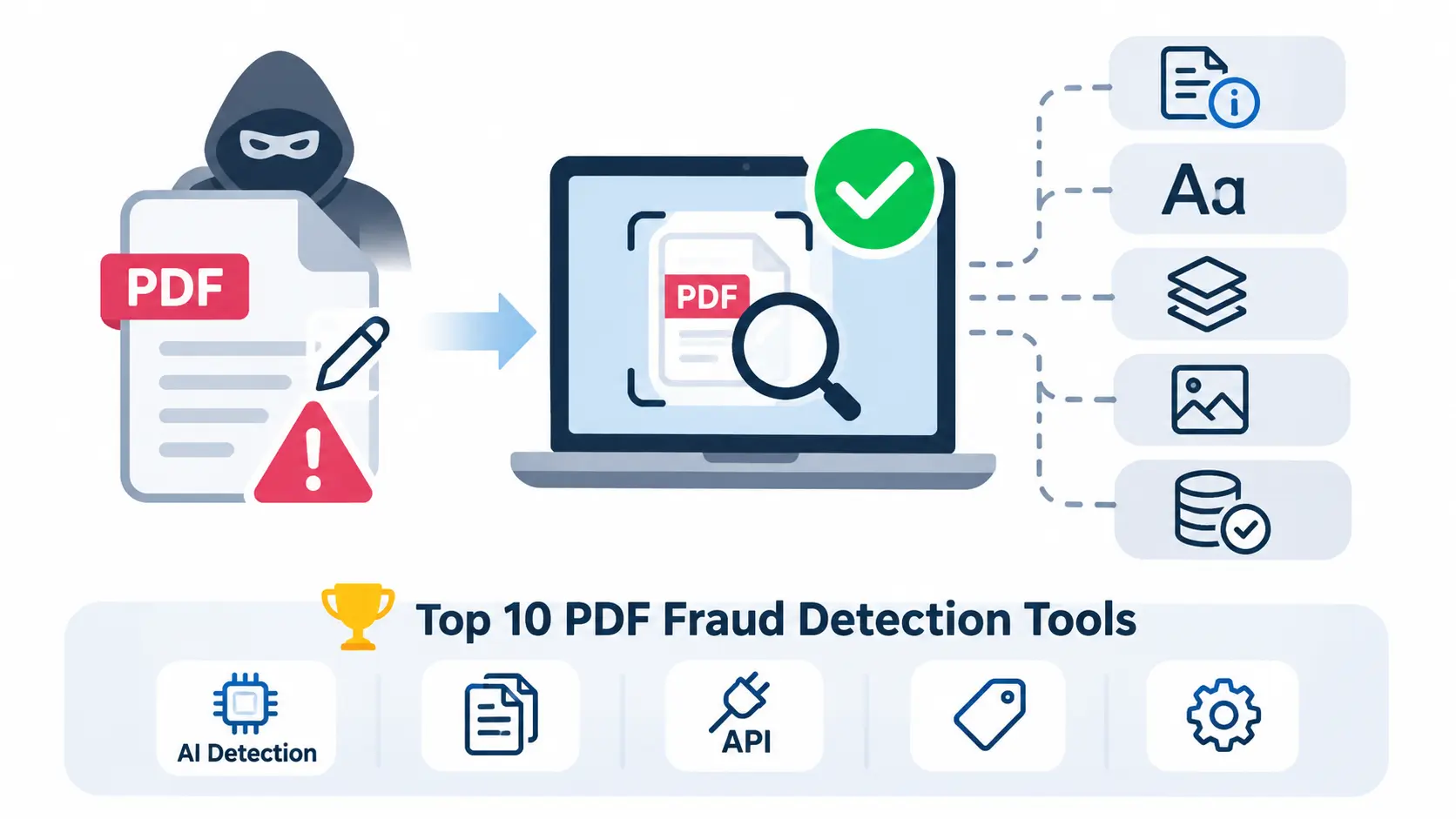
PDF document fraud detection is the process of checking whether a PDF is genuine, unaltered and consistent with its claimed source. It combines file forensics, content checks and sometimes AI models.
The PDF format was designed to preserve layout, not to prove authenticity. That is why a document can look perfect and still be fake.
How PDF Document Fraud Detection Works
Most tools follow the same basic flow. They read the file, run forensic checks, compare the results with expected patterns, and return a risk score or a list of flags. AI-powered workflows can help businesses automate document intake, verification and risk assessment through AI-powered workflows.
A reviewer then decides what to do. The tool narrows the field. It rarely makes the final call alone.
Common Types of PDF Document Fraud
- PDF text manipulation: Changing names, dates or amounts in an existing file.
- Fake bank statements: Built from scratch to show higher income or balances.
- Altered invoices: Edited bank details or totals to redirect payments.
- Forged payslips: Created with online templates.
- AI-generated documents: Produced by generative tools with no real source.
- Digital signature manipulation: Copied or invalid signatures.
- Duplicate submissions: The same document reused across applications.
Why Traditional PDF Verification Is Not Enough
Manual review relies on human eyes. Good fakes pass that test.
Reviewers also face volume. Checking hundreds of files a day leaves little time to open metadata or compare fonts. Automation checks what people cannot see, and it does so consistently.
How Do PDF Fraud Detection Tools Identify Fake Documents?
No single check proves fraud. Tools layer several signals. Here is what each one means in plain English.
PDF Metadata Analysis
Metadata is hidden information inside the file, such as the creation date, modification date and software used. A bank statement “created” in a free editor is a red flag.
Font and Text Layer Analysis
Genuine statements usually use consistent fonts. Edited text often introduces a different font or spacing. Tools compare the text layer with the visible layout to find these mismatches.
PDF Object and Structural Analysis
A PDF is built from objects. Incremental updates, extra revisions or odd object order can show that the file was changed after it was first produced.
Image and Pixel-Level Forensics
When the file is a scan or contains images, tools check for cloned areas, inconsistent noise and compression differences. Pasted numbers often leave subtle traces.
OCR and Content Verification
OCR reads the visible text so the tool can compare it with the hidden text layer. If the two disagree, something was likely changed.
AI-Generated Document Detection
Some models are trained to spot patterns typical of generated documents, such as unnatural layouts or inconsistent details. This area changes quickly, so ask vendors how often models are updated. When document verification is connected to AI agents, businesses should also understand prompt injection attacks that can manipulate AI systems through untrusted content.
Digital Signature and Certificate Validation
A valid digital signature proves the file has not changed since signing. A broken or missing signature on a document that should have one is worth investigating.
Duplicate Document Detection
Tools compare new files against earlier ones. Reused documents, or near-copies with small changes, can point to organised fraud.
Cross-Document Data Validation
The tool checks that facts agree across files. For example, payslip income should be consistent with deposits on the bank statement.
Key Features to Look for in a PDF Document Fraud Detection Tool
AI-Powered Fraud Detection
Look for models that handle both edited and fully generated documents. Ask what signals they use.
PDF Tampering and Modification Detection
The tool should detect edits to text, fonts, images and structure, not just one of them.
Metadata and Forensic Analysis
Deep metadata and revision checks are the foundation of most good results.
Bank Statement and Payslip Verification
If you work in lending or rentals, document-specific checks matter more than generic ones.
Real-Time Document Risk Scoring
A score helps you auto-approve clean files and route risky ones to a human.
API Integration and Automation
APIs let you check documents inside your own app, with no manual upload step. Businesses looking to build automated document verification systems can explore AI and machine learning solutions for integrating intelligent features into their applications.
Audit Trails and Evidence Reporting
You need to explain why a document was rejected. Clear reports protect you in audits and disputes.
Data Security and Privacy Protection
Financial documents are sensitive. Check encryption, retention policies and where data is processed.
How to Choose the Best PDF Fraud Detection Tool for Your Business
Identify Your Document Verification Requirements
List the documents you check most. Bank statements, invoices and cheques need different strengths.
Check Supported File Formats
Make sure the tool handles native PDFs, scanned PDFs and images if you receive them.
Compare Fraud Detection Capabilities
Map each tool’s checks to your main fraud risks. Do not pay for features you will not use.
Evaluate Detection Accuracy and False Positives
Ask for accuracy data and test it yourself. Too many false alarms slow your team and frustrate honest customers.
Check API and Workflow Integrations
Confirm it works with your onboarding, loan origination or accounts payable system.
Review Pricing and Processing Limits
Look at per-document costs, monthly caps and overage fees.
Evaluate Security, Compliance and Data Retention
Ask where files are stored, how long, and whether on-premises deployment is available.
Test the Software Before Purchasing
Run a pilot with real examples: known genuine files and known fakes. Results on your own data beat any sales demo.
How to Detect a Fake or Manipulated PDF Document Manually
Manual checks will not catch everything, but they help for one-off reviews.
Check PDF Metadata
Open document properties. Look at the creator, producer and dates. A payslip modified weeks after its pay date, or made with a consumer editor, deserves a closer look.
Look for Font and Formatting Inconsistencies
Zoom in. Mismatched fonts, uneven spacing or slightly misaligned numbers often show where text was changed.
Inspect Digital Signatures
If the document is signed, check that the signature is valid and the certificate belongs to the expected issuer.
Check Text and Image Layers
Try selecting and copying text. If a statement’s numbers are images while the rest is text, part of it may have been pasted in.
Compare Document Information Against Original Records
Cross-check names, account numbers and totals against another trusted source, or contact the issuer directly.
Use a PDF Forensic Analysis Tool
For anything high-risk, run the file through a dedicated tool.
Practical examples of suspicious modifications:
- An invoice with a bank account number in a slightly different font from the rest
- A bank statement whose running balance does not add up
- A PDF created in a design tool, but claimed to come from a bank’s system
- Two applicants submitting identical documents with different names
Best PDF Fraud Detection Tools by Use Case
| Use case | Recommended tools |
| Quick online PDF checking | VerifyPDF, PDFChecker |
| AI-powered PDF fraud detection | Extend Verify |
| Enterprise document forensics | Sphinx, Resistant AI |
| Bank statement verification | Paperwork, Inscribe |
| Banking and cheque fraud | KlearStack |
| Enterprise document automation | Doxis |
| Configurable financial document checks | Fortiro |
How Much Does PDF Document Fraud Detection Software Cost?
Pricing varies widely, and many vendors do not publish it. Always verify current figures on official vendor pages before deciding.
Free PDF Fraud Detection Tools
Some online tools offer limited free checks. They suit occasional use, but check their privacy terms before uploading sensitive files.
Subscription-Based Pricing
Monthly or annual plans usually include a set number of checks and basic support.
Pay-Per-Document Pricing
You pay for each document analysed. This works well when volume is uneven.
Enterprise and Custom Pricing
Large platforms typically quote based on volume, integrations and deployment. Expect a sales process.
Factors That Affect Software Costs
- Monthly document volume
- Deployment type (cloud or on-premises)
- Number of integrations
- Support and service-level needs
- Extra features such as pattern detection
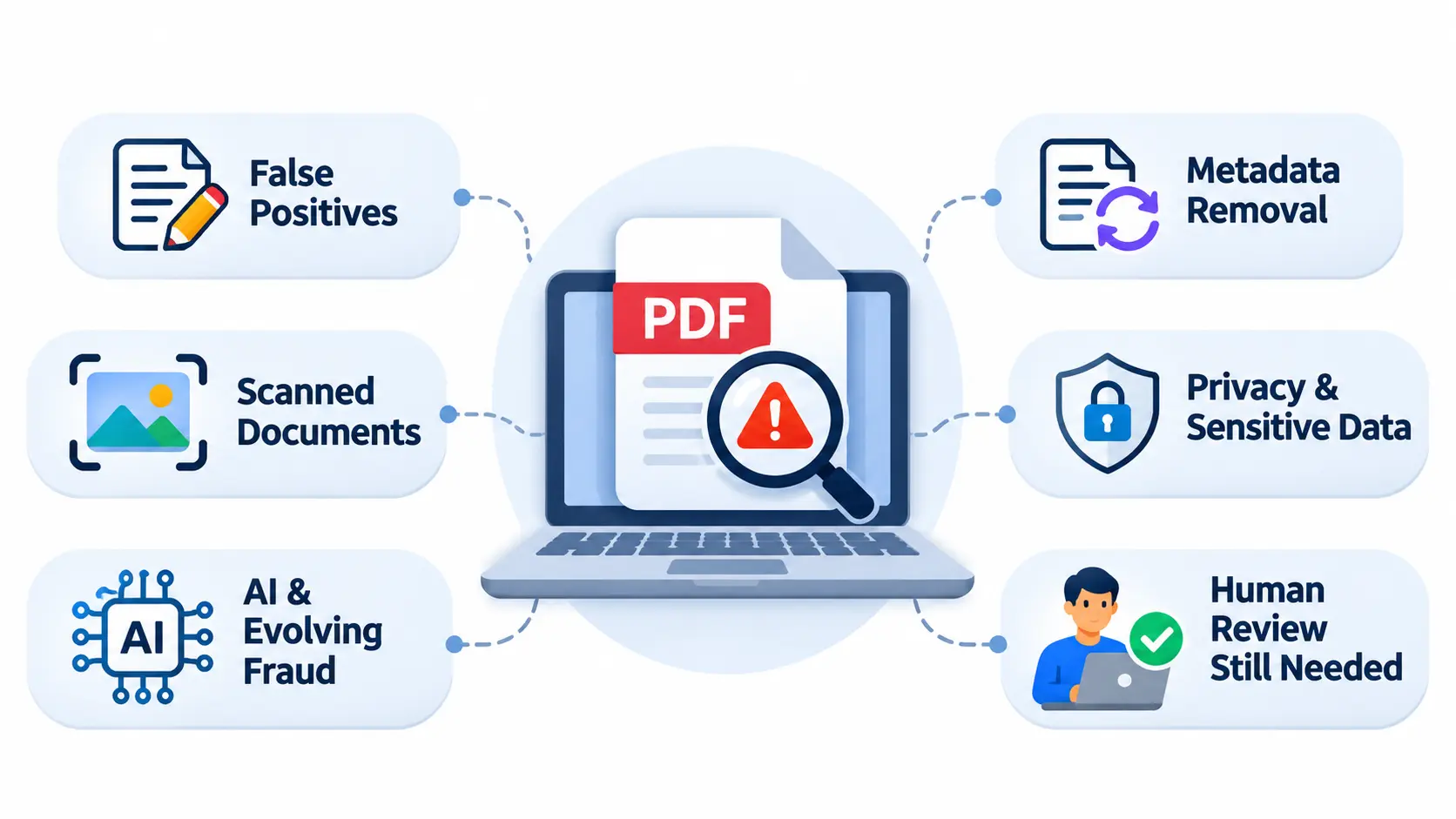
Common Challenges and Limitations of PDF Fraud Detection Tools
False Positives and Legitimate Document Modifications
Honest users also edit PDFs, for example by merging pages or compressing files. Good tools separate harmless changes from suspicious ones, but you should still review flagged files.
Scanned Documents and Low-Quality Images
Scans carry less metadata and more noise, so detection is harder and less certain.
AI-Generated Documents and Evolving Fraud Techniques
Fraudsters adapt. A tool that works today may need updates tomorrow, so ask how often detection models are retrained.
Metadata Removal and File Conversion
Printing to PDF or re-saving can strip metadata. This removes some signals, so tools must lean on other checks.
Privacy and Sensitive Financial Information
Bank statements and payslips contain personal data. Review each vendor’s security and retention practices against your legal duties.
Why Human Review Is Still Important
Tools produce signals, not verdicts. A trained reviewer weighs the context, contacts the issuer if needed, and makes the final decision.
Frequently Asked Questions About PDF Document Fraud Detection
1. What is the best PDF document fraud detection tool?
It depends on your needs. Extend Verify suits AI-focused detection, Sphinx and Resistant AI suit enterprise forensics, Paperwork and Inscribe suit financial document review, and VerifyPDF suits quick checks.
2. How can I check if a PDF document is fake?
Check metadata, fonts, signatures and text layers, then compare details with original records. For higher-risk files, use a forensic tool.
3. Is there a free PDF fraud detection tool?
Yes. Some tools, such as VerifyPDF, offer limited free checks. Free access usually has usage limits.
4. Can AI detect fake PDF documents?
Yes, in many cases. AI models can spot unusual patterns in layout, text and structure. They are not perfect, so combine them with human review.
5. Can PDF metadata reveal whether a document has been edited?
Often, yes. Modification dates and software traces can show later edits. But metadata can be removed, so it is one signal among several.
6. How do banks detect fake bank statements?
They combine automated forensic checks, data validation across documents, and sometimes direct confirmation with the issuing institution.
7. Can document fraud detection tools identify AI-generated invoices?
Some can. Tools with AI-generated document detection look for patterns typical of generated files, though accuracy varies by vendor.
8. How accurate are PDF fraud detection tools?
Accuracy depends on the tool, document type and file quality. Ask vendors for evidence and test with your own samples.
9. Are online PDF fraud detection tools safe?
They can be, but review privacy policies, encryption and retention first. Avoid uploading highly sensitive files to tools you have not vetted.
10. Can PDF fraud detection tools be integrated through APIs?
Many can. APIs let you score documents automatically inside your own systems.
Final Verdict: Which PDF Document Fraud Detection Tool Should You Choose?
The right PDF document fraud detection tools depend on your documents, your volume and your risk. There is no single winner for everyone.
Choose Extend Verify if AI-generated PDFs are your main concern. Pick Sphinx, Resistant AI, Paperwork or Inscribe for financial document forensics at scale. Use VerifyPDF or PDFChecker for fast, low-cost checks, and KlearStack, Doxis or Fortiro when banking forms, enterprise automation or configurable rules matter most.
Whichever you shortlist, run a pilot with real documents, confirm current pricing and security terms, and keep a human in the loop. That combination catches far more fraud than any tool alone.